Web app · Games
Meow Translator
Turn your cat's meows into hilarious dramatic announcements, then play them back with theatrical sound effects.
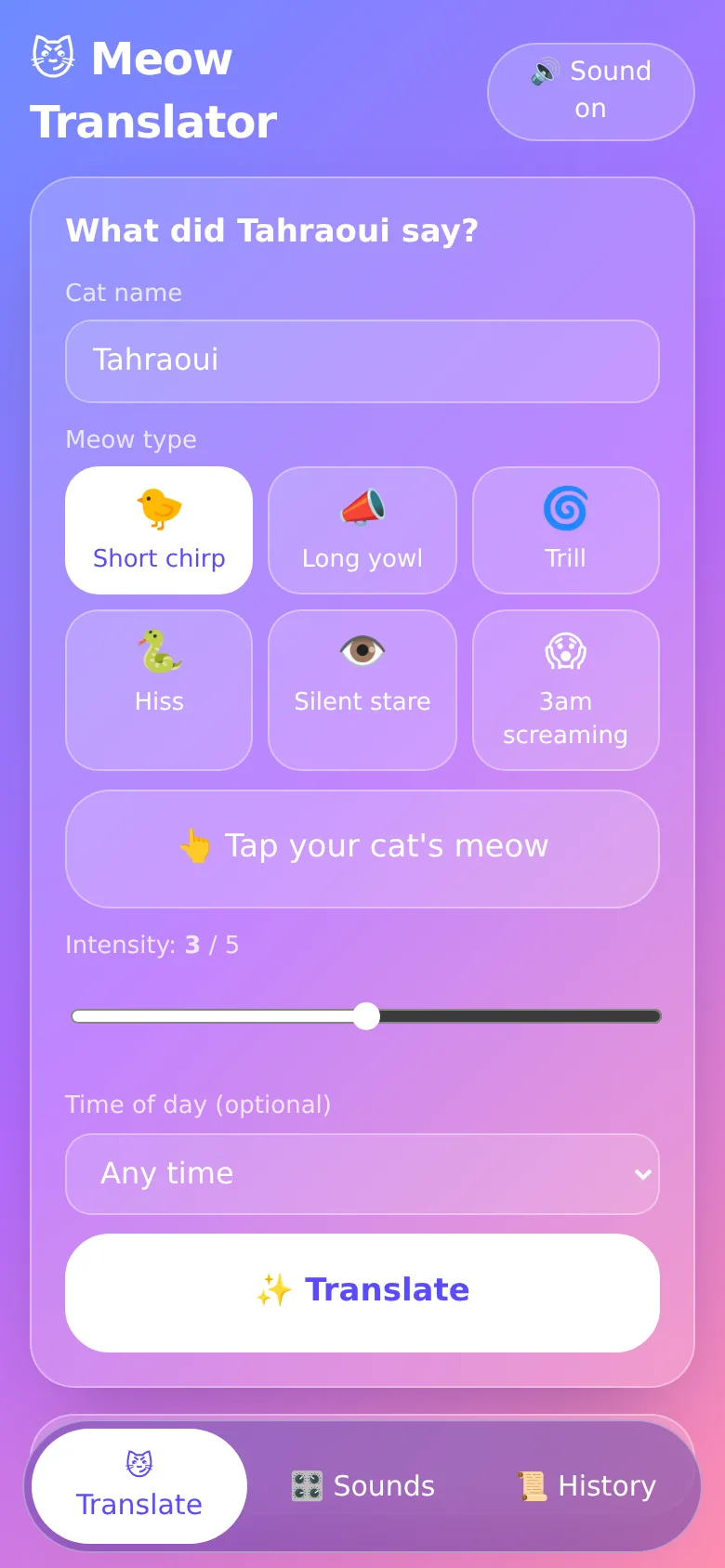
Your cat meows, but what are they really saying? Meow Translator lets you interpret each meow by choosing its type—chirp, yowl, trill, hiss, stare, or scream—and how dramatic you think it was. The app generates a funny, over-the-top translation and stores it in your history. Replay past translations with voice and sound, search through them, and star your favorites.
What it does
You pick your cat's name, select a meow type from six options, tap to build intensity on a scale of one to five, and optionally pick a time of day. Hit Translate and get a specific, funny line that sounds like your cat is making a grand announcement. A separate sound board offers ten theatrical sound effects you can play anytime. Every translation saves to a searchable history with timestamps, and you can replay translations with voice and drama sounds.
Key features
- Six meow types Chirp, yowl, trill, hiss, silent stare, and 3am screaming each have their own pool of funny translations.
- Intensity slider Set drama level one through five to change how wild the translation gets, from mildly peeved to apocalyptic.
- Searchable history Every translation saves with a timestamp; filter by meow type, favorites, or search by text.
- Sound board Ten dramatic sound effects like sting, gasp, trombone, evil laugh, and air horn play instantly.
- Replay with voice Play back any saved translation with both text-to-speech and a matched sound effect.
- Mute toggle Turn all audio and speech on or off with a single button.
How to use it
- Enter your cat's name in the text field on the Translate tab.
- Choose a meow type by tapping one of the six buttons.
- Move the intensity slider to set how dramatic the translation should be.
- Tap the Translate button to generate a funny line based on your cat's meow.
- Copy the text, play it back with drama sounds, or star it to save to favorites.
Who it’s for
Cat owners who want a fun, funny way to imagine what their cats are saying and enjoy theatrical humor and sound effects.
What’s new in this version
The app now includes a sample cat named Tahraoui with three pre-loaded translations so you can try the history and playback features right away.
How it differs from Meow Translator
This version is the same as the parent app with no functional changes.
The app’s share card (1200×630)
Questions and answers
Does it save my translations?
Yes. Every translation saves to your history with a timestamp, cat name, meow type, and drama level. You can search, filter, and replay them anytime.
Can I use it on my phone?
Yes. Meow Translator is a web app that works on any phone or computer with a modern browser.
How do I start translating my real cat?
Enter your cat's name, pick the meow type that sounds closest to what you just heard, set the intensity slider, and tap Translate. The app will generate a funny line for that specific meow.
Can I share a translation?
Yes. Copy any translation to your clipboard with the copy button, then paste it into a message, social media, or note.
Remix family
Remixed from Meow Translator · by Matheus The Second
More games apps
- Pesca Tranquila · Juego de pesca sin apuros donde lanzás, recogés peces, completás tu álbum de especies y mejorás tu equipo.
- Meow Translator · Tap to decode your cat's meows into theatrical translations, then blast them with a dramatic soundboard. Fun for cat lovers and parties.
- Pesca Tranquila · Pesca peces reales de río, lago y mar, completa tu álbum y vuelve cada día por tu racha de pesca.
- Pesca Tranquila · Juego de pesca relajado donde pescas, coleccionas y ves peces reales de cada especie con fotos auténticas y animaciones profesionales.
- Abuelo en Casa · Guía a un abuelito en silla de ruedas por una casa grande cumpliendo sus misiones del día: gafas, pastillas, plantas, café y descanso.
- Duelo de Torres · Juego de estrategia 1D donde controlas una torre medieval y tropas para destruir la torre enemiga antes de que caiga la tuya.