Web app · Travel & outdoors
Resort Booking
Find resorts by what matters to you, book with full transparency, and track all your upcoming trips.
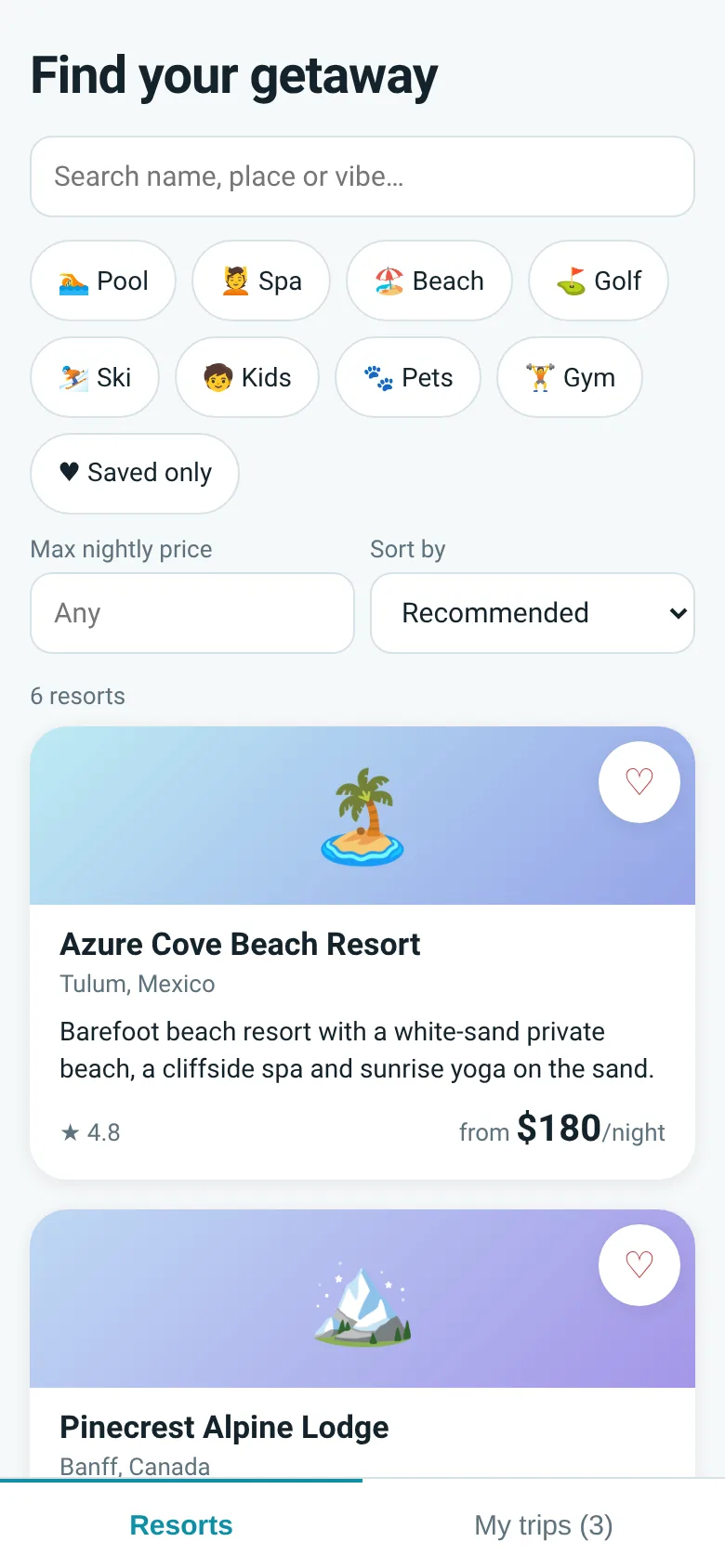
Planning a getaway takes time: you search resorts one by one, add dates and rooms, then wonder what the real price is after taxes and fees. Resort Booking shows you resorts filtered by amenities you want and the nightly price you can afford, displays the full total cost before you book, and keeps all your confirmed reservations in one easy-to-manage list. Your favorites are saved so you can come back to them later.
What it does
You start by browsing resorts filtered by name, location, vibe, amenities like pool or spa, and maximum nightly price. Sort by recommendation, rating, or price. Tap a resort to see its rooms, pick your check-in and check-out dates, choose a room type, enter guest details, and see the complete price. After booking, a confirmation code appears. Switch to My Trips to view all confirmed reservations, edit dates or guest count, or cancel a trip.
Key features
- Filter and sort resorts Search by name or vibe, pick amenities like beach or kids, set a price limit, and sort by recommendation, rating, or price.
- Full price transparency See the total cost for your stay upfront before confirming, not hidden fees added later.
- Room and date picker Choose check-in and check-out dates, select a room type, and enter guest names and email.
- Saved resorts Heart resorts to build a personal list and filter by saved only.
- Trip management View all confirmed trips, edit dates or guest count, or cancel a reservation.
How to use it
- Search for a resort by name, location, or vibe, or filter by amenities and price.
- Tap a resort card to see details, pick dates and a room, then enter your name and email.
- Review the full price and tap Book to get your confirmation code.
- Switch to My Trips to see all your confirmed reservations.
- Edit guest count and dates, or delete a trip if plans change.
Who it’s for
Travelers who want to find and book resorts without surprises about cost, and who value keeping all their reservations organized in one place.
The app’s share card (1200×630)
Questions and answers
Do you need a payment method to book?
No. The app shows you the full price and gives you a confirmation code, but no payment is processed in the app.
Can you edit or cancel a trip after booking?
Yes. Go to My Trips, tap the reservation you want to change, and edit the dates or guest count, or delete it entirely.
Do your bookings save automatically?
Yes. All confirmed reservations are saved and appear in My Trips each time you open the app.
Can you access it on a phone?
Yes. The app is built for mobile and works on any phone or tablet with a browser.
Remix family
Remixes of this app
- Resort Booking · Edgar Durand Díaz
More travel & outdoors apps
- Packing List · Builds a categorized packing checklist tailored to your trip length, weather, and activities. Check items off as you pack.
- Pesca Tranquila · Pesca peces reales de río, lago y mar, completa tu álbum y vuelve cada día por tu racha de pesca.
- Resort Booking · Search, compare and book resorts with review scores, free cancellation options, and instant confirmation. Manage all your reservations in one place.