Web app · Health & fitness
Water Tracker
Log each glass of water you drink and watch a glass fill up as you reach your daily hydration goal.
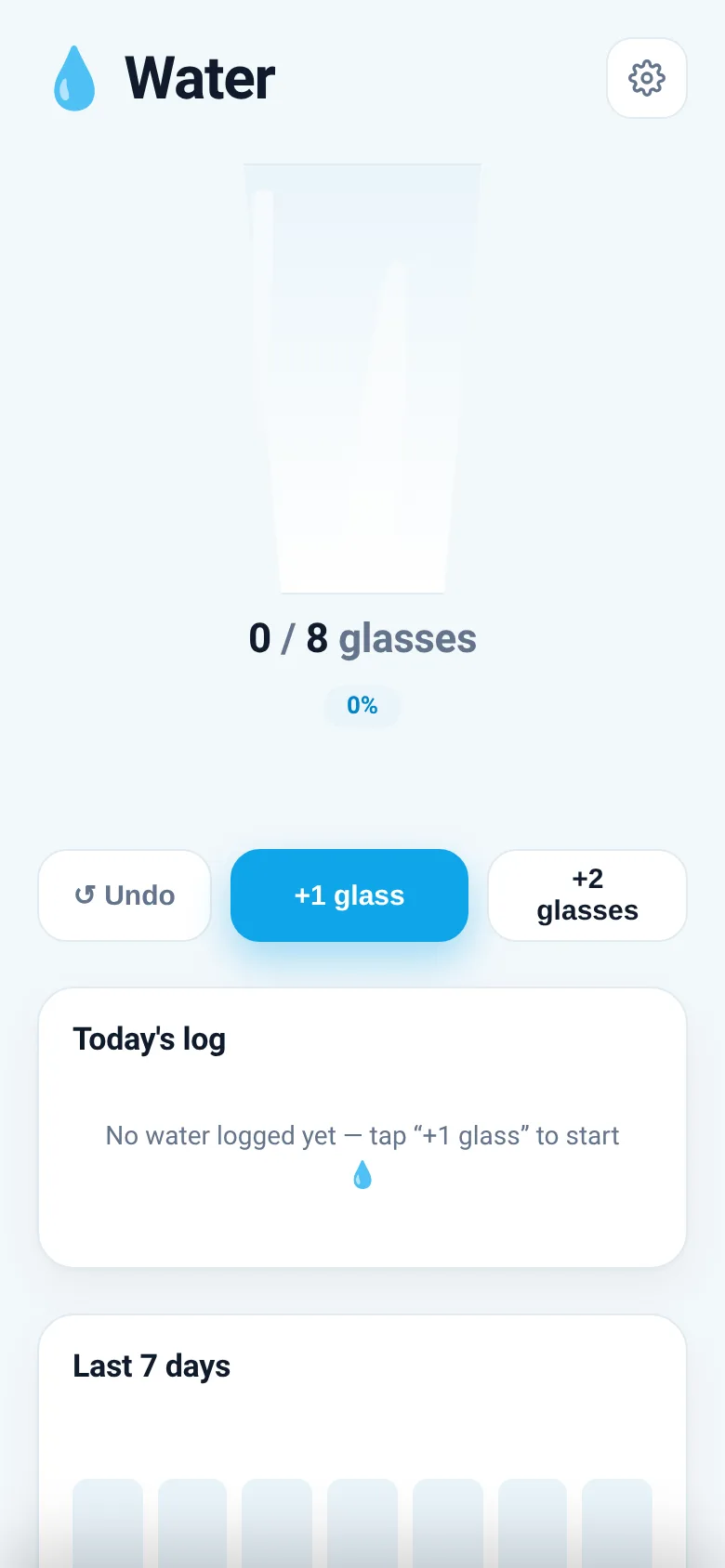
Staying hydrated matters, but it's easy to lose track of how much water you've actually drunk. Water Tracker makes it simple: tap a button each time you have a glass, and the app shows you a visual representation of your progress toward your daily goal. You can set your own target and review how much you've been drinking over the past week.
What it does
When you open Water Tracker, you see a large glass that fills with water as you log drinks. Tap +1 glass or +2 glasses to add entries, and the display updates instantly with your current count, percentage of goal reached, and the exact time you drank. Below that, a log shows every drink you logged today, and you can remove any entry. A 7-day chart at the bottom shows how many glasses you drank each day, with today highlighted.
Key features
- Animated filling glass Watch the glass fill with water and see your percentage progress as you log each drink.
- Quick logging buttons Add one or two glasses at a time, or undo your last entry with a single tap.
- Today's log See every drink you logged today with timestamps, and remove any entry if you need to.
- 7-day history chart View a bar chart showing how many glasses you drank each of the past seven days.
- Custom daily goal Open settings to change your target glasses per day, from 1 to 20.
- Data saved locally Your drinking log is stored in your browser and persists between visits.
How to use it
- Tap the +1 glass button each time you drink a glass of water.
- Watch the glass fill and your percentage update on the screen.
- Check the log below to see all your drinks with timestamps.
- View the 7-day chart to see your hydration over time.
- Open settings with the gear icon to change your daily goal if needed.
Who it’s for
Anyone who wants to drink more water and see a clear visual record of their hydration habits, especially people who need a reminder to stay consistent.
The app’s share card (1200×630)
Questions and answers
How do I start tracking?
Tap the +1 glass button whenever you drink water. The glass on screen will fill up and show your progress toward your goal.
Does the app save my data?
Yes, your drinking log is saved in your browser's local storage, so your history stays with you when you close and reopen the app.
Can I change my daily goal?
Yes, tap the gear icon at the top right, use the plus and minus buttons to set a new goal, and tap Save.
Can I remove a logged drink?
Yes, you can undo your last entry with the undo button, or tap the × next to any drink in the log to remove it.
More health & fitness apps
- Breathe · A guided breathing coach with expanding circle visuals for box breathing and 4-7-8 sessions. Pick a pattern and session length to begin.