Web app · Health & fitness
Breathe: Guided Breathing Sessions with Circle Visuals
Choose a breathing pattern and session length, then follow the expanding and contracting circle to guide your breath.
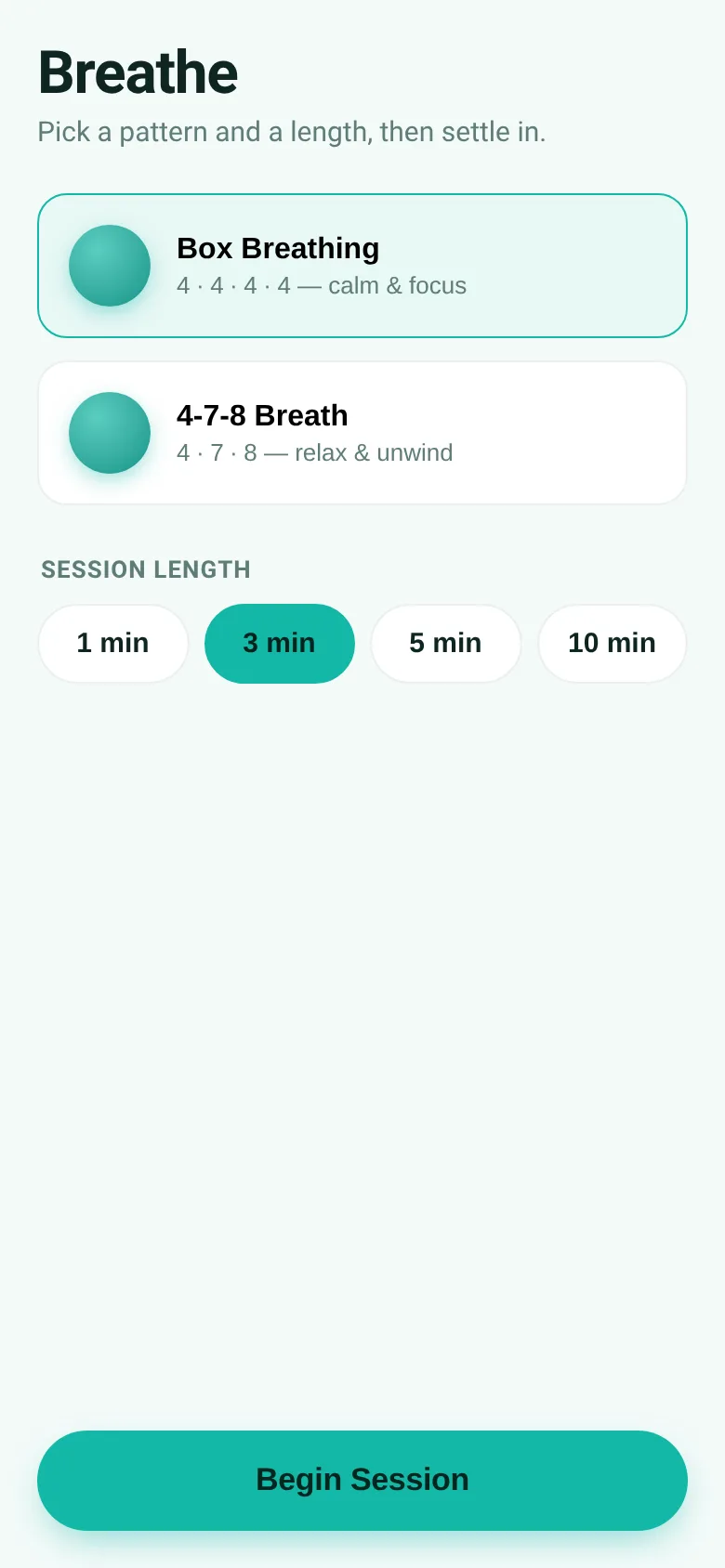
When stress builds or focus drifts, a few minutes of guided breathing can reset your mind. Breathe gives you two proven patterns—box breathing for calm focus and 4-7-8 breathing for relaxation—with a visual circle that expands and contracts to pace each phase. Pick how long you want to breathe, then settle in and let the circle guide you.
What it does
You start by selecting a breathing pattern and session length from 1 to 10 minutes. During the session, a circle on screen expands and contracts with each breath cycle, and text labels tell you whether to breathe in, hold, or breathe out. A countdown timer shows remaining time, and a cycle counter tracks your progress. You can pause and resume mid-session, and when the timer ends, a completion screen summarizes how many cycles you finished.
Key features
- Box Breathing A 4-4-4-4 pattern: breathe in for 4 seconds, hold for 4, out for 4, hold for 4.
- 4-7-8 Breath A relaxation pattern: breathe in for 4 seconds, hold for 7, breathe out for 8.
- Expanding Circle A visual guide that expands as you breathe in and contracts as you breathe out, synced to each phase duration.
- Flexible Session Length Start a 1, 3, 5, or 10 minute session; the app counts cycles completed within your chosen time.
- Pause and Resume Pause mid-breath to take a moment, then resume from where you left off without losing your place.
- Settings Memory The app remembers your last chosen pattern and session length so you can start faster next time.
How to use it
- Pick a breathing pattern: Box Breathing for focus or 4-7-8 Breath for relaxation.
- Tap a session length button: 1, 3, 5, or 10 minutes.
- Tap Begin Session and watch the circle expand and contract with each breath phase.
- Read the label to know whether to breathe in, hold, or breathe out.
- Use Pause to stop, Resume to continue, or tap the X to end and start over.
Who it’s for
Anyone seeking a few minutes of calm or focus during the day. Useful for stress relief, meditation practice, sleep prep, or rebuilding concentration.
The app’s share card (1200×630)
Questions and answers
How do I start a session?
Choose a breathing pattern and session length on the setup screen, then tap Begin Session. The circle and labels will guide each breath.
Does the app save my progress?
The app remembers your last chosen pattern and session length for next time. It does not save or track session history between visits.
Can I use this on my phone?
Yes, the app is built for web browsers on any device—phone, tablet, or desktop.
What if I need to pause?
Tap Pause during a session to stop the timer and circle. Tap Resume to pick up from the same breath phase. Tap the X to exit and return to setup.
More health & fitness apps
- Water Tracker · Track glasses of water you drink each day with an animated filling glass and view your 7-day hydration history.