Web app · Productivity
Agenda Builder: Plan and present meetings with live countdowns
Create an agenda with timed items, drag to reorder, then start a live presentation mode with a countdown for each item and overrun warnings.
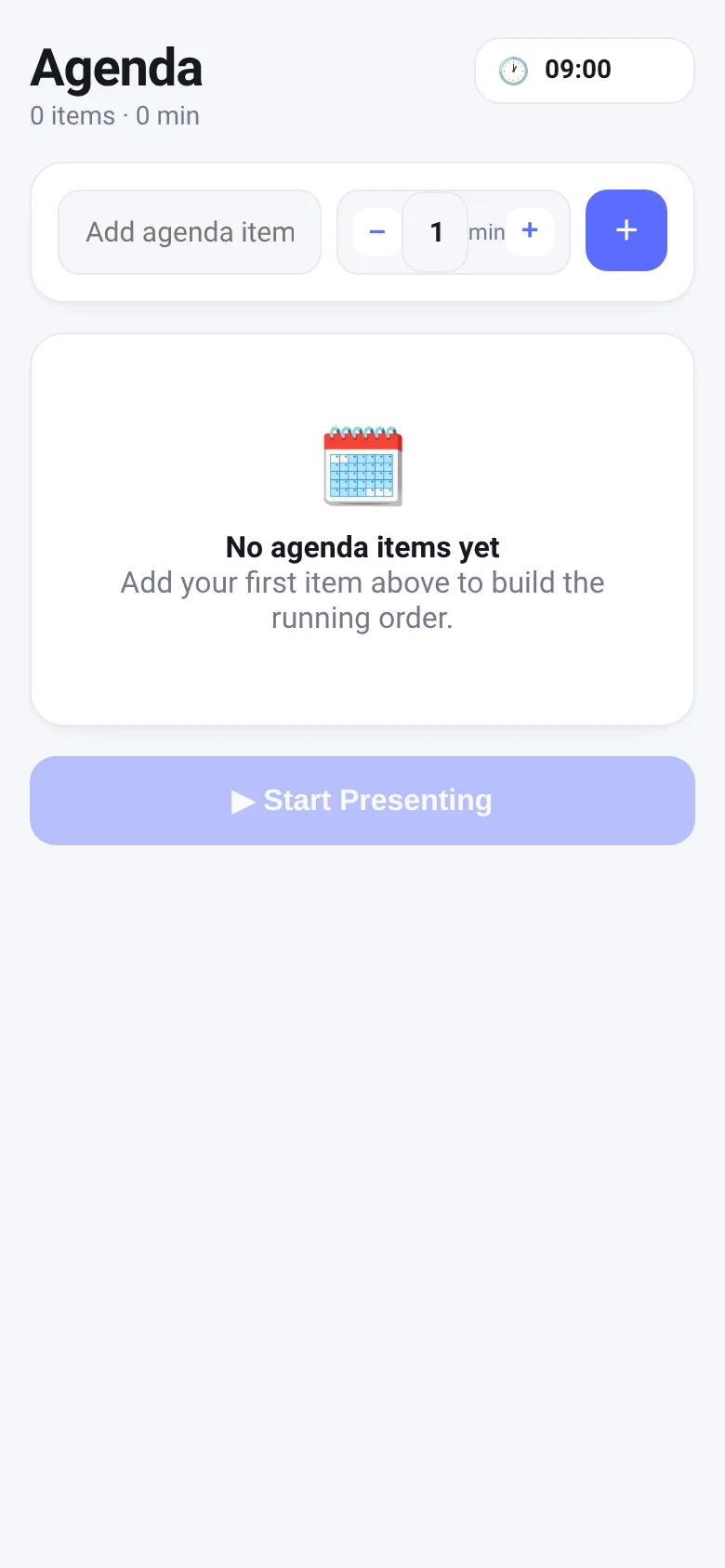
Running a meeting on time is hard when you're juggling multiple topics and losing track of how much time remains. Agenda Builder lets you list agenda items with durations, reorder them however you need, and then switch to a live presenting mode that shows a countdown for the current item, highlights when you are running over, and tells you what is coming next. Your agenda is automatically saved so you can pick it up where you left off.
What it does
You type in an agenda item and set its duration in minutes. Each item appears in a list with its scheduled start time. Drag items to reorder them; the schedule updates instantly. Adjust any duration by clicking plus or minus buttons. When you are ready, click Start Presenting to open a full-screen live view showing the current item's title, a large countdown clock, the scheduled times, a progress bar, and what comes next. The app beeps when time runs out, shows overtime in red, and lets you pause, skip to the next item, or go back.
Key features
- Agenda list with times Each item shows its title, duration, and calculated start time based on the meeting start time you set.
- Drag to reorder Rearrange items by dragging; the schedule and all start times recalculate instantly.
- Live presenting mode Full-screen view with large countdown per item, scheduled times, progress bar, and next-item preview.
- Overrun detection When time runs out, the countdown turns red and shows negative time so you know exactly how far over you are.
- Quick duration edit Change any item's duration by 5 minutes with plus and minus buttons without leaving the agenda list.
- Automatic save Your agenda items and meeting start time are saved to your browser so you can close and reopen without losing work.
How to use it
- Type an agenda item name into the input field and set its duration in minutes using the plus and minus buttons.
- Click the plus button to add the item to your agenda.
- Drag items up or down to reorder them, or click plus and minus to adjust any item's duration.
- Set your meeting start time in the top-right corner if it is not 09:00.
- Click Start Presenting to open the live view and run through your agenda item by item.
- In live mode, click Next to move to the next item or Pause to stop the countdown.
Who it’s for
Meeting facilitators, event organizers, teachers, and anyone running a session with multiple timed topics who needs to stay on schedule and see at a glance how much time remains.
The app’s share card (1200×630)
Questions and answers
Does the app save my agenda?
Yes, your agenda items and meeting start time are saved automatically to your browser. Close and reopen the app anytime to pick up where you left off.
Can I use this on my phone?
Yes, the app works on phones and tablets. Drag to reorder on desktop; on touch devices, press and hold an item, then drag to move it.
What happens when time runs out?
The app beeps once, the countdown turns red, and displays negative time so you know how far over you are. You can keep going or skip to the next item.
How do I skip to the next agenda item?
In live presenting mode, click the Next button to jump to the following item without finishing the current countdown.
More productivity apps
- Historial Clínico Pet · Sistema para registrar y gestionar el historial médico completo de perros y gatos: vacunas, visitas, tratamientos, peso y avisos de vencimiento.
- Pitch Timer · Write cue cards, pick a 30/60/90-second timer, and rehearse your pitch with haptics and per-card timing feedback.
- Pocket Kanban · A minimal kanban board for your phone. Add colored task cards and tap them to move through To do, Doing, and Done with satisfying spring animations.
- Interview Bank · Post and upvote real interview questions by role and type. Mark questions you were asked to build your prep list.
- Study Hours · Log study sessions by subject and minutes. See your group's weekly hours, leaderboard, and a heatmap of the busiest study days.
- Focus Room · Start a focus session with your name and goal, and see who else is focusing right now with live countdowns and today's total minutes.