Web app · Tools & utilities
Decision Wheel: Spin to settle any choice
Add options, spin the colorful wheel, and let chance decide. Your choice history stays in the app.
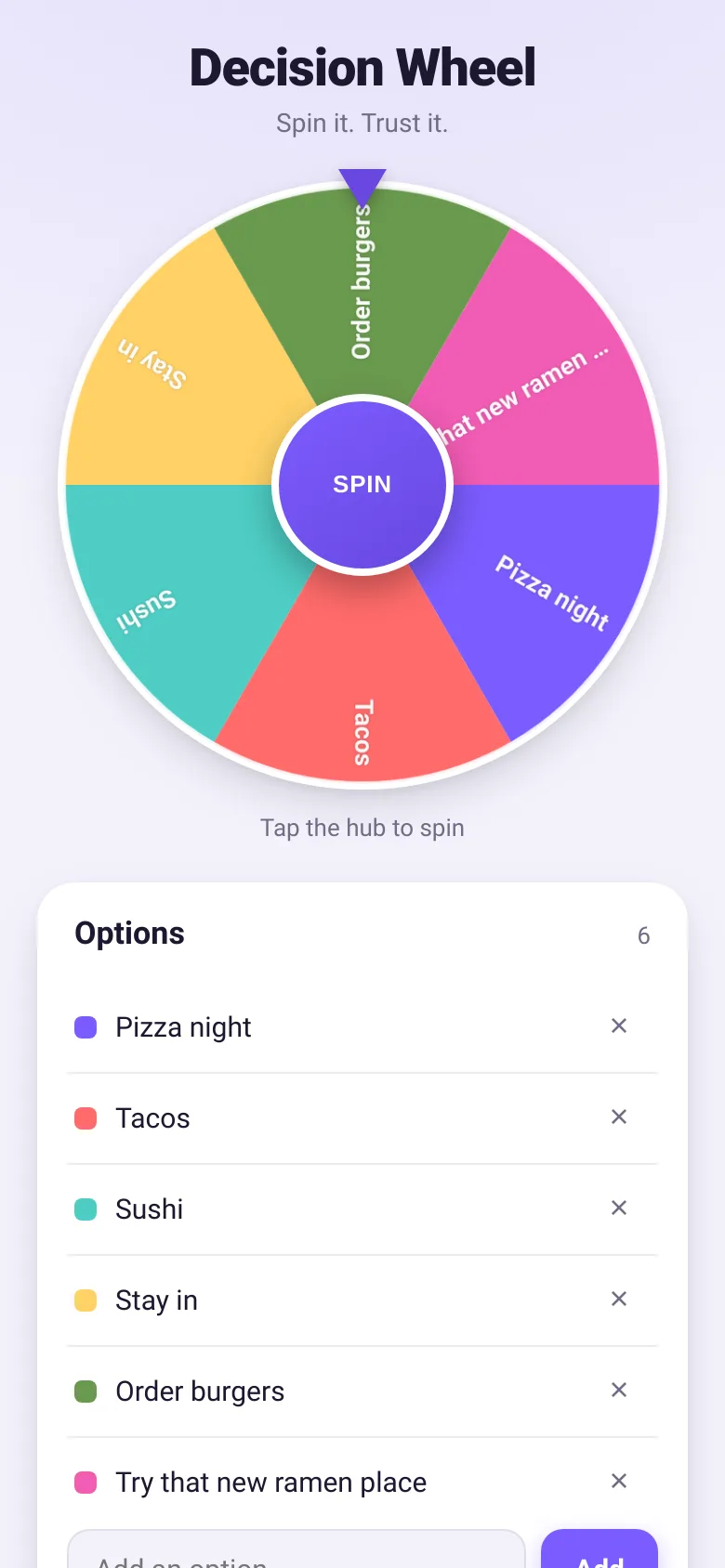
Stuck between pizza or tacos? Can't pick a movie? Decision Wheel turns everyday choices into a quick, fun ritual. Add up to 16 options, tap the hub to spin, and watch confetti celebrate the winner. It remembers your last 12 spins, so you can see the patterns of your choices.
What it does
You type in your options—restaurants, activities, movie genres, anything—and they appear on a colorful spinning wheel with a color-coded list. Tap the central hub to spin; the wheel slows down with flair, and a pointer at the top selects the winner. A card pops up announcing the result with confetti, and that choice gets added to your spin history, visible as small chips below the wheel.
Key features
- Spin and win Tap the hub to spin the wheel; it decelerates smoothly and crowns a winner with confetti.
- Color-coded options Each option gets its own color on the wheel and in the list, making choices easy to track visually.
- Spin history The last 12 winners appear as chips below the wheel so you can spot patterns.
- Edit on the fly Add, remove, or rename options at any time; the wheel updates instantly.
- Local saving Your options and spin history stay in the browser so they're there next time you visit.
- Reduced motion support Respects your system's motion preferences; skips confetti and uses shorter spins if you prefer less animation.
How to use it
- Type your first choice into the input field and tap Add.
- Keep adding options until you have at least two.
- Tap the large hub button in the center to spin the wheel.
- Read the winner card that appears when the wheel stops.
- Tap Nice, spin again to dismiss the card and spin once more.
Who it’s for
Groups picking restaurants, movie nights, or activities; anyone who likes settling decisions with a bit of fun and chance. Works equally well on a phone or desktop.
The app’s share card (1200×630)
Questions and answers
Does it save my options?
Yes. Your options and your last 12 spin results are saved in your browser storage, so they'll be there when you come back.
How many options can I add?
Up to 16 options per wheel. Each gets its own slice and color.
Can I use it on my phone?
Absolutely. The wheel is designed to work on phones, tablets, and desktops.
What if I want to remove an option after I add it?
Click or tap the X button next to any option to delete it. The wheel updates instantly.
More tools & utilities apps
- Meow Translator · Tap to decode your cat's meows into theatrical translations, then blast them with a dramatic soundboard. Fun for cat lovers and parties.
- Packing List · Builds a categorized packing checklist tailored to your trip length, weather, and activities. Check items off as you pack.
- Day Counter · Track the days until or since events you care about. See countdowns and past milestones in a clean, swipeable card list.
- Metronome · Keep time with tap tempo, a BPM slider, multiple time signatures, and accented first beats. Essential for musicians and practice sessions.
- Palette Maker · Generate harmonious color palettes, lock your favorites, and copy hex codes instantly. Switch between analogous, complementary, and triadic schemes.
- Kitchen Converter · Convert cups, tablespoons, teaspoons, grams, ounces and millilitres with ingredient-specific weights for accurate baking and cooking.