Web app · Music & audio
Pulse Metronome
Tap, dial in, and lock the groove with adjustable tempo and multiple time signatures.
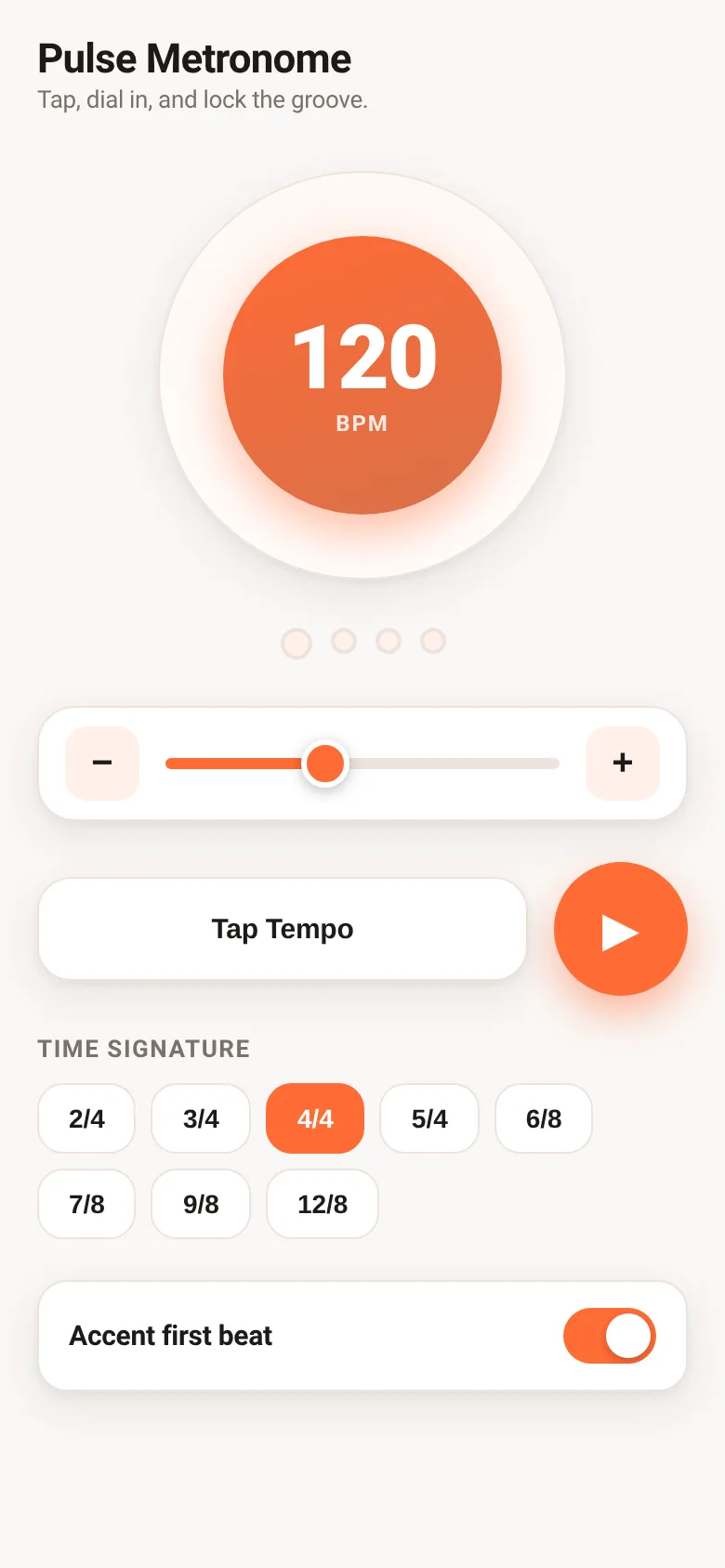
Whether you are learning an instrument, rehearsing with others, or perfecting a rhythm, staying in sync is hard without a steady pulse. Pulse Metronome gives you a responsive click track that adapts to your pace. Tap the beat to set tempo instantly, or use the slider to dial in your exact BPM. Switch between eight time signatures, toggle accent on the first beat, and start practicing.
What it does
The app displays a pulsing core that flashes with each beat, surrounded by dots that highlight which beat in the measure you are on. A slider and +/- buttons let you set the tempo from 30 to 260 BPM, and the Tap Tempo button calculates your tempo by listening to how fast you tap it. You pick a time signature—from 2/4 to 12/8—and toggle whether the first beat sounds louder than the rest. When you press play, you hear click tones and see the visual pulse sync to your chosen tempo.
Key features
- Tap Tempo Tap the button in rhythm to calculate your BPM automatically.
- BPM Slider and Step Buttons Adjust tempo from 30 to 260 BPM using the slider or increment by one with +/− buttons.
- Eight Time Signatures Choose from 2/4, 3/4, 4/4, 5/4, 6/8, 7/8, 9/8, and 12/8 to match your piece.
- Accented First Beat Toggle a louder tone on the downbeat to emphasize the measure's start.
- Visual Beat Indicator Dots light up in sequence to show each beat, and the pulse core pulses with larger accent on beat one.
- Settings Saved Your last BPM, time signature, and accent preference are remembered.
How to use it
- Tap the Tap Tempo button several times in the rhythm you want to practice, or drag the BPM slider to set your tempo.
- Click the time signature chip that matches your piece (for example, 4/4 for most songs).
- Toggle Accent first beat on if you want the downbeat to sound louder.
- Press the play button to start the metronome.
Who it’s for
Musicians, music students, and drummers who need a steady beat during practice, rehearsal, or performance.
The app’s share card (1200×630)
Questions and answers
How do I set the tempo?
Use the BPM slider to dial in any tempo from 30 to 260, press the +/− buttons to adjust by one, or tap the Tap Tempo button in rhythm to calculate it automatically.
Will my settings be saved?
Yes. Your chosen BPM, time signature, and whether accent is on are saved and will be there when you return.
Does it work on my phone?
Yes, Pulse Metronome is a web app that works on any device with a web browser and speaker.
Can I hear the difference between beats?
Yes, when you toggle Accent first beat on, the downbeat plays at a higher pitch and volume so you hear the measure's start clearly.
More music & audio apps
- Chord Charts · Pick a root note and chord type to see a fretboard diagram with finger positions. Build common song progressions step by step.
- Packing List · Builds a categorized packing checklist tailored to your trip length, weather, and activities. Check items off as you pack.
- Day Counter · Track the days until or since events you care about. See countdowns and past milestones in a clean, swipeable card list.
- Decision Wheel · Add your options, spin the wheel, and let it pick the winner. Settle choices with a satisfying spin and confetti celebration.
- Palette Maker · Generate harmonious color palettes, lock your favorites, and copy hex codes instantly. Switch between analogous, complementary, and triadic schemes.
- Kitchen Converter · Convert cups, tablespoons, teaspoons, grams, ounces and millilitres with ingredient-specific weights for accurate baking and cooking.