Web app · Games
Fair Teams: Split players into balanced groups
Add players with a skill rating from 1 to 5, choose how many teams you need, and get instantly balanced lineups with total strength for each team.
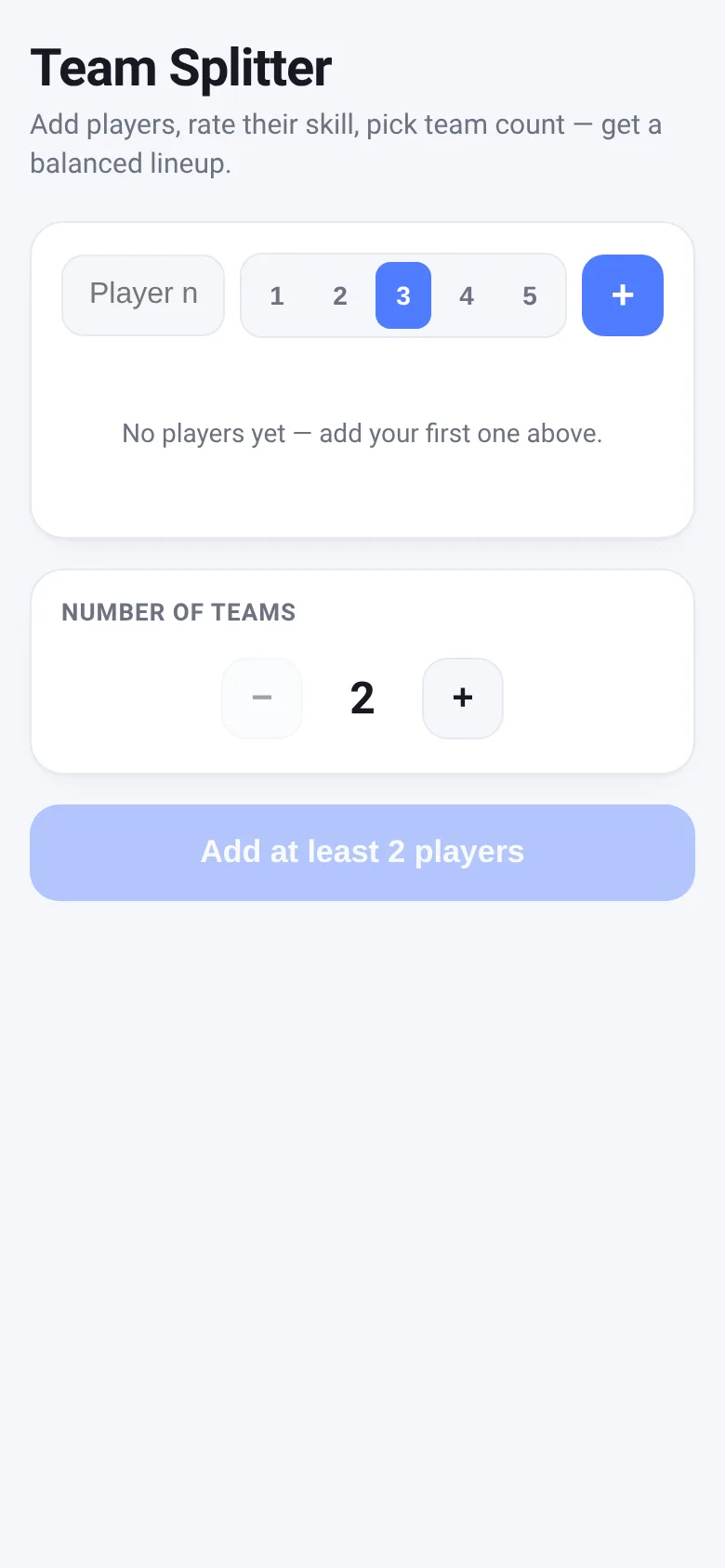
Organizing fair teams takes guesswork out of dividing players by hand. Fair Teams lets you list everyone playing, rate each person's skill on a 1–5 scale, pick the number of teams, and instantly see a balanced split. The app uses a greedy algorithm to distribute players so each team has roughly equal total strength, then shows the result with a quick shuffle animation.
What it does
You enter a player name and pick a skill rating from 1 to 5 using buttons; a plus sign adds them to your roster. A list shows all players with their names and skill stars. Below, you adjust the number of teams with plus and minus buttons. When you hit Generate, the app sorts players by skill, distributes them to balance total team strength, and displays the teams side by side with each player's name, skill rating, and team total points.
Key features
- Skill rating buttons Choose a 1–5 skill level for each player before adding them.
- Team count control Use plus and minus buttons to set how many teams you need, from 2 to 8.
- Balanced distribution Algorithm assigns players to keep team totals as equal as possible.
- Shuffle animation Teams appear one by one with a short delay for a smooth reveal.
- Saves your roster Player list is saved to your browser so it stays between visits.
How to use it
- Type a player name and select their skill rating from 1 to 5.
- Click the plus button to add them to your roster.
- Repeat until all players are listed.
- Adjust the number of teams with the stepper controls.
- Click Generate Balanced Teams to see the split.
Who it’s for
Anyone organizing casual games, sports, or group activities who needs to divide players fairly by skill—coaches, event organizers, or friends picking teams.
The app’s share card (1200×630)
Questions and answers
Will my player list stay if I close the browser?
Yes, the app saves your roster in browser storage, so it comes back next time you visit.
What if I have more teams than players?
The button will warn you that you need more players than teams. Add more players or reduce the number of teams.
Can I adjust a team after it's generated?
The app doesn't have drag-and-drop yet. To change teams, you can remove players and regenerate.
Does this work on my phone?
Yes, it's a web app and works on any phone or tablet with a browser.
More games apps
- Fox Knight: Sky Isles · A 2D platformer where you leap across floating islands as a brave fox knight, stomp slimes, collect gems and face a boss across three levels.
- Arena Fist 3D · Juego de pelea 3D con luchadores detallados. Juega en modo historia, 1 vs 1, 2 jugadores o entrena contra un muñeco.
- Arena Fist 3D · Juego de pelea 3D con modo historia, entrenamiento, 1-2 jugadores y modo Jefes con 150 niveles progresivos.
- Pesca Tranquila · Juego de pesca sin apuros donde lanzás, recogés peces, completás tu álbum de especies y mejorás tu equipo.
- Mouse Hunt · A game with realistic 3D mice that have distinct personalities, designed for your cat to chase and catch on screen.
- Mouse Hunt · An interactive game where animated mice scurry, pause and dart across your screen for your cat to chase, with catch tracking and parental controls.