Web app · Games
Gravity Sandbox
Flick planets into orbit, watch gravity shape their paths, and merge masses on collision.
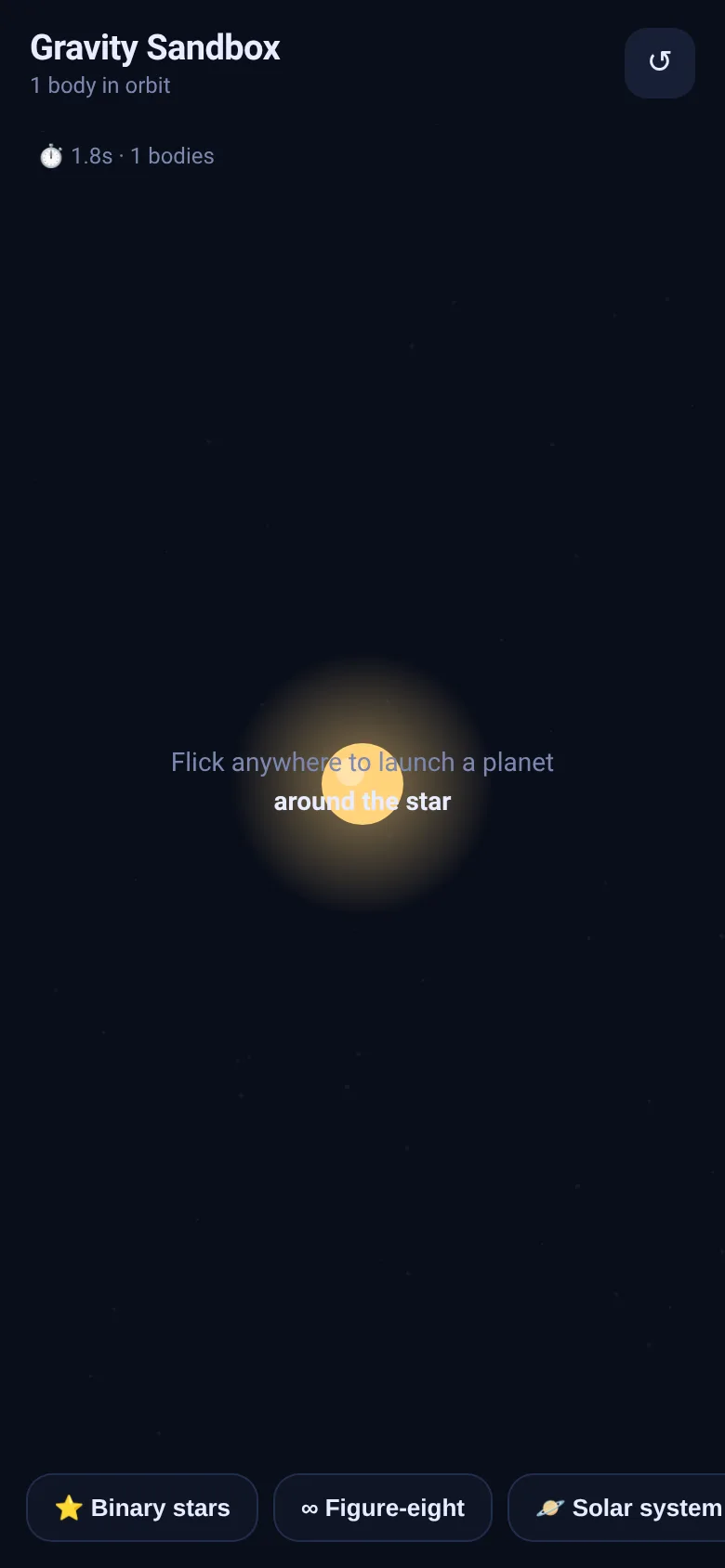
You want to see how gravity works without equations or lectures. Gravity Sandbox lets you launch planets by flicking them around a central star. Each body trails light as it orbits, and when two collide they merge into a larger mass. Start with a blank star, or load one of four presets—binary stars, a figure-eight dance, a solar system, or chaos—to see different orbital patterns in real time.
What it does
The canvas shows a dark space with a yellow star at the center. Flick anywhere to launch a colored planet; it curves into orbit under gravity. Trails of light follow each body. Preset buttons load specific scenarios: two massive stars orbiting each other, three bodies in a mathematically choreographed figure-eight, planets in stable rings, or six bodies tumbling chaotically. When bodies touch they fuse, growing larger. A timer and body counter appear on screen. The Clear button resets to one star.
Key features
- Flick to launch Drag and release to give a planet initial speed and direction; longer drags create faster planets.
- Glowing trails Each body leaves a fading luminous path showing its orbit over the last moment.
- Collision merging When two bodies touch they combine into one larger body with their combined mass and momentum.
- Four presets Load Binary stars, Figure-eight, Solar system, or Chaos swarm to see different orbital choreographies instantly.
- Real-time physics Gravity acts between all bodies; the simulation runs at interactive speed with soft screen bounces.
How to use it
- Open the app and see a yellow star in the center.
- Flick anywhere on screen to launch a colored planet; watch it curve into orbit.
- Tap a preset button like Binary stars to load a scenario with multiple bodies.
- Flick more planets into the same scene to create collisions and mergers.
- Tap the reset button (↺) to clear all bodies and keep only the star.
Who it’s for
Anyone curious about gravity and orbits: students exploring physics, people who enjoy interactive art, and players who like relaxed sandbox experiences without pressure or scores.
The app’s share card (1200×630)
Questions and answers
How do I start launching planets?
Simply flick anywhere on the canvas. The longer and faster you drag before releasing, the faster the planet launches. It will curve into orbit under gravity.
Will my orbits stay the same if I close the app?
No. Each time you load the app or tap Clear, you start fresh with one star. The app does not save your orbits between sessions.
Does it work on my phone?
Yes. The app works on any device with a web browser and supports both touch and mouse input.
What happens when two bodies collide?
They fuse into a single larger body with the combined mass of both. The bigger merged body is created at the center of their masses and inherits their combined momentum.
More games apps
- Fox Knight: Sky Isles · A 2D platformer where you leap across floating islands as a brave fox knight, stomp slimes, collect gems and face a boss across three levels.
- Arena Fist 3D · Juego de pelea 3D con luchadores detallados. Juega en modo historia, 1 vs 1, 2 jugadores o entrena contra un muñeco.
- Arena Fist 3D · Juego de pelea 3D con modo historia, entrenamiento, 1-2 jugadores y modo Jefes con 150 niveles progresivos.
- Pesca Tranquila · Juego de pesca sin apuros donde lanzás, recogés peces, completás tu álbum de especies y mejorás tu equipo.
- Mouse Hunt · A game with realistic 3D mice that have distinct personalities, designed for your cat to chase and catch on screen.
- Mouse Hunt · An interactive game where animated mice scurry, pause and dart across your screen for your cat to chase, with catch tracking and parental controls.