Web app · Travel & outdoors
Jet Lag Planner
Tell us your trip and we'll map out light, sleep and caffeine timing to help you adjust fast.
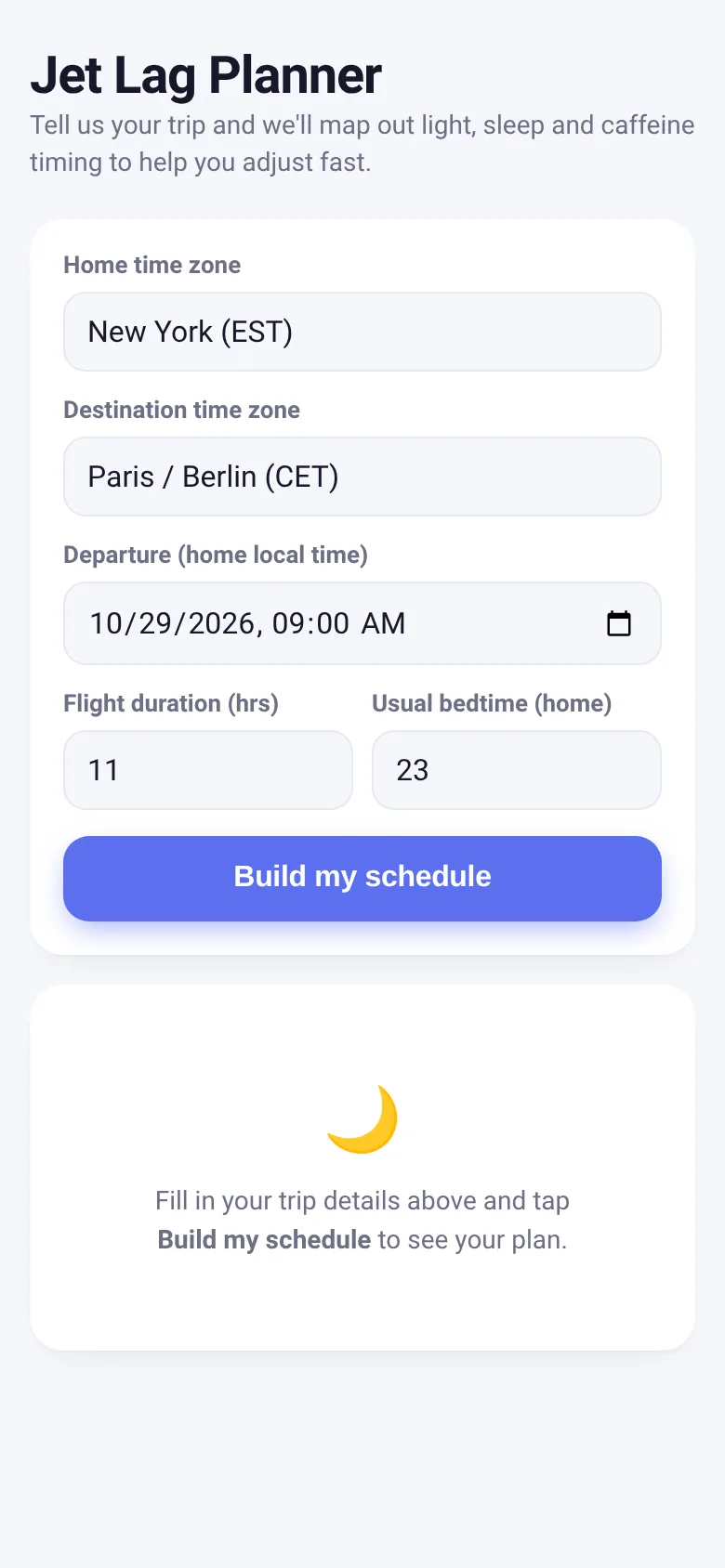
Jet lag disrupts your sleep and energy for days after crossing time zones. Jet Lag Planner gives you a personalized schedule that uses light exposure, sleep timing and caffeine strategically to match your body clock to your destination. You enter your home and destination time zones, flight departure time and duration, and your usual bedtime. The app then shows you a colored timeline for each day of recovery, telling you exactly when to seek daylight, avoid light, sleep and when caffeine is safe.
What it does
The app displays a day-by-day recovery plan as colored horizontal timelines showing 24 hours of destination local time. Each day shows four overlaid schedules: when to actively seek light (typically morning for eastbound, evening for westbound travel), when to avoid light, your sleep window (gradually shifting toward the destination's natural bedtime), and a safe caffeine window. Below each timeline, specific times for each activity are listed in your destination's local clock. The plan spans 2 to 8 days depending on the time difference, with each day's recommendations gradually shifting your body clock toward the destination.
Key features
- Day-by-day colored timeline See all 24 hours of each recovery day at a glance, with color-coded zones for light-seeking, light avoidance, sleep and caffeine.
- Directional advice The plan adapts to whether you're traveling eastward (advancing your clock) or westward (delaying it), changing light-exposure timing accordingly.
- Personalized sleep windows Your usual home bedtime gradually shifts toward your destination's natural night over the recovery period.
- Arrival time summary The app shows what time you'll land in your destination's local time, grounding the plan in reality.
How to use it
- Select your home time zone and destination time zone from the dropdowns.
- Enter your departure date and time (in your home local time) and how long your flight will take.
- Set your usual bedtime at home as an hour (0–23).
- Tap Build my schedule to see your personalized day-by-day recovery plan.
Who it’s for
Travelers crossing multiple time zones who want to adjust quickly and reduce jet lag. Works on any device with a web browser.
The app’s share card (1200×630)
Questions and answers
Do I need an account or does the app save my data?
No account is needed. The app runs entirely in your browser. Your trip details are used only while you're viewing the page; nothing is saved or sent anywhere.
Can I use this on my phone?
Yes. The app is designed for all screen sizes, including phones and tablets.
How many days of schedule does it show?
The plan covers 2 to 8 days depending on the time difference. Larger jumps (like 12+ hours) get more days to recover.
What if my flight has a layover?
Enter your total flight duration and final destination time zone. The app plans for your body to adjust to the final destination, not the layover.
More travel & outdoors apps
- Walkies · Time your dog's walks, log pee and poop stops, and track daily walk minutes toward your goal. Simple, quick, and built for busy dog owners.
- Visited Countries · Check off countries you've visited by continent and see your world travel percentage. Track progress with visual rings for each continent.
- Yoga Flow · A guided 12-pose beginner yoga sequence with timed holds, visual pose figures, a progress ring, and haptic feedback.
- Run Club · Post your runs with distance and time, see pace calculated instantly, and track the club's weekly total and leaderboard together.
- Pushup Challenge · Log daily push-ups, compete on a shared leaderboard, and help your group reach 10,000 reps together in 30 days.
- Trip Ideas · Propose activities for each day of a trip, vote together in real time, and see the winning timeline emerge as your group decides.