Web app · Games
Lights Out: tap bulbs to solve the puzzle
Turn off all glowing bulbs by tapping them and their neighbors. Solve 15 levels or play random puzzles and chase the par score.
You face a 5x5 grid of bulbs. Some glow, some are dark. Tap any bulb to toggle it and all bulbs touching it in four directions. Your goal: turn off every bulb on the board. The fewer moves you use, the better your score. Each level has a par—the ideal number of moves—and you earn three stars for solving in par or fewer.
What it does
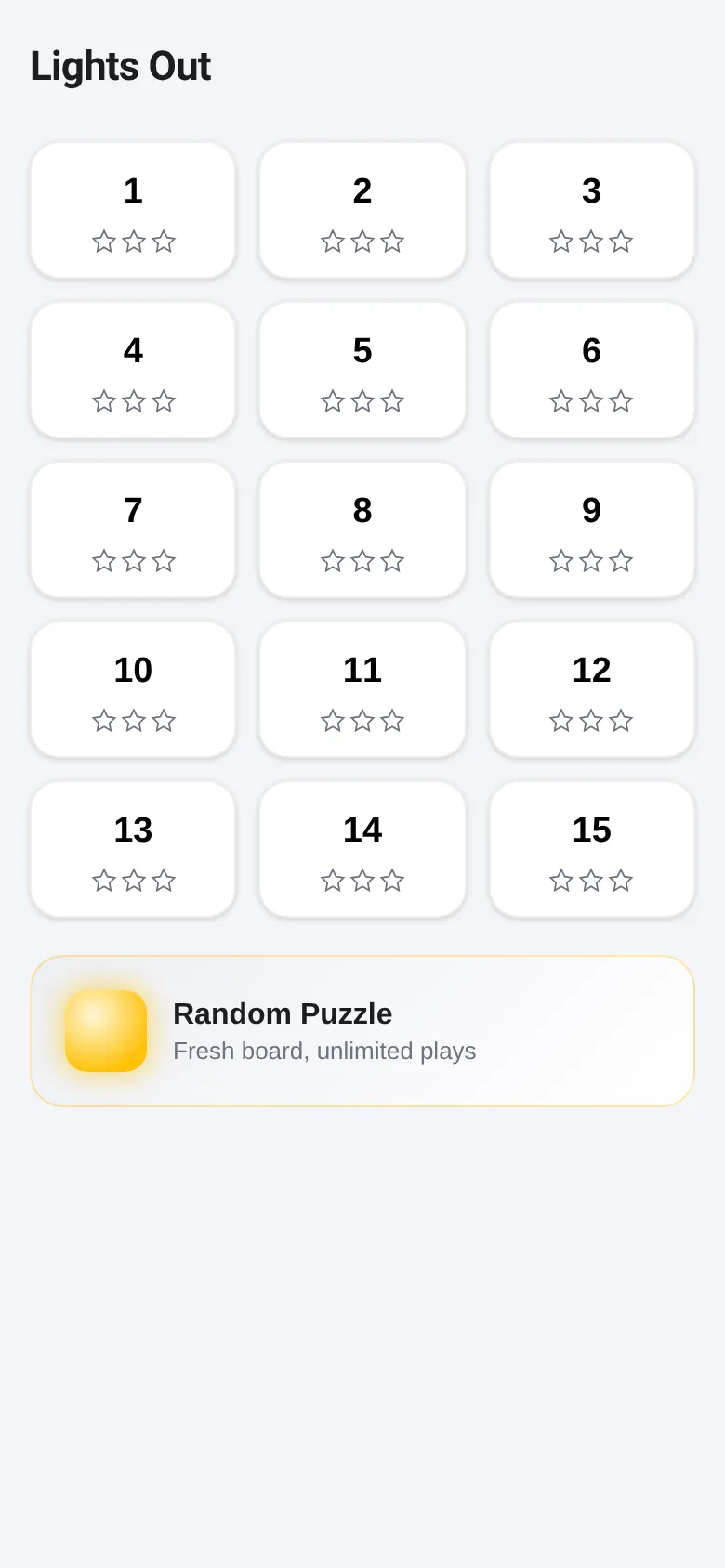
When you start, you see 15 level cards showing your star progress, plus a Random Puzzle button. Choose a level or random mode to enter the game board. The 5x5 grid displays glowing and dark bulbs. Tap any bulb to toggle it and its orthogonal neighbors. Your move count rises with each tap. When all bulbs turn dark, you win and see your star rating based on how many moves you used compared to par. You can replay, go to the next level, or return to the level select menu.
Key features
- 15 handcrafted levels Progress through levels that start simple and gradually increase in difficulty, with par scores that match each puzzle's optimal solution.
- Random puzzle mode Play unlimited procedurally generated boards with a fresh challenge every time, no two games alike.
- Star rating system Earn one, two, or three stars based on whether you solve in par, par plus two moves, or more, giving you a clear measure of skill.
- Progress saved to device Your star ratings persist in local storage so you can return and improve your scores on any level.
- Smooth visual feedback Bulbs light and dim smoothly, and the grid enters with a staggered animation that feels polished and responsive.
How to use it
- Open the app to see the level select menu with 15 cards and a Random Puzzle button.
- Tap any level card to start that puzzle, or tap Random Puzzle for a generated board.
- Tap any bulb on the grid to toggle it and its orthogonal neighbors (up, down, left, right).
- Keep tapping until all bulbs turn dark to solve the puzzle and see your star rating.
- Tap Next Level, Replay, or Levels to continue or return to the menu.
Who it’s for
Casual puzzle players who enjoy logic games and want to test their spatial reasoning. Works on any device with a web browser, including phones and tablets.
The app’s share card (1200×630)
Questions and answers
How do I turn off the bulbs?
Tap any bulb to toggle it and all bulbs directly adjacent to it (up, down, left, right). Keep tapping different bulbs until the entire board turns dark.
Does the app save my progress?
Yes. Your star ratings for each of the 15 levels are saved to your device so you can return and try to improve them.
Can I play on my phone?
Yes. Lights Out works on any device with a web browser, including smartphones and tablets.
What do the stars mean?
Each level has a par—the minimum moves to solve it. You earn three stars for solving in par moves, two stars for par plus two moves, and one star for anything more.
More games apps
- Fox Knight: Sky Isles · A 2D platformer where you leap across floating islands as a brave fox knight, stomp slimes, collect gems and face a boss across three levels.
- Arena Fist 3D · Juego de pelea 3D con luchadores detallados. Juega en modo historia, 1 vs 1, 2 jugadores o entrena contra un muñeco.
- Arena Fist 3D · Juego de pelea 3D con modo historia, entrenamiento, 1-2 jugadores y modo Jefes con 150 niveles progresivos.
- Pesca Tranquila · Juego de pesca sin apuros donde lanzás, recogés peces, completás tu álbum de especies y mejorás tu equipo.
- Mouse Hunt · A game with realistic 3D mice that have distinct personalities, designed for your cat to chase and catch on screen.
- Mouse Hunt · An interactive game where animated mice scurry, pause and dart across your screen for your cat to chase, with catch tracking and parental controls.