Live shared web app · Home & family
Block Board: post and find what's happening on your street
Share offers, requests, events and lost & found with neighbors on a shared board that refreshes every 14 days.
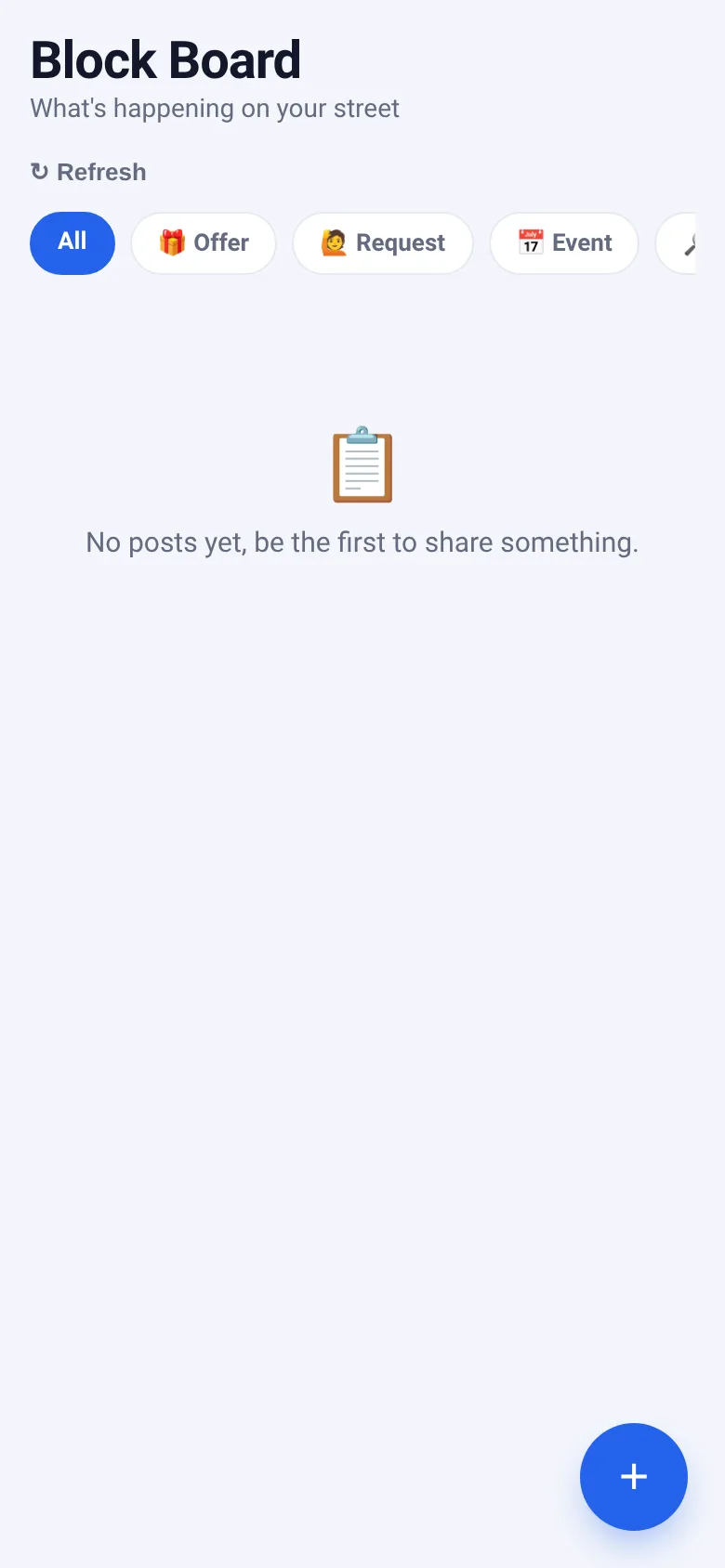
When you need something from neighbors—or have something to give away—it's hard to know who's interested or what's available nearby. Block Board is a shared noticeboard for your street or neighborhood. Post what you're offering, asking for, organizing or looking for, filter by category, and mark posts resolved when they're done. Every post vanishes after 14 days, keeping the board fresh.
What it does
You see posts from everyone in your neighborhood sorted by category: Offer, Request, Event, and Lost & Found. Tap the plus button to write a new post with a title and details. Posts show when they were shared, how long until they expire, and who posted them. If a post is yours, you can mark it resolved or delete it entirely. Filter the board by category or view all posts at once.
Key features
- Four post categories Organize posts into Offer, Request, Event, and Lost & Found so neighbors find what they need quickly.
- Auto-expiry after 14 days Posts vanish automatically, so the board stays current and uncluttered.
- Mark posts resolved Once your offer is taken or your request is met, mark it resolved to show neighbors it's done.
- Live shared board See new posts instantly as other neighbors add them; changes appear for everyone at once.
- Filter by category Tap category chips to see only Offers, Requests, Events or Lost & Found posts, or view all at once.
How to use it
- Open Block Board to see all posts from your neighborhood.
- Tap the plus button to write a new post and pick its category.
- Enter a title and details, then tap Post to share it with neighbors.
- Filter by category using the chips at the top, or refresh to see the latest posts.
- If a post is yours, tap Mark resolved when it's done or Delete to remove it.
Who it’s for
Neighbors who want to share offers, ask for help, announce events or find lost items in their neighborhood without leaving a physical bulletin board or navigating group chats.
The app’s share card (1200×630)
Questions and answers
How long do posts stay on the board?
All posts expire and vanish after 14 days. If your post is still relevant after that, you can post it again.
Can I edit a post I wrote?
You can mark your post resolved or delete it entirely, but you cannot edit the text. Delete and repost if you need to change something.
Do I need to sign up or log in?
No account is needed. Block Board recognizes you automatically, so you can see and edit only your own posts.
Can I see posts from other neighborhoods?
No, Block Board shows only posts from your neighborhood. Each area has its own shared board.
More home & family apps
- Pesca Tranquila · Juego de pesca sin apuros donde lanzás, recogés peces, completás tu álbum de especies y mejorás tu equipo.
- Community Beat · साझा बीट बनाएँ: स्टेप दबाएँ, डीजे प्रीसेट चुनें, और सब मिलकर संगीत तैयार करें। वीडियो में एक्सपोर्ट करें।
- Meow Translator · Tap to decode your cat's meows into theatrical translations, then blast them with a dramatic soundboard. Fun for cat lovers and parties.
- Haunted Beat · A shared drum machine where everyone taps the grid together to build beats. Dancing pumpkins groove to the rhythm you create.
- Community Beat · A shared step sequencer where everyone taps, plays, and exports drum beats together live. Create group rhythms and download video or audio.
- Icebreakers · Swipe through fun, deep, work, and family icebreaker questions and save your favorites for parties and teams.