Web app · Games
Pixel Nonograms
Follow the clues in each row and column to fill cells and reveal a hidden pixel-art picture.
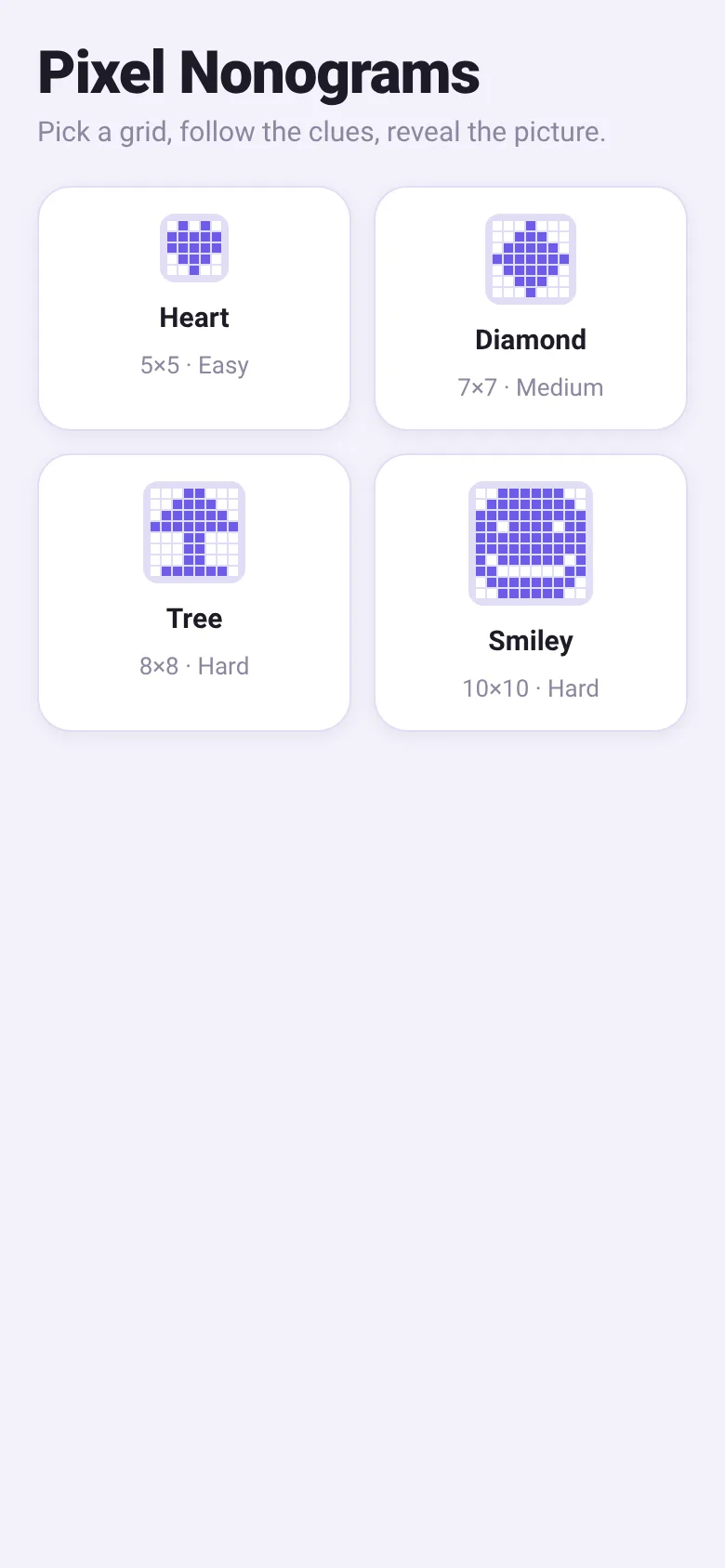
Nonogram puzzles challenge you to decode clues and reconstruct a hidden picture, one cell at a time. Pixel Nonograms gives you four puzzles ranging from easy 5×5 grids to hard 10×10 challenges. Use the row and column numbers as clues—they show you how many filled cells appear in each run. Fill cells by clicking them, or mark cells you want to skip with an X. As you solve, completed clues turn green, and when all cells match the solution, the pixel art reveals itself.
What it does
You pick a puzzle from the gallery, then click cells to fill them or mark them. The board shows clue numbers on the top and left edges; when your fills match a clue's pattern, that clue highlights in green. You can switch between Fill and Mark modes, clear the board to start over, and save your progress automatically. When you complete the puzzle correctly, a win banner appears with an option to play again or go back to the puzzle picker.
Key features
- Four puzzles, four sizes Choose from Heart (5×5), Diamond (7×7), Tree (8×8), and Smiley (10×10), each with its own difficulty.
- Fill and Mark modes Click cells to fill them, or switch to Mark mode to place X marks for cells you know are empty.
- Live clue feedback Row and column clues turn green when their pattern is satisfied, guiding you to the solution.
- Progress saved Your work on each puzzle is saved automatically; close and return anytime to pick up where you left.
- Solved tracking A checkmark appears on puzzle cards you have completed, so you know which ones remain.
How to use it
- Pick a puzzle from the gallery.
- Click a cell to fill it, or switch to Mark mode to mark it with an X.
- Watch the row and column clues turn green as you satisfy them.
- When all cells match the solution, the pixel art reveals and you win.
- Click Play again to solve it from scratch, or More puzzles to pick another.
Who it’s for
Players who enjoy logic puzzles and pixel art. Newcomers to nonograms can start with the 5×5 Heart puzzle; experienced puzzlers can challenge themselves with the 10×10 Smiley.
The app’s share card (1200×630)
Questions and answers
How do I start a puzzle?
Tap a puzzle card from the gallery to open it. Your previous progress on that puzzle will be loaded automatically.
Does the app save my progress?
Yes, your progress on each puzzle is saved automatically in your browser. You can close and return later to continue.
What do the numbers mean?
Each number tells you the length of a consecutive run of filled cells in that row or column. For example, 2 3 means a run of 2 filled cells, then at least one empty, then a run of 3 filled cells.
Can I play on my phone?
Yes, this app works on any device with a web browser and adjusts the puzzle size so it fits your screen.
More games apps
- Fox Knight: Sky Isles · A 2D platformer where you leap across floating islands as a brave fox knight, stomp slimes, collect gems and face a boss across three levels.
- Arena Fist 3D · Juego de pelea 3D con luchadores detallados. Juega en modo historia, 1 vs 1, 2 jugadores o entrena contra un muñeco.
- Arena Fist 3D · Juego de pelea 3D con modo historia, entrenamiento, 1-2 jugadores y modo Jefes con 150 niveles progresivos.
- Pesca Tranquila · Juego de pesca sin apuros donde lanzás, recogés peces, completás tu álbum de especies y mejorás tu equipo.
- Mouse Hunt · A game with realistic 3D mice that have distinct personalities, designed for your cat to chase and catch on screen.
- Mouse Hunt · An interactive game where animated mice scurry, pause and dart across your screen for your cat to chase, with catch tracking and parental controls.