Web app · Games
Plot Machine: spin reels to generate story plots
Lock the elements you love and spin the rest to build new story combinations, then save your favorites.
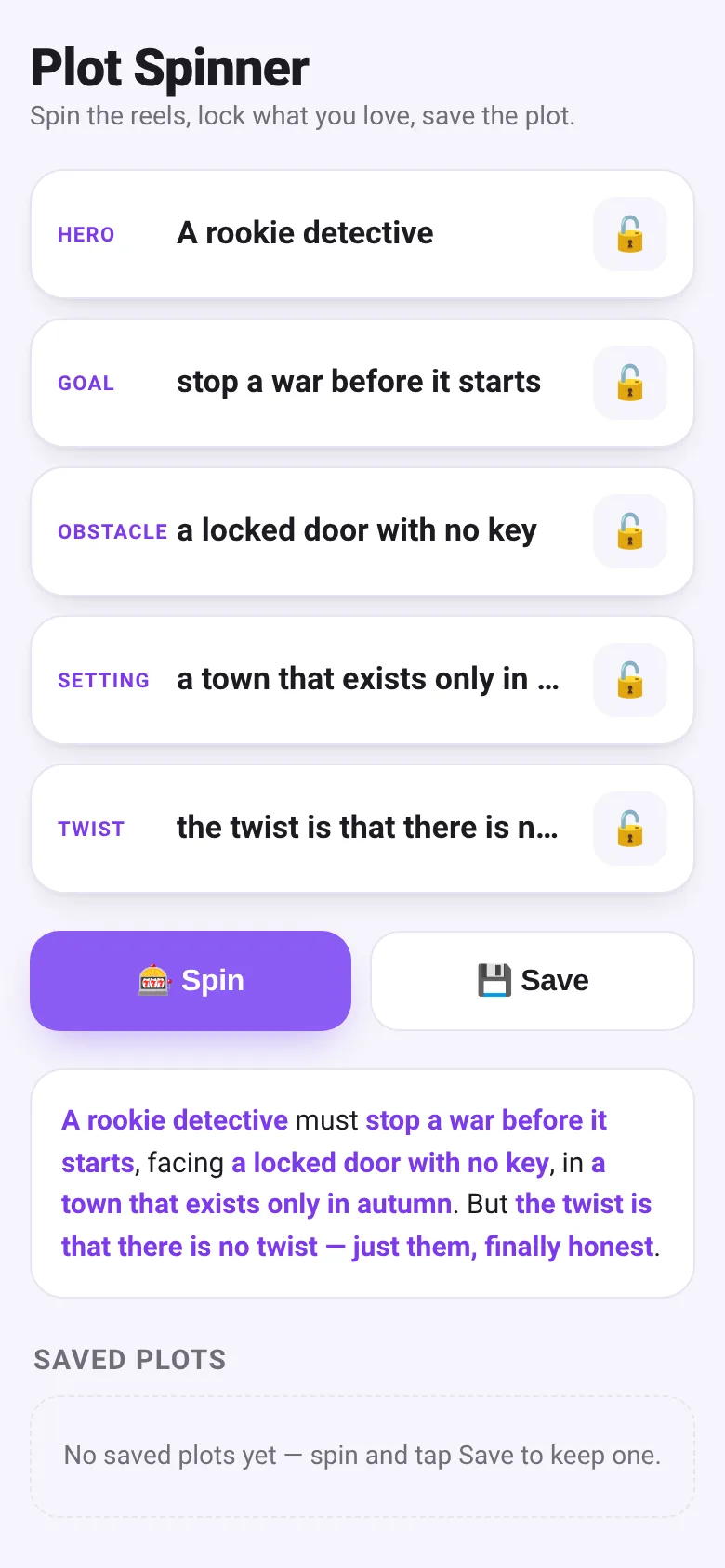
When you need a story idea but don't know where to start, Plot Machine gives you five elements in seconds. Spin the reels to get a random hero, goal, obstacle, setting, and twist that combine into a complete plot. If you like part of the result, lock those reels and spin again to keep what works while changing the rest. Save the plots you want to keep and revisit them later.
What it does
You see five spinning reels, one for each story element: hero, goal, obstacle, setting, and twist. Tap Spin and each unlocked reel stops on a random entry, then combines into a full plot sentence. Each reel has a lock button; tap it to keep that element while spinning the others. Tap Save to add the current plot to your saved list. Your saved plots appear below and you can delete any one.
Key features
- Five story-element reels Hero, goal, obstacle, setting, and twist spin together to form a complete plot.
- Lock individual reels Keep the elements you like and spin only the ones you want to change.
- Save plot combinations Store up to 50 of your favorite plots in your browser for later use.
- Plot sentence view Every spin result reads as a complete, coherent story premise.
- Delete saved plots Remove any saved plot with one tap.
How to use it
- Tap the Spin button to generate a random plot across all five reels.
- Read the plot sentence below the reels to see your story idea.
- Tap the lock icon on any reel to keep that element and spin the rest.
- Tap Save to add the current plot to your saved list.
- View and delete saved plots in the Saved Plots section below.
Who it’s for
Writers, game masters, artists, and anyone looking for story inspiration or a quick creative prompt. Works on desktop and mobile.
The app’s share card (1200×630)
Questions and answers
How do I start?
Open the app and tap Spin. You instantly get five story elements combined into one plot sentence.
Do my saved plots stay if I close the app?
Yes, your plots are saved in your browser and remain even after you close and reopen the page.
Can I keep some elements and change others?
Yes. Tap the lock icon below any reel to lock it, then Spin again. Only the unlocked reels will change.
How many plots can I save?
You can save up to 50 plots. When you save a new one, it appears at the top of your list.
More games apps
- Fox Knight: Sky Isles · A 2D platformer where you leap across floating islands as a brave fox knight, stomp slimes, collect gems and face a boss across three levels.
- Arena Fist 3D · Juego de pelea 3D con luchadores detallados. Juega en modo historia, 1 vs 1, 2 jugadores o entrena contra un muñeco.
- Arena Fist 3D · Juego de pelea 3D con modo historia, entrenamiento, 1-2 jugadores y modo Jefes con 150 niveles progresivos.
- Pesca Tranquila · Juego de pesca sin apuros donde lanzás, recogés peces, completás tu álbum de especies y mejorás tu equipo.
- Mouse Hunt · A game with realistic 3D mice that have distinct personalities, designed for your cat to chase and catch on screen.
- Mouse Hunt · An interactive game where animated mice scurry, pause and dart across your screen for your cat to chase, with catch tracking and parental controls.