Live shared web app · Productivity
Retro Board: Team Retrospective with Live Dot-Voting
Gather team feedback in three columns, vote on what matters most, and see results sorted by votes in real time.
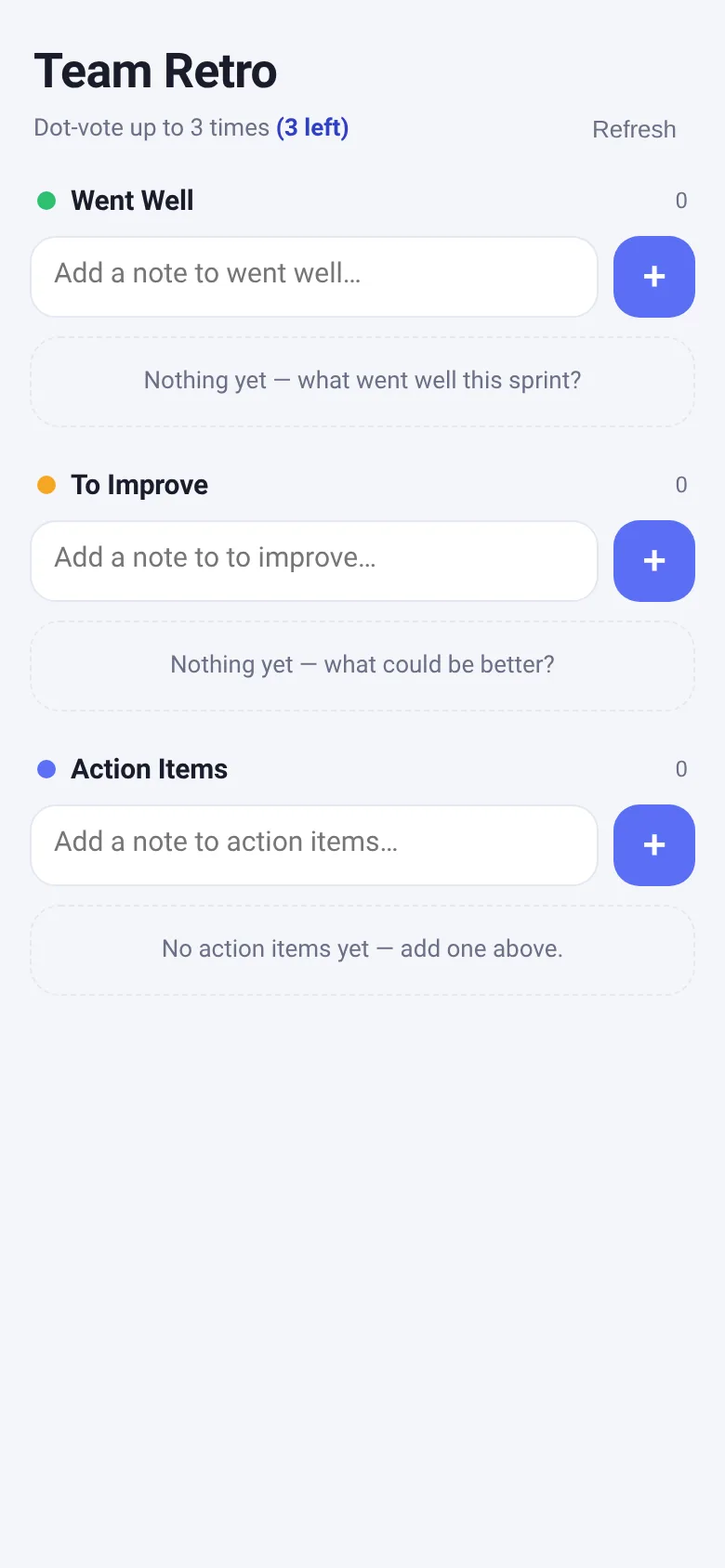
After a sprint, teams need to discuss what went well, what could improve, and what to do next. Retro Board gives your team a shared digital space to add ideas, vote on them together, and see the most important items rise to the top. Everyone sees updates live as notes and votes come in.
What it does
You open the board and see three columns: Went Well, To Improve, and Action Items. Type a note into any column and press Enter or click the plus button to add it. Each person gets three votes to distribute however they want—click the up arrow on a note to vote for it. Notes automatically sort by votes within each column. You can only delete your own notes. The board refreshes to show all changes from your team as they happen.
Key features
- Three retrospective columns Organize feedback into Went Well, To Improve, and Action Items.
- Dot-voting with a limit Each person gets up to three votes per session; click to vote or unvote any note.
- Auto-sort by votes Notes in each column rank by votes received, with newest notes as a tiebreaker.
- Live shared updates See notes and votes from teammates appear in real time as they add them.
- Own your notes Delete only your own notes; a badge shows which notes you wrote.
- Refresh to reload Click Refresh to fetch the latest board state from the server.
How to use it
- Open Retro Board with your team.
- Type a note into a column and press Enter to add it.
- Click the up arrow on notes you agree with to vote (up to three votes total).
- Watch notes sort by votes automatically.
- Delete your own notes with the X button if needed.
- Click Refresh if you want to reload the board.
Who it’s for
Agile teams running sprint retrospectives, project teams gathering feedback, or any group that wants to vote on shared ideas in real time.
The app’s share card (1200×630)
Questions and answers
How do I add a note?
Type in the text box under any column and press Enter, or click the plus button.
Can I change or edit a note after I add it?
You can only delete your own notes. To change something, delete it and add a new one.
Do my votes save if I close the tab?
Your votes are stored in your browser's local storage, so they stay if you refresh, but they won't carry over to a different device or browser.
Does this work on my phone?
Yes, Retro Board works on phones and tablets—it adjusts to fit your screen.
More productivity apps
- Historial Clínico Pet · Sistema para registrar y gestionar el historial médico completo de perros y gatos: vacunas, visitas, tratamientos, peso y avisos de vencimiento.
- Pitch Timer · Write cue cards, pick a 30/60/90-second timer, and rehearse your pitch with haptics and per-card timing feedback.
- Pocket Kanban · A minimal kanban board for your phone. Add colored task cards and tap them to move through To do, Doing, and Done with satisfying spring animations.
- Interview Bank · Post and upvote real interview questions by role and type. Mark questions you were asked to build your prep list.
- Study Hours · Log study sessions by subject and minutes. See your group's weekly hours, leaderboard, and a heatmap of the busiest study days.
- Focus Room · Start a focus session with your name and goal, and see who else is focusing right now with live countdowns and today's total minutes.