Web app · Games
Fast Two-Team Scoreboard
Keep score for any game with big tap buttons, periods, a running clock, team colors, and instant undo.
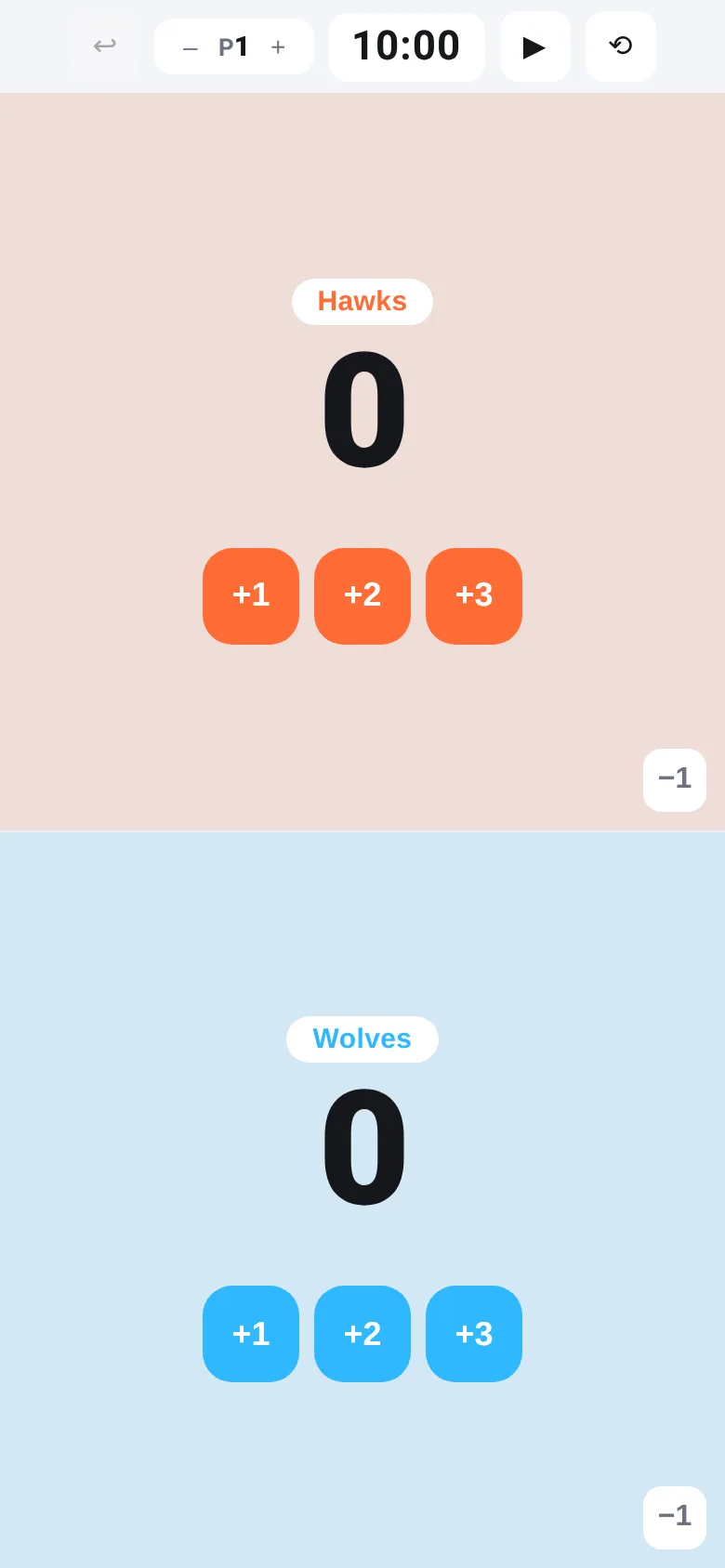
Running a game or tournament and need a scoreboard that doesn't slow you down? This app puts two teams side by side in landscape, each with one-tap +1, +2, and +3 scoring buttons. The scores stay big and visible, the clock counts down, and one tap takes back a mistake. Name the teams and pick their colors—that's all the setup you need.
What it does
The screen splits left and right for two teams. Each side shows the team name, current score in huge digits, and three buttons to add 1, 2, or 3 points. A minus button lets you undo a single point. At the top, a clock counts down from 10 minutes and can be paused or reset. Period numbers step up as the game goes on; when you move to the next period, the team ahead wins a set and scores reset to zero. The undo button at the top rewinds the entire state—scores, teams, periods, and clock—one step at a time.
Key features
- Score buttons Three buttons per team to add 1, 2, or 3 points in one tap, plus a minus button to undo a single point.
- Game clock A running timer that counts down from 10 minutes; pause and resume play or reset it in one tap.
- Period and set tracking Step through periods; the team ahead when you move to the next period wins a set, and scores reset.
- Team names and colors Tap any team name to edit it and pick a color from eight options.
- Full undo One tap rewinds scores, periods, sets, and clock to any earlier state in the game.
- Landscape layout Designed for side-by-side play on phones and tablets in landscape mode.
How to use it
- Open the app in landscape mode on your phone or tablet.
- Tap a team name to rename it and choose a color.
- Tap +1, +2, or +3 to add points to each team during play.
- Press the play button to start the countdown clock; pause it when the period ends.
- Press plus on the period control to move to the next period and award a set to the team ahead.
- Tap the undo button to rewind any mistake.
Who it’s for
Scorekeepers, referees, coaches, and players who want a fast, distraction-free scoreboard for basketball, volleyball, badminton, or any two-team sport. Works on any phone or tablet.
The app’s share card (1200×630)
Questions and answers
Does the scoreboard save my game if I close the app?
Yes. The app saves scores, team names, colors, period, and clock time to your device. When you reopen it, your last game is there; the clock does not resume on its own.
Can I change the clock time?
The clock starts at 10 minutes. Tap the reset button to start it over, or tap the play button to pause during a timeout.
How do sets work?
When you press plus on the period control, the team with the higher score wins one set and both scores reset to zero for the new period. The set count appears below each team's score.
Can I undo multiple mistakes at once?
The undo button steps back one action at a time. Each tap rewinds scores, period, sets, and clock together to an earlier moment.
More games apps
- Fox Knight: Sky Isles · A 2D platformer where you leap across floating islands as a brave fox knight, stomp slimes, collect gems and face a boss across three levels.
- Arena Fist 3D · Juego de pelea 3D con luchadores detallados. Juega en modo historia, 1 vs 1, 2 jugadores o entrena contra un muñeco.
- Arena Fist 3D · Juego de pelea 3D con modo historia, entrenamiento, 1-2 jugadores y modo Jefes con 150 niveles progresivos.
- Pesca Tranquila · Juego de pesca sin apuros donde lanzás, recogés peces, completás tu álbum de especies y mejorás tu equipo.
- Mouse Hunt · A game with realistic 3D mice that have distinct personalities, designed for your cat to chase and catch on screen.
- Mouse Hunt · An interactive game where animated mice scurry, pause and dart across your screen for your cat to chase, with catch tracking and parental controls.