Web app · Productivity
Time Blocks: Drag your day into shape
Build your day visually with color-coded blocks for deep work, meetings, and breaks on a live timeline.
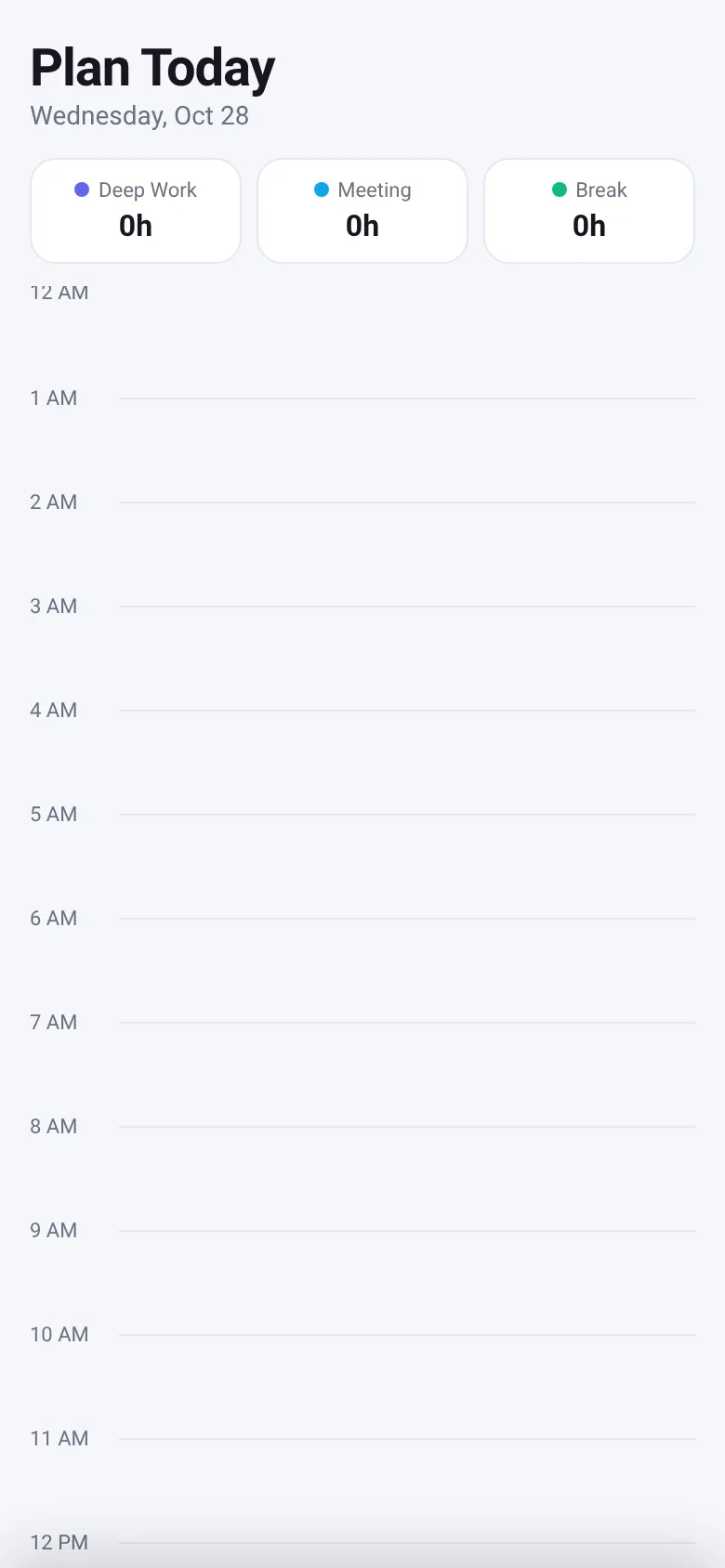
Planning a day often feels abstract until you map it out. Time Blocks lets you see your entire day as a vertical timeline and add blocks by tapping the hours you want to fill. Each block gets a color by type—deep work in one shade, meetings in another, breaks in a third—so you can instantly see what your day looks like. The app updates daily, starts fresh each morning, and keeps your plan only on your device.
What it does
When you open the app, you see a 24-hour vertical timeline with hour labels on the left and a moving red line showing right now. Tap any empty space to create a time block; choose its type from a sheet that slides up from the bottom. Drag the top or bottom edge of a block to resize it, or tap the block itself to change its type or delete it. The app snaps blocks to 5-minute intervals and prevents overlaps. At the top, chips show total hours you have planned in each category.
Key features
- Vertical day timeline See your full 24-hour day at a glance with hour labels and a live now-line that updates every 30 seconds.
- Tap to add, drag to resize Tap any empty hour to create a block; drag its edges to adjust start and end times by 5-minute increments.
- Color-coded block types Mark each block as Deep Work, Meeting, or Break; each type has its own color for instant visual scanning.
- Hour totals by type Chips at the top show how many hours you have planned in each category today.
- Compact, offline All code and data stay on your device; no syncing, no account, no ads.
How to use it
- Open the app to see today's timeline and the moving now-line.
- Tap any empty space on the timeline to add a block.
- Choose a type—Deep Work, Meeting, or Break—from the sheet that appears.
- Drag the top or bottom edge of a block to resize it to your desired time slot.
- Tap a block to change its type or remove it.
Who it’s for
Anyone who plans their day hour by hour and wants a quick visual way to map it out—writers, managers, consultants, students, or anyone who works in time blocks.
What’s new in this version
The latest change focused the app entirely on daily time blocking: tap hours to add blocks, drag edges to resize, color by type, and see a moving now-line and totals per type. All features are tightly implemented to keep the app compact.
The app’s share card (1200×630)
Questions and answers
Does the app save my plan?
Yes. Your blocks are saved on your device and reload when you open the app the next time. Each day gets its own fresh plan.
Can I use this on my phone?
Yes. The app works on any phone or tablet with a web browser and is optimized for touch.
What happens if I add a block that overlaps an existing one?
The app prevents overlaps. When you drag or tap to create a new block, it only lets you place it in empty space, and it snaps to 5-minute intervals to stay aligned.
Does the now-line update in real time?
The red now-line updates every 30 seconds to show your current position in the day.
More productivity apps
- Historial Clínico Pet · Sistema para registrar y gestionar el historial médico completo de perros y gatos: vacunas, visitas, tratamientos, peso y avisos de vencimiento.
- Pitch Timer · Write cue cards, pick a 30/60/90-second timer, and rehearse your pitch with haptics and per-card timing feedback.
- Pocket Kanban · A minimal kanban board for your phone. Add colored task cards and tap them to move through To do, Doing, and Done with satisfying spring animations.
- Interview Bank · Post and upvote real interview questions by role and type. Mark questions you were asked to build your prep list.
- Study Hours · Log study sessions by subject and minutes. See your group's weekly hours, leaderboard, and a heatmap of the busiest study days.
- Focus Room · Start a focus session with your name and goal, and see who else is focusing right now with live countdowns and today's total minutes.