Web app · Games
Build and run a tournament bracket for 4–16 players
Set up a single-elimination bracket with automatic byes, name your players, then tap to advance winners through each round until a champion is crowned.
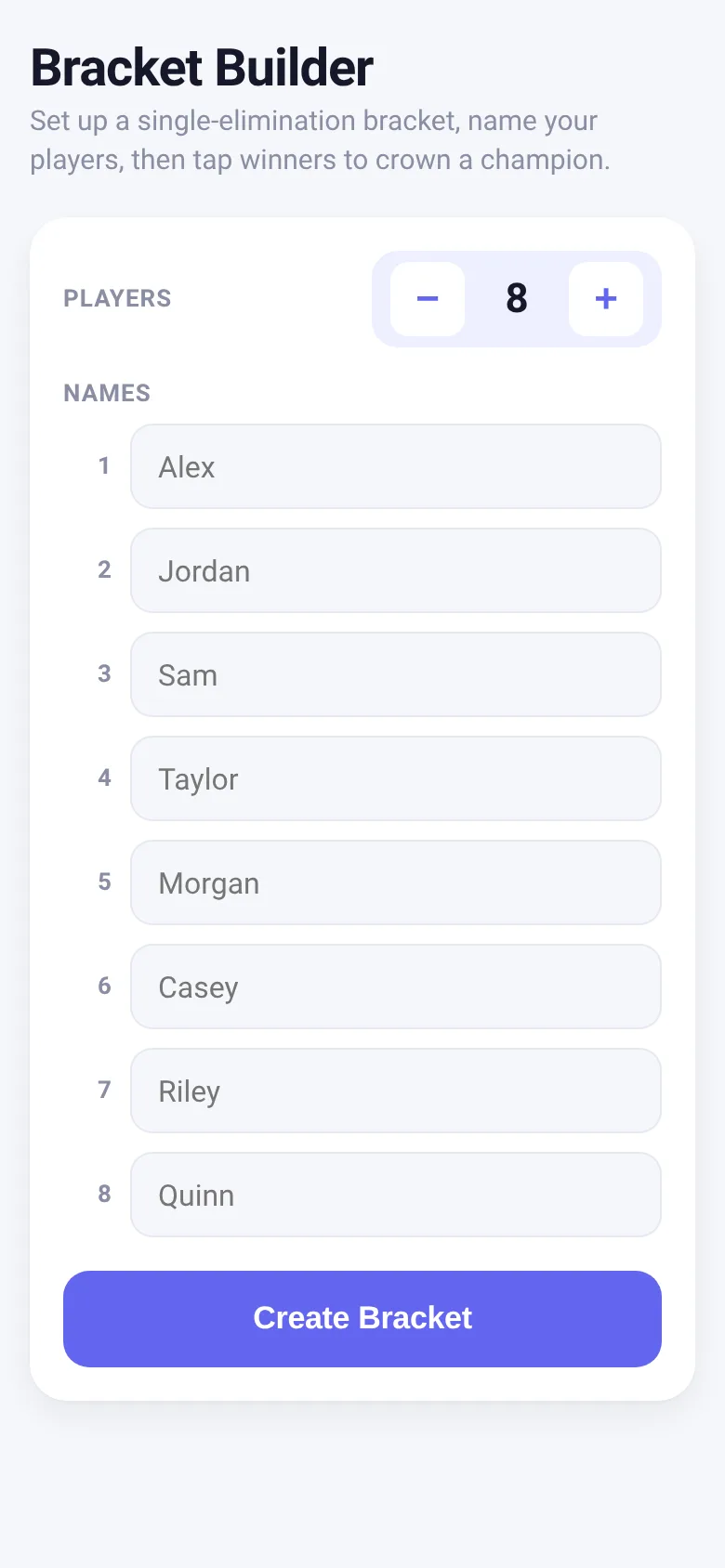
Running a tournament means tracking who beats who across multiple rounds. This app sets up a single-elimination bracket for any player count from 4 to 16, automatically placing byes so no one gets a free pass unfairly. You name your entrants, then tap each match winner to move them forward. The bracket reflows as you go, and when the final match is decided, the app celebrates your champion with confetti.
What it does
Start by choosing how many players will compete (4 to 16) and enter their names, or use default names. The app builds a bracket with proper seeding and automatic byes for uneven numbers. You see the bracket laid out by round, with clickable match slots. Tap a player's name to mark them as the winner of that match; they automatically advance. The app shows which round is active and scrolls to it, then moves to a champion screen when someone wins the final.
Key features
- Automatic bracket seeding Players are arranged using classic tournament seeding so the strongest brackets are fair, regardless of how many entrants you have.
- Bye handling When player count is not a power of two, the app assigns automatic byes so no two real players are denied a match unfairly.
- Tap-to-advance winners Click any player name in a match to mark them the winner; they immediately feed into the next round.
- Bracket persistence Your bracket state is saved so if you close the app, you can pick up where you left off.
- Champion celebration When the final match is decided, the app shows the champion's name with animated confetti (respects reduced-motion settings).
- Quick restart Use Start Over to reset and run a new bracket without losing the app setup.
How to use it
- Choose the number of players using the plus and minus buttons, or accept the default of eight.
- Type names for each player, or leave them blank to use the built-in default names.
- Tap Create Bracket to generate the bracket and see the first round.
- Tap a player's name in each match to mark them as the winner and advance them to the next round.
- Continue tapping winners through each round until someone wins the final match.
- See the champion screen with confetti, then tap New Bracket to run another tournament.
Who it’s for
Anyone running a small tournament, league, or friendly competition who wants a quick, simple way to organize matches and track a winner. Works for sports, games, contests, or any head-to-head competition.
What’s new in this version
The app now shows a champion celebration with confetti when the tournament concludes, and automatically saves your bracket progress so you can close the page and return to where you left off.
The app’s share card (1200×630)
Questions and answers
How do I start a bracket?
Choose how many players (4 to 16), enter their names or use defaults, then tap Create Bracket. The first round appears immediately.
Does the app save my bracket if I close it?
Yes. Your bracket state is automatically saved to your browser, so you can close the page and come back to the same tournament later.
Can I use this on my phone?
Yes. The bracket is fully responsive and works on phones, tablets, and desktops. It scrolls horizontally through rounds.
What if I have an odd number of players?
The app automatically places byes so someone gets a free pass to the next round fairly. A player who draws a bye advances without playing.
More games apps
- Fox Knight: Sky Isles · A 2D platformer where you leap across floating islands as a brave fox knight, stomp slimes, collect gems and face a boss across three levels.
- Arena Fist 3D · Juego de pelea 3D con luchadores detallados. Juega en modo historia, 1 vs 1, 2 jugadores o entrena contra un muñeco.
- Arena Fist 3D · Juego de pelea 3D con modo historia, entrenamiento, 1-2 jugadores y modo Jefes con 150 niveles progresivos.
- Pesca Tranquila · Juego de pesca sin apuros donde lanzás, recogés peces, completás tu álbum de especies y mejorás tu equipo.
- Mouse Hunt · A game with realistic 3D mice that have distinct personalities, designed for your cat to chase and catch on screen.
- Mouse Hunt · An interactive game where animated mice scurry, pause and dart across your screen for your cat to chase, with catch tracking and parental controls.