Web app · Pets
Clicker Trainer: 15 dog tricks with step-by-step shaping plans
A crisp synthesized clicker and library of 15 tricks, each with a multi-step shaping plan. Track reps per session and progress through each trick.
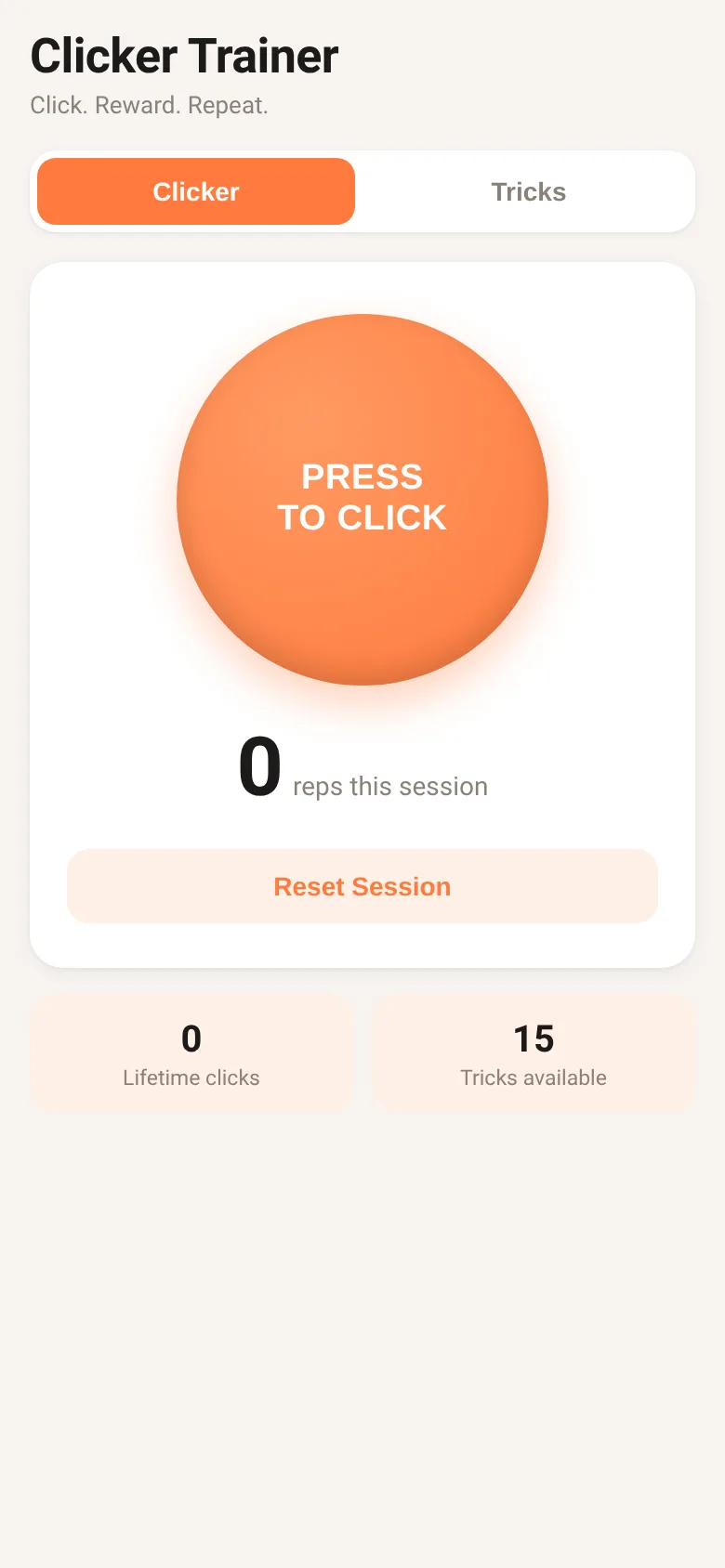
Training a dog trick requires hundreds of precise repetitions. A clicker marks the exact moment your dog does the right thing, so the dog learns faster. Clicker Trainer gives you a crisp, synthesized clicker sound and a library of 15 real dog tricks—sit, down, come, shake, bow, and more. Each trick breaks down into 7 step-by-step shaping stages. The app counts reps during a training session and tracks how many steps you have completed for each trick, so you know exactly where you are in the learning journey.
What it does
The Clicker tab shows a large button to press and hear the click sound. A session counter tracks how many times you clicked in the current session; a reset button clears it when you start a new session. A lifetime click counter and a tricks count appear below. The Tricks tab lists all 15 tricks with icons, the number of steps you have mastered, and a progress bar. Tap any trick to see its full shaping plan: seven detailed steps in order, with checkmarks for steps you have completed. Mark each step done as your dog learns it, or undo to go back a step.
Key features
- Synthesized click sound A crisp, brief clicker tone that marks the moment your dog does the right thing, without needing to carry a physical clicker.
- Rep counter per session Tracks how many times you clicked during the current training session, and keeps a lifetime total of all clicks.
- 15 trick shaping plans A complete library of 15 common dog tricks, from sit and down to bow and quiet, each with a seven-step shaping plan.
- Progress tracking per trick Mark each step done as your dog learns it. See how many steps you have mastered and what percentage of the trick is complete.
- Offline and saves automatically All progress and click counts are saved in your browser. Works without internet.
How to use it
- Open the Clicker tab and press the PRESS TO CLICK button to hear the clicker sound.
- Start a training session and press the clicker button each time your dog does the right thing.
- Go to the Tricks tab, pick a trick, and read the first step.
- Work through each step with your dog, then tap Mark Next Step Done in the app.
- Use the progress bar to see how far along you are in the trick.
- Move to a new trick or reset the session counter when you start a new training session.
Who it’s for
Dog trainers and dog owners who use positive reinforcement and clicker training to teach their dog a wide range of behaviors.
The app’s share card (1200×630)
Questions and answers
Does the app work offline?
Yes. All your progress and click counts are saved in your browser, so the app works without internet and keeps your data between sessions.
Can I reset my progress on a trick?
You can undo steps one at a time using the Undo button in the trick detail view. To reset a whole trick, undo all steps.
Does it work on my phone?
Yes. The app works on any phone, tablet, or computer with a web browser.
How do I know which trick to teach first?
Start with Sit, as it teaches your dog the core idea of offering behavior for a reward. From there, tricks like Stay, Touch, and Come build on skills your dog will already have.
More pets apps
- Meow Translator · Tap to decode your cat's meows into theatrical translations, then blast them with a dramatic soundboard. Fun for cat lovers and parties.
- Historial Clínico Pet · Sistema para registrar y gestionar el historial médico completo de perros y gatos: vacunas, visitas, tratamientos, peso y avisos de vencimiento.
- Icebreakers · Swipe through fun, deep, work, and family icebreaker questions and save your favorites for parties and teams.
- Pitch Timer · Write cue cards, pick a 30/60/90-second timer, and rehearse your pitch with haptics and per-card timing feedback.
- Sun Arc · See the sun's arc across the sky for any latitude and day, with sunrise, sunset, day length, and golden hour windows.
- Big Text · Flash giant text across a room in auto-fit or scrolling marquee mode, with color themes and a gentle blink for safety.