Mobile app · Tools & utilities
Sun Arc: visualize sunrise, sunset and golden hour
Enter a latitude and browse any day of the year to see the sun's arc, times, day length, and golden hour windows.
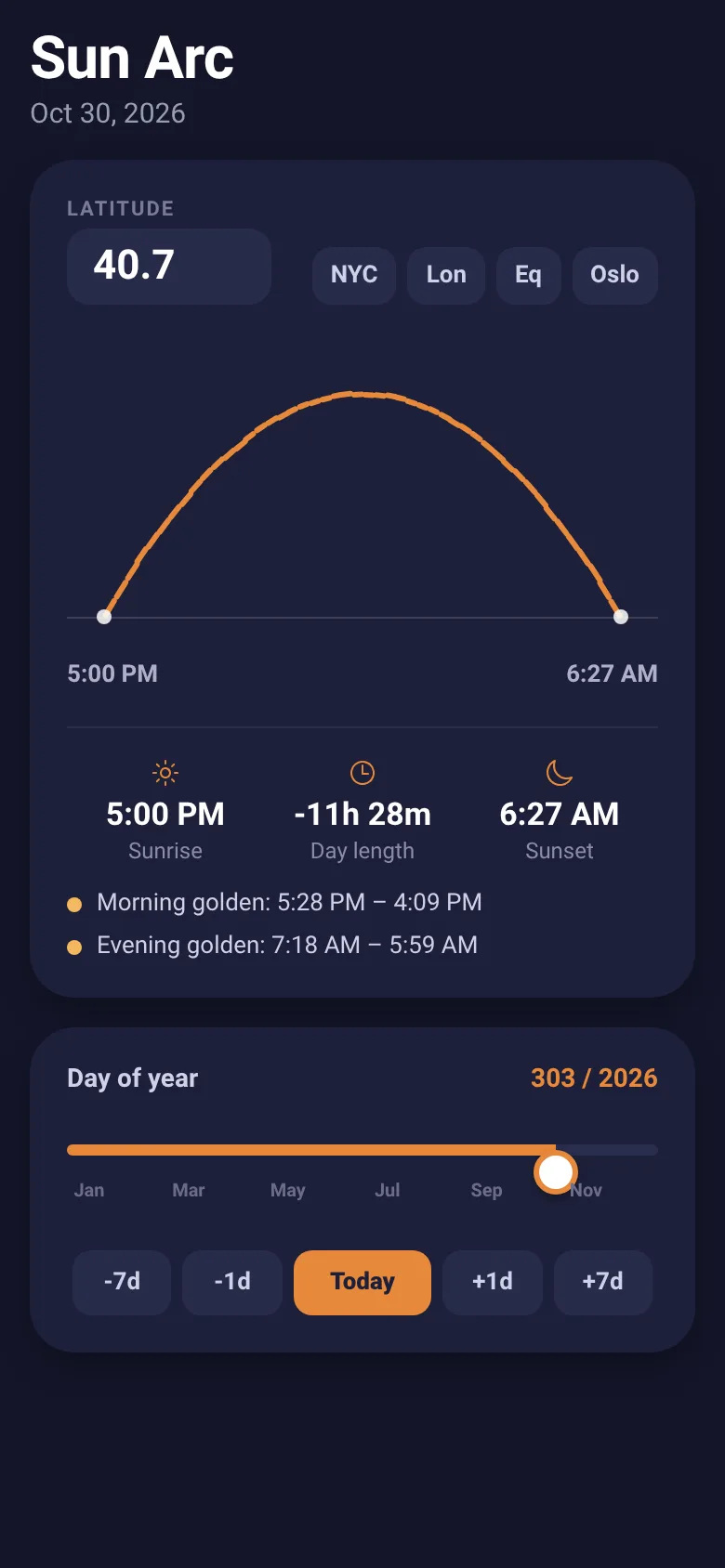
Photographers, astronomers and anyone curious about daylight need to know when sunrise, sunset and golden hour occur. Sun Arc shows you the sun's path across the sky as an arc for your chosen latitude and date, with exact times and golden hour windows marked. Slide through the year to see how the arc changes with the seasons.
What it does
The app draws the sun's arc from sunrise to sunset as a parabola across the screen, with the arc color changing to gold during morning and evening golden hours. Below the arc you see sunrise and sunset times, total day length, and the exact start and end times for golden hour photography. Quick-select chips let you jump to major cities, and a slider lets you browse through all 365 days; step buttons move by day or week. At polar latitudes, it notes midnight sun or polar night.
Key features
- Sun arc visualization The sun's path appears as a curve across the sky, golden during golden hour, helping you see the sun's position any time of day.
- Times and day length Displays exact sunrise, sunset, and total daylight hours, plus morning and evening golden hour windows for photography.
- Year-round slider Drag a slider or use +/- buttons to jump through any day of the year and see how the arc changes with seasons.
- Latitude input and presets Type any latitude or tap quick-select chips for NYC, London, equator, or Oslo to switch locations instantly.
- Polar day and night Handles edge cases: shows midnight sun or polar night when the sun doesn't set or rise.
How to use it
- Enter your latitude in the input field or tap a city preset chip.
- View the sun's arc and today's times in the main card.
- Drag the year slider or tap +/- buttons to see a different day and watch the arc shift.
- Read sunrise, sunset, day length, and golden hour times below the arc.
Who it’s for
Photographers planning golden hour shoots, astronomers tracking seasonal changes, and anyone curious about sunrise and sunset patterns at different latitudes.
The app’s share card (1200×630)
Questions and answers
How do I change the date?
Drag the slider labeled 'Day of year' to move through the year, or use the -7d, -1d, +1d, +7d buttons to step by day or week. Tap 'Today' to jump back to the current date.
Can I use my city name instead of latitude?
The app lets you enter latitude directly, and includes quick-select chips for NYC, London, the equator, and Oslo. You can also look up your city's latitude and type it in.
Does this work on my phone?
Yes, Sun Arc runs on iOS and Android phones as a mobile app.
What is the golden hour?
Golden hour is the time shortly after sunrise and before sunset when the sun is low and its light is warm and soft, ideal for photography. The app marks these windows in gold on the arc and shows their exact times.
More tools & utilities apps
- Icebreakers · Swipe through fun, deep, work, and family icebreaker questions and save your favorites for parties and teams.
- Pitch Timer · Write cue cards, pick a 30/60/90-second timer, and rehearse your pitch with haptics and per-card timing feedback.
- Big Text · Flash giant text across a room in auto-fit or scrolling marquee mode, with color themes and a gentle blink for safety.
- Shot List · Plan video scenes with shot cards, durations, and location tags. Check off shots as you film to track progress.
- Tally Counter · Track multiple named counts with big tap targets, haptics feedback, and one-tap undo on reset.
- Visited Countries · Check off countries you've visited by continent and see your world travel percentage. Track progress with visual rings for each continent.