Live shared web app · Music & audio
Collab Beat: build a drum loop together
Toggle steps on four drum tracks, play the synthesized beat, and see who placed each hit in real time.
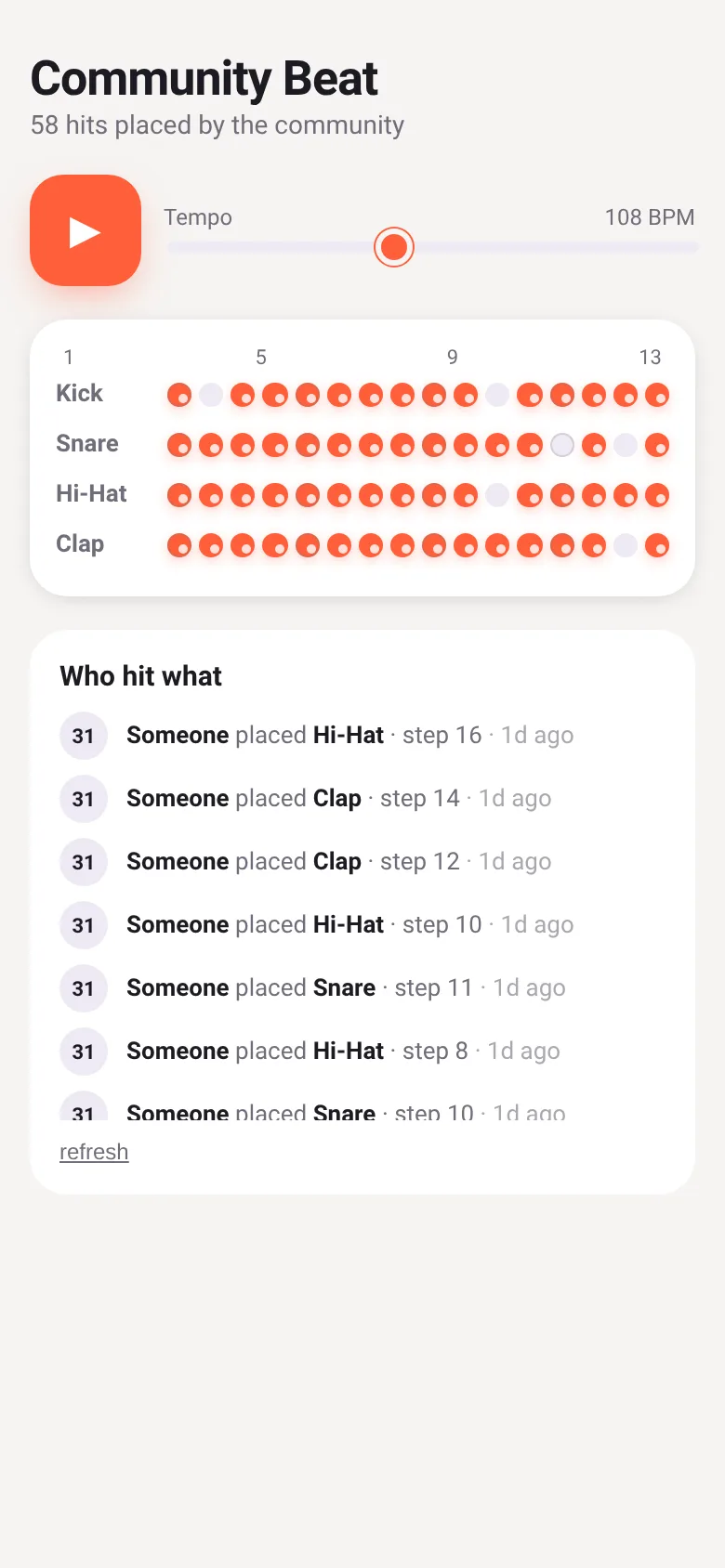
Making music alone is fun, but making it together is better. Collab Beat lets you and anyone else tap into a shared 16-step drum pattern. Each tap toggles a step for kick, snare, hi-hat or clap. When you press play, the Web Audio synth plays every hit the community has placed, at a tempo you can adjust. You see a live feed of who just added what, so you know you are building something together.
What it does
You see a grid with four drum tracks (kick, snare, hi-hat, clap) and 16 steps across. Tap any step to toggle it on or off. The app saves your choices to a shared database in real time. Other people see your hits appear instantly. Press the play button to hear the beat; the synthesizer triggers each sound for every active step, in tempo. A feed below shows the last hits placed by the community, with timestamps and who placed them. Adjust the tempo slider from 70 to 160 BPM while playing or stopped.
Key features
- Shared 16-step grid Four drum tracks (kick, snare, hi-hat, clap) with 16 steps each, shared live across all users.
- Live synthesis Press play to hear the community's beat rendered with Web Audio; each drum has its own synth timbre.
- Tempo control Adjust BPM from 70 to 160 with a shared slider; changes take effect immediately during playback.
- Live activity feed See who placed each hit, which track, which step, and how long ago—sorted by recency.
- Optimistic UI Your taps toggle steps instantly, then sync to the database; you can only remove your own hits.
How to use it
- Open the app and wait for the connection to show the community beat.
- Tap any step button in the grid to toggle it on; you hear audio if play is running.
- Press the play button (▶) to start the sequencer; it cycles through all 16 steps and plays any active hits.
- Adjust the tempo slider to change the BPM and speed up or slow down the beat.
- Watch the activity feed below to see hits placed by other users in real time.
Who it’s for
Anyone who wants to make a drum beat with strangers or friends in real time. No music experience needed; just tap buttons and listen.
The app’s share card (1200×630)
Questions and answers
Does the app save my work?
Yes. Every step you toggle is saved to a shared database immediately. Your hits stay there for others to see and hear until you tap the step again to turn it off.
Can I remove someone else's hit?
No. You can only turn off the hits you placed yourself. This keeps the beat stable and fair.
Does it work on my phone?
Yes. The app is built for any device with a web browser and runs on phones, tablets and computers.
How do I play it with friends?
Share the URL with them. Everyone who opens it sees and contributes to the same beat in real time.
Remix family
Remixes of this app
- Community Beat · Edgar Durand Díaz
More music & audio apps
- Community Beat · साझा बीट बनाएँ: स्टेप दबाएँ, डीजे प्रीसेट चुनें, और सब मिलकर संगीत तैयार करें। वीडियो में एक्सपोर्ट करें।
- Meow Translator · Tap to decode your cat's meows into theatrical translations, then blast them with a dramatic soundboard. Fun for cat lovers and parties.
- Haunted Beat · A shared drum machine where everyone taps the grid together to build beats. Dancing pumpkins groove to the rhythm you create.
- Community Beat · A shared step sequencer where everyone taps, plays, and exports drum beats together live. Create group rhythms and download video or audio.
- Chord Charts · Pick a root note and chord type to see a fretboard diagram with finger positions. Build common song progressions step by step.
- Icebreakers · Swipe through fun, deep, work, and family icebreaker questions and save your favorites for parties and teams.