Live shared web app · Music & audio
Community Beat: tap drums together, live
Join one shared step sequencer where everyone's hits play together. Tap, load presets, solo tracks, and export.
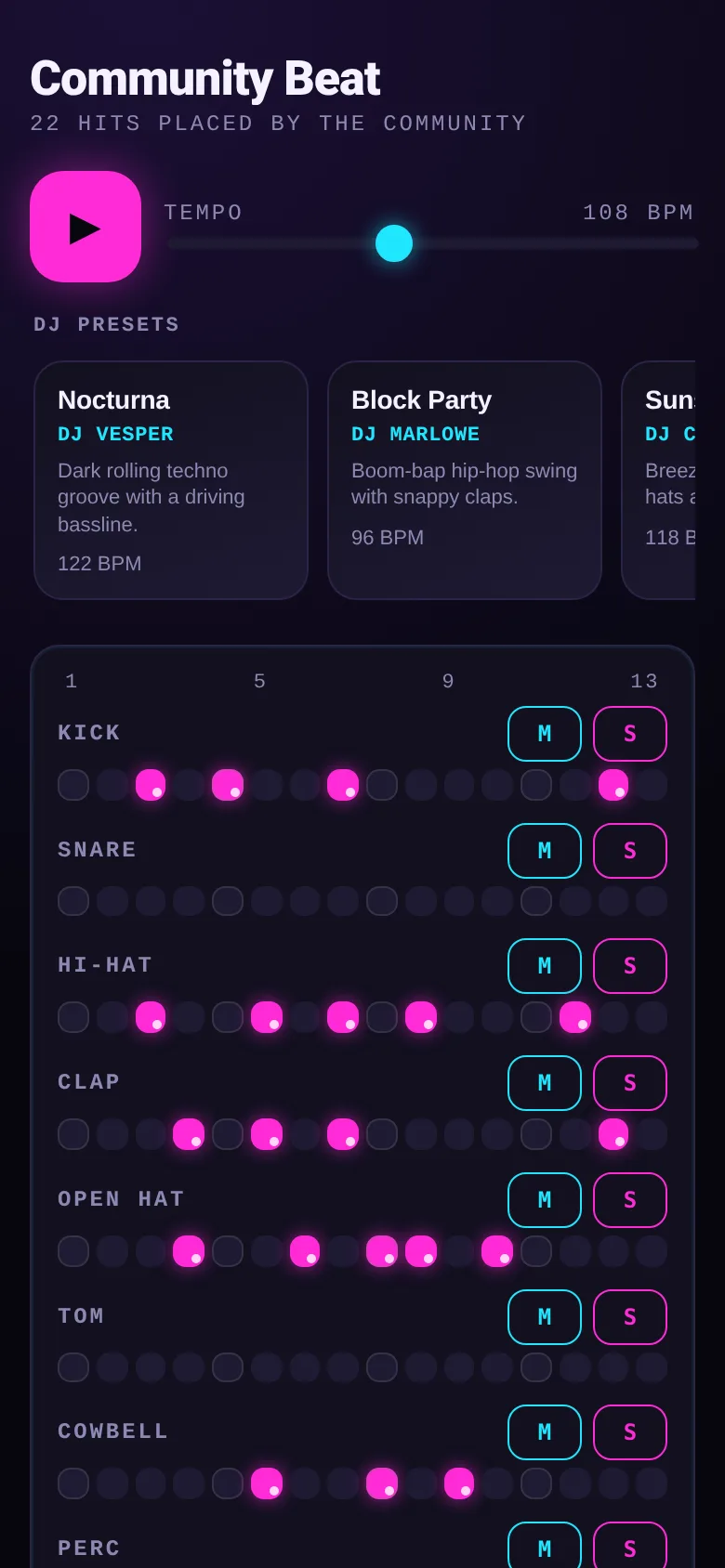
Making beats alone is one thing; making them together in real time is another. Community Beat lets you and anyone else visiting tap out drum patterns on the same 16-step sequencer. Every tap shows up instantly for everyone, played through twelve drum sounds from kick to cowbell. You see a live feed of who placed which sound on which step, and you can mute or solo individual tracks to focus on what you want to hear.
What it does
You see a grid with twelve drum tracks (kick, snare, hi-hat, clap, open hat, tom, cowbell, perc, rimshot, shaker, bass, blip) across sixteen steps. Tap any cell to add or remove your hit; it plays back immediately if the track is audible. All edits sync live with other people in the room. You can adjust tempo from 70 to 160 BPM, load one of five DJ presets that populate the grid with a full pattern, mute or solo any track, and export the result as video or audio in 4, 8, or 16-bar lengths.
Key features
- 12 drum sounds, 16 steps Tap any step of kick, snare, hi-hat, clap, and eight other sounds; each person's hits play back together at the same tempo.
- Five DJ presets Load Nocturna, Block Party, Sunset Drive, Sub Zero, or Carnival Heat—full patterns by DJs Vesper, Marlowe, Coralie, Kaine, and Solaris at their own BPM.
- Mute and solo per track Press M to mute a drum or S to hear only that drum, so you can hear what you're building without the rest.
- Live activity feed See who tapped what and when, with initials and a timestamp for every hit placed in the last few minutes.
- Export to video or audio Record your beat as a WebM video or audio file, 4, 8, or 16 bars long, to share or use elsewhere.
- Clear all my hits Remove only your own taps from the grid without touching what others placed.
How to use it
- Open the app and wait for it to connect; it shows how many hits the community has placed.
- Tap any step cell to add a drum sound, or tap again to remove it; hear it play at the current tempo.
- Click a preset card to load a full DJ pattern and jump to that BPM, or adjust tempo with the slider.
- Press M or S next to a drum name to mute or solo that track and focus on part of the beat.
- Click Export Video or Export Audio to render and download your version of the beat.
- Tap Refresh to see the latest activity if the feed feels stale.
Who it’s for
Musicians, producers, and anyone who wants to jam on drums with strangers or friends in real time without installing anything.
What’s new in this version
The app now lets you mute or solo individual drum tracks so you can hear just the sounds you care about. You can also clear all your own hits at once with a dedicated button.
The app’s share card (1200×630)
Questions and answers
Does my progress save?
Your taps are saved live and shared with everyone else in the room. When you leave, they stay on the shared beat. If you load a preset, it replaces only your own hits, so you can start fresh without erasing what others placed.
Can I play this on my phone?
Yes. The app works on any phone, tablet, or computer with a modern web browser and internet connection. The layout adapts to your screen size.
How do I share my beat with friends?
Send them the link to this page; everyone who opens it joins the same shared sequencer. Export the audio or video to share outside the app.
What if someone else places a hit I want to remove?
You can only remove your own hits. Other people's taps stay on the beat unless they remove them. Use mute or solo to control what you hear.
Remix family
Remixed from Community Beat · by Edgar Durand Díaz
Remixes of this app
- Community Beat · Aditya Kumar
More music & audio apps
- Community Beat · साझा बीट बनाएँ: स्टेप दबाएँ, डीजे प्रीसेट चुनें, और सब मिलकर संगीत तैयार करें। वीडियो में एक्सपोर्ट करें।
- Meow Translator · Tap to decode your cat's meows into theatrical translations, then blast them with a dramatic soundboard. Fun for cat lovers and parties.
- Haunted Beat · A shared drum machine where everyone taps the grid together to build beats. Dancing pumpkins groove to the rhythm you create.
- Community Beat · A shared step sequencer where everyone taps, plays, and exports drum beats together live. Create group rhythms and download video or audio.
- Chord Charts · Pick a root note and chord type to see a fretboard diagram with finger positions. Build common song progressions step by step.
- Icebreakers · Swipe through fun, deep, work, and family icebreaker questions and save your favorites for parties and teams.