Web app · Productivity
Day Counter: Track events that matter
See how many days until your trip, birthday, or goal—or how long it's been since an important moment.
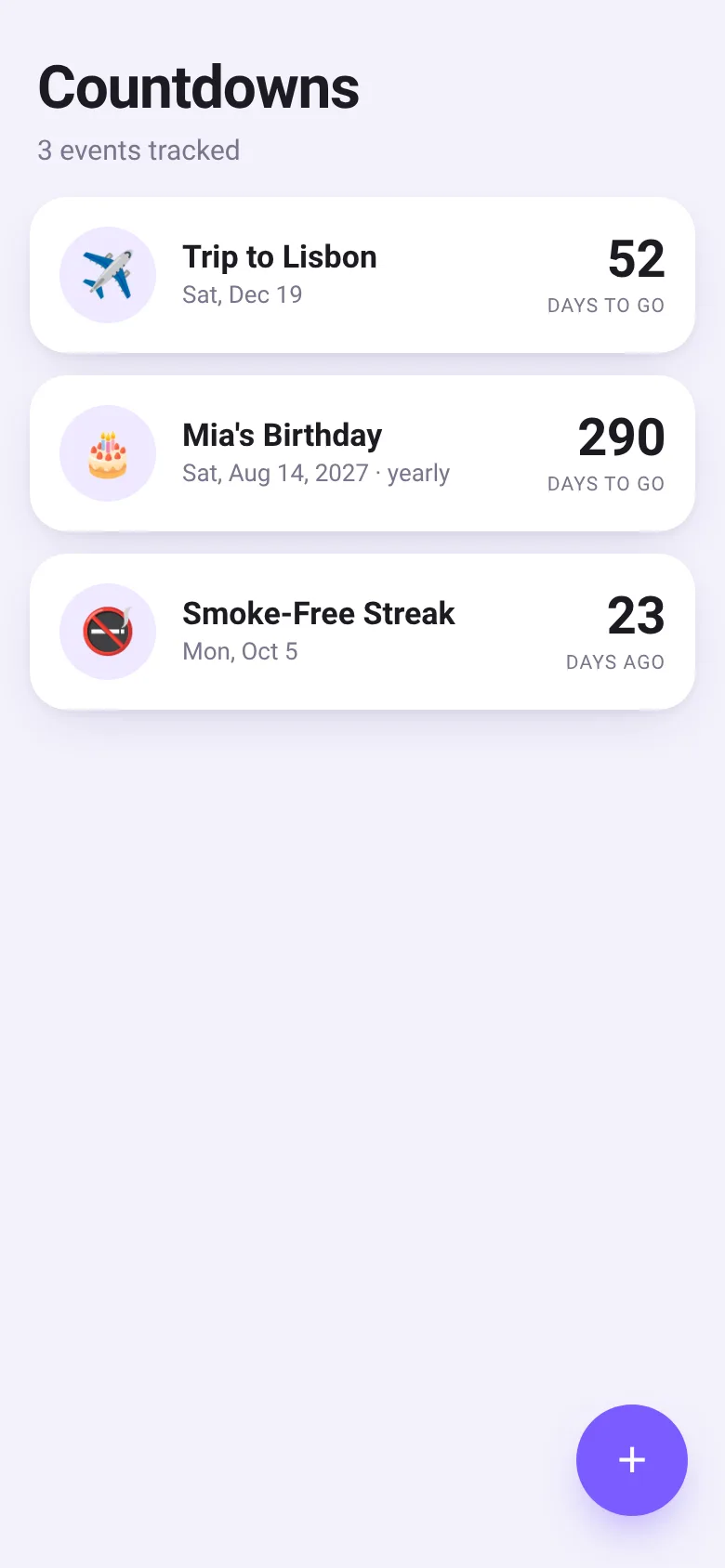
Life is marked by events: a vacation coming up, a birthday, a personal milestone reached. Day Counter lets you track them all in one place. Add any event with a date and an emoji, and the app shows you the exact count of days until or since it happens. Upcoming events appear first, past milestones second. Repeating events like birthdays update automatically each year.
What it does
Open the app to see a list of events displayed as cards. Each card shows the event name, date, an emoji, and the day count. Tap any card to edit it or change its emoji. Tap the plus button to add a new event: give it a title, pick a date, optionally set it to repeat yearly, and choose an emoji. Events that happen today show a celebration emoji. The subtitle tells you how many events you're tracking.
Key features
- Day count at a glance Each card displays how many days until an event or how long ago it passed.
- Repeating events Toggle a repeat setting to make an event recur every year, such as a birthday or anniversary.
- Emoji per event Pick from a grid of 18 emojis to give each event a visual identity.
- Smart sorting Events sort by proximity: upcoming events first, then past milestones.
- Edit or delete Tap a card to open the editor and change any detail or remove the event entirely.
- Saves automatically All events are stored in your browser and persist when you close and reopen the app.
How to use it
- Tap the plus button to create a new countdown.
- Enter the event name, such as a trip or birthday.
- Select the date from the date picker.
- Optionally toggle repeat yearly, then pick an emoji.
- Tap Save and see your event appear in the list.
- Tap any card later to edit or delete it.
Who it’s for
Anyone who wants to track life's milestones, upcoming vacations, birthdays, personal goals, or other important dates in one simple list.
The app’s share card (1200×630)
Questions and answers
Does the app save my countdowns?
Yes. All countdowns are saved in your browser's local storage and will be there when you return.
Can I use this on my phone?
Yes. The app works on any device with a web browser and is optimized for mobile screens.
What happens if I set an event to repeat yearly?
The event will automatically move to the next year's date after it passes, so birthdays and anniversaries stay in your list every year.
Can I share a countdown with someone else?
Each person using the app on their own device will have their own separate countdowns. The app does not have a built-in sharing feature.
More productivity apps
- Packing List · Builds a categorized packing checklist tailored to your trip length, weather, and activities. Check items off as you pack.
- Decision Wheel · Add your options, spin the wheel, and let it pick the winner. Settle choices with a satisfying spin and confetti celebration.
- Metronome · Keep time with tap tempo, a BPM slider, multiple time signatures, and accented first beats. Essential for musicians and practice sessions.
- Palette Maker · Generate harmonious color palettes, lock your favorites, and copy hex codes instantly. Switch between analogous, complementary, and triadic schemes.
- Kitchen Converter · Convert cups, tablespoons, teaspoons, grams, ounces and millilitres with ingredient-specific weights for accurate baking and cooking.
- Tip Calculator · Quickly calculate tips with preset percentages or custom amounts, split the bill among people, and round up if you want.