Live shared web app · Productivity
Kudos Board: Give and see team appreciation
Send quick badges to teammates, see a live feed of kudos, and watch who gets the most appreciation on the leaderboard.
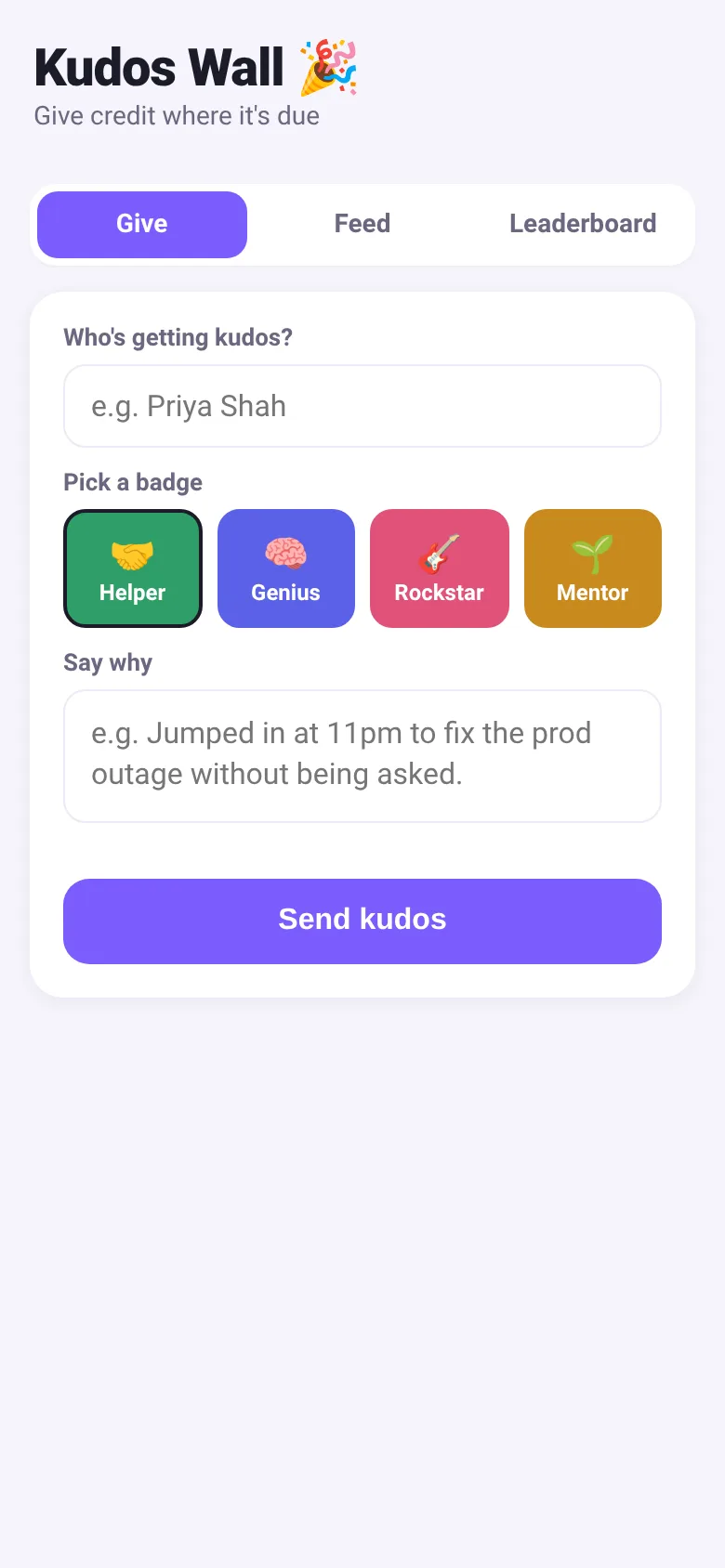
Teams work better when people feel appreciated. Kudos Board lets you quickly give a teammate a badge—helper, genius, rockstar, or mentor—with a short message explaining why. Everyone sees the kudos appear live in the feed, and the leaderboard shows who your team values most. It's a simple, fast way to build a culture of recognition without the overhead.
What it does
Open Kudos Board and choose from three tabs: Give a badge to someone with a message, watch the live feed of all kudos cards as they arrive, or check the leaderboard ranking the most-appreciated teammates. Each kudos card shows the recipient's name, the badge type with a color and emoji, your message, and when it was sent. The leaderboard counts how many kudos each person received and shows their most common badge. You can delete your own kudos anytime.
Key features
- Give tab Enter a teammate's name, pick a badge (Helper, Genius, Rockstar, or Mentor), write a short message, and send it live.
- Live feed See all kudos cards as they arrive, sorted newest first, with names, messages, badge colors, and time stamps.
- Leaderboard View the top 30 most-appreciated teammates ranked by total kudos received, with their most common badge shown.
- Delete own kudos Remove a kudos card you sent by clicking the delete button on the card.
- Shared live data All kudos update live for everyone viewing the board at the same time.
How to use it
- Click the Give tab and enter the name of the teammate you want to praise.
- Select one of the four badge types (Helper, Genius, Rockstar, or Mentor).
- Type a short message explaining why they earned the kudos.
- Click Send kudos to post it live to the team feed.
- Switch to the Feed tab to see all kudos in real time or the Leaderboard tab to see rankings.
Who it’s for
Teams, small groups, and organizations that want a fast, visual way to celebrate each other. No admin setup needed—just open the link and start giving kudos.
The app’s share card (1200×630)
Questions and answers
Do I need an account to use this?
No. Just open the link and start giving kudos. The app knows who you are through Remix.
Is my kudos saved if I leave?
Yes. All kudos are saved and shared live with everyone on the board. You can come back anytime and your kudos will still be there.
Does this work on my phone?
Yes. Kudos Board works on any device with a web browser and adjusts to fit your screen size.
Can I take back a kudos I sent?
Yes. Go to the Feed tab and click Delete on the kudos card you sent. Only you can delete your own kudos.
More productivity apps
- Community Beat · साझा बीट बनाएँ: स्टेप दबाएँ, डीजे प्रीसेट चुनें, और सब मिलकर संगीत तैयार करें। वीडियो में एक्सपोर्ट करें।
- Community Beat · Tap drum steps on a shared 16-step beat that everyone editing it hears together. Load DJ presets, mute and solo tracks, export video or audio.
- Meow Translator · Tap to decode your cat's meows into theatrical translations, then blast them with a dramatic soundboard. Fun for cat lovers and parties.
- Historial Clínico Pet · Sistema para registrar y gestionar el historial médico completo de perros y gatos: vacunas, visitas, tratamientos, peso y avisos de vencimiento.
- Haunted Beat · A shared drum machine where everyone taps the grid together to build beats. Dancing pumpkins groove to the rhythm you create.
- Community Beat · Coloca casillas en pistas de batería y escucha el patrón que todos construyen juntos en tiempo real. Exporta tu sesión como video o audio.