Web app · Productivity
Meeting Cost: See Your Meeting Spending in Real Time
Input how many people are in the meeting and their average hourly rate, then watch the cost climb as you talk.
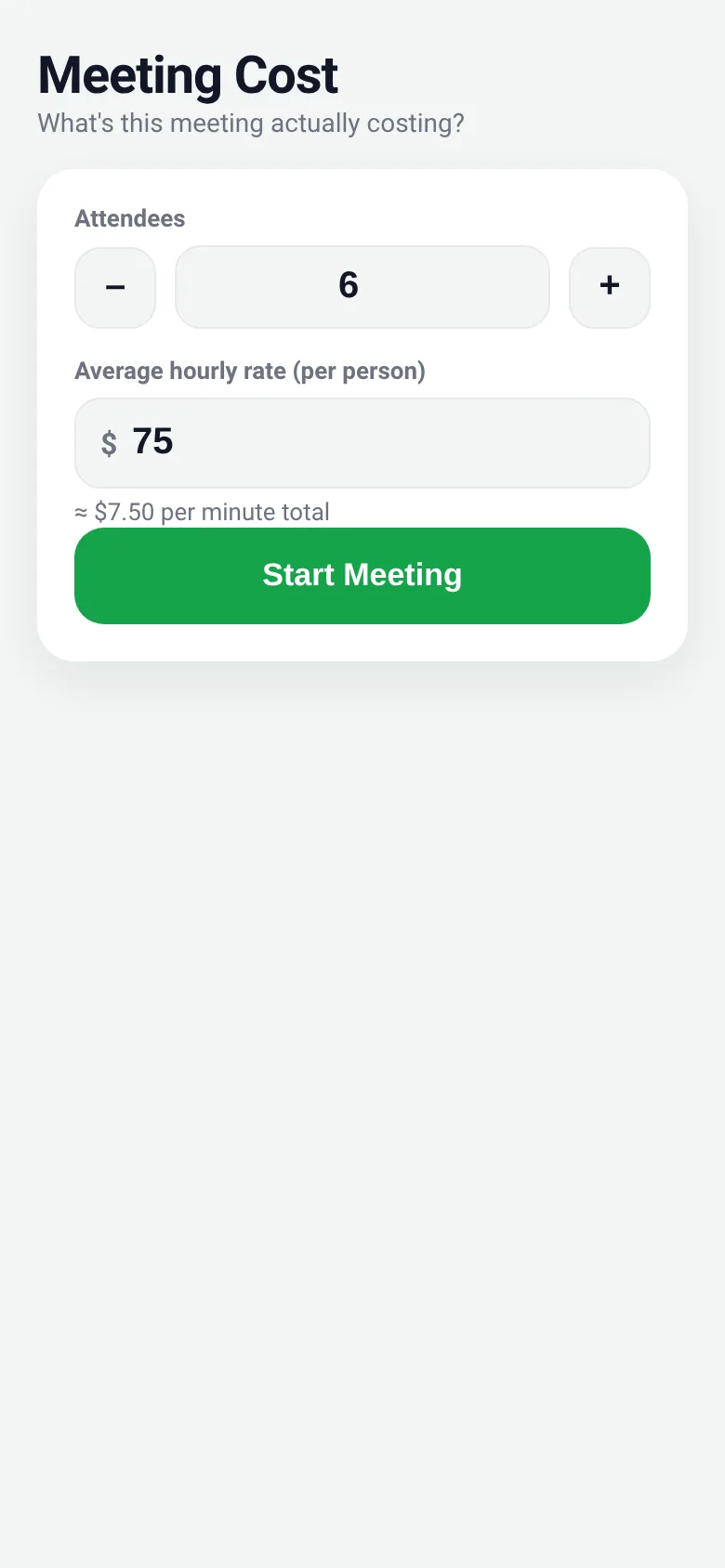
Meetings drain budget without anyone noticing. Meeting Cost shows you exactly what your conversation is costing right now. Set the number of attendees and their combined hourly rate, hit Start, and a big rolling odometer counts up the actual money spent, second by second. Pause or resume whenever you need, and end the meeting when you are done.
What it does
You enter the number of people in the meeting and an average hourly rate. Press Start and a large dollar ticker begins rolling upward in real time, counting the exact cost as it accumulates. The timer shows how long the meeting has run. As the cost climbs, fun equivalents unlock—you can see how many coffees, pizzas, flights, or even cars the meeting is worth. Pause to stop the clock temporarily, or End to return to the setup screen.
Key features
- Live odometer display A big rolling dollar counter updates every moment, showing the exact cost climbing in real time.
- Attendees and rate setup Use number inputs or plus/minus buttons to set how many people are in the meeting and their average hourly rate.
- Pause and resume Pause the meeting clock temporarily without losing your elapsed time, then resume whenever the meeting continues.
- Fun equivalents As the cost grows, the app shows how many coffees, pizzas, flights, and other items the meeting could buy.
- Elapsed time and rate display See how long the meeting has run and a reminder of the number of people and rate being tracked.
- Settings saved locally Your last attendee count and hourly rate are saved and restored when you return.
How to use it
- Set the number of attendees using the plus and minus buttons or by typing a number.
- Enter the average hourly rate per person (for example, 75 for seventy-five dollars an hour).
- Press Start Meeting to begin the odometer and timer.
- Watch the cost climb in real time; pause or resume as needed.
- Press End to stop the meeting and return to the setup screen.
Who it’s for
Anyone who leads or attends meetings and wants to see the real financial impact of time spent together, from project managers to executives to teams seeking better meeting awareness.
What’s new in this version
The app now displays funny equivalents—coffees, pizzas, flights, and other items—that unlock as the meeting cost climbs, making the expense more tangible and memorable.
The app’s share card (1200×630)
Questions and answers
Do I need to sign in or create an account?
No. Meeting Cost runs entirely in your browser with no sign-up required.
Will my attendee count and rate be saved?
Yes, the app saves your last settings to your browser's local storage, so you do not have to enter them again next time.
Can I pause and resume the meeting later?
Yes. Press Pause to stop the clock, and press Resume to start it again. The elapsed time and cost continue from where you left off.
Does it work on my phone?
Yes. The app is designed to work on phones, tablets, and computers.
More productivity apps
- Historial Clínico Pet · Sistema para registrar y gestionar el historial médico completo de perros y gatos: vacunas, visitas, tratamientos, peso y avisos de vencimiento.
- Pitch Timer · Write cue cards, pick a 30/60/90-second timer, and rehearse your pitch with haptics and per-card timing feedback.
- Pocket Kanban · A minimal kanban board for your phone. Add colored task cards and tap them to move through To do, Doing, and Done with satisfying spring animations.
- Budget Envelopes · Track spending across monthly budget envelopes like groceries and transport. Add expenses with a quick keypad and watch animated fill levels show how much you
- Interview Bank · Post and upvote real interview questions by role and type. Mark questions you were asked to build your prep list.
- Study Hours · Log study sessions by subject and minutes. See your group's weekly hours, leaderboard, and a heatmap of the busiest study days.