Live shared web app · Art & design
Pixel Board: paint together on a live shared canvas
Choose a color and tap pixels on a 24×24 grid that everyone can see and edit as you paint.
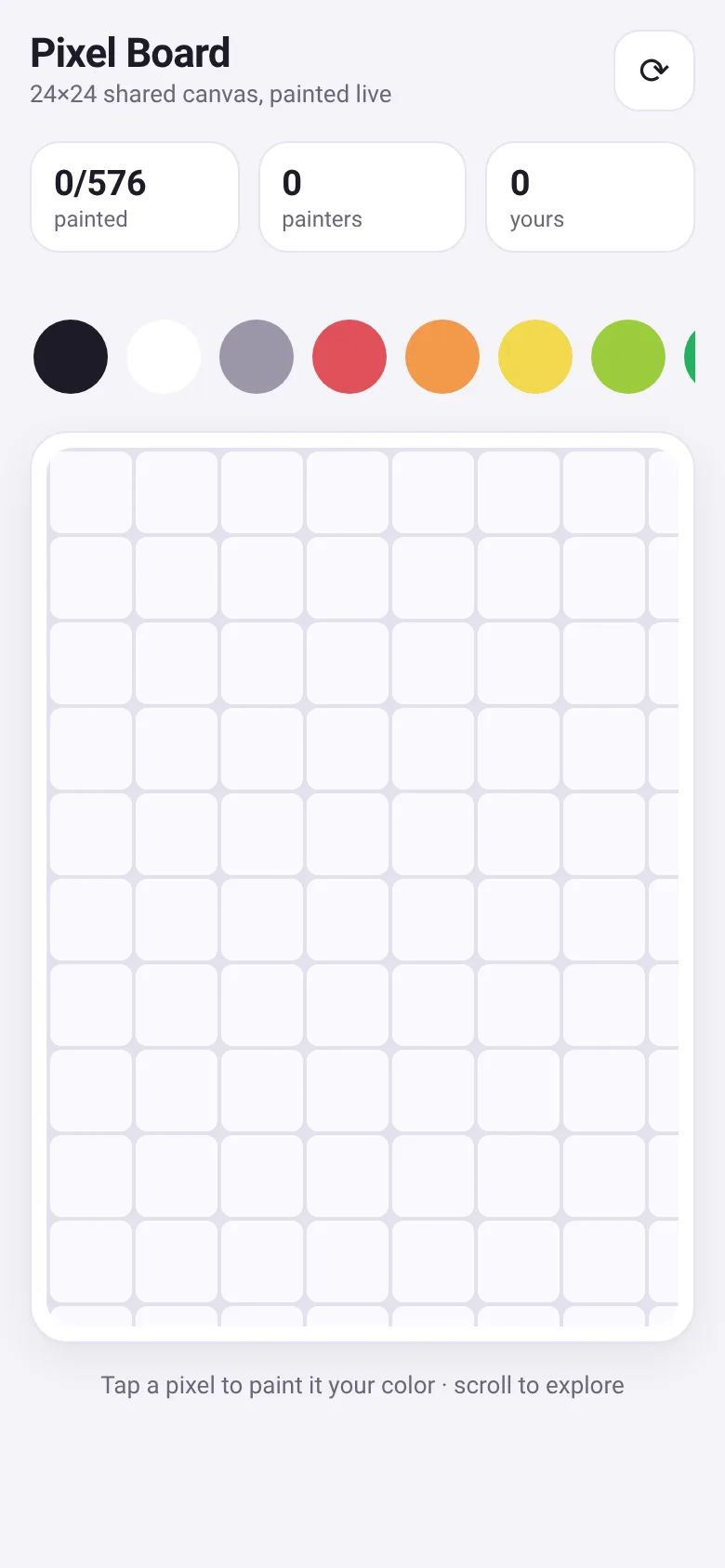
Want to create art together without needing someone to coordinate? Pixel Board gives you a small shared canvas where each person paints one pixel at a time. You pick a color from a 16-color palette or use the eraser, tap any pixel, and it appears instantly for everyone else. The app tracks how many pixels are painted, how many painters are contributing, and how many are yours.
What it does
You see a 24×24 grid of pixels, each one empty or filled with a color. Tap a pixel to paint it the color you have selected. Your pixels get a small dot in the corner so you can see what you painted. The board auto-refreshes every 20 seconds to show new pixels painted by others, and you can manually refresh anytime. The stats bar shows total pixels painted, number of active painters, and your pixel count.
Key features
- 16-color palette plus eraser Choose from black, white, gray, red, orange, yellow, lime, green, teal, cyan, blue, navy, purple, pink, brown, and tan, or erase pixels you painted.
- Live shared canvas Every pixel you paint appears instantly for all other viewers; changes from others appear when you refresh or every 20 seconds automatically.
- Track your pixels Your painted pixels show a small dot, and the stats display how many you have painted versus total pixels and painters on the board.
- Scroll to explore The 24×24 grid fits on screen but you can scroll to examine different parts of the shared canvas.
How to use it
- Choose a color by clicking a color swatch in the palette at the top.
- Tap any pixel on the grid to paint it your color.
- Watch your pixel count increase in the stats bar.
- Click the refresh button to see pixels painted by others right away, or wait 20 seconds for auto-refresh.
Who it’s for
Anyone who enjoys casual collaborative art and wants to create pixel art together with strangers in real time. Works on phones and computers.
The app’s share card (1200×630)
Questions and answers
How do I start painting?
Pick a color from the palette at the top, then tap any empty pixel on the grid to paint it. Your color is saved so your next taps use the same color until you pick a new one.
Does it work on my phone?
Yes. The app works on phones and computers; the grid scales to fit your screen.
How do I see what others painted?
Click the refresh button to load new pixels right away, or the board automatically refreshes every 20 seconds to show changes from other painters.
Can I erase pixels I painted?
Yes. Click the eraser button (marked with an X) in the palette, then tap your pixel to remove it.
More art & design apps
- Community Beat · साझा बीट बनाएँ: स्टेप दबाएँ, डीजे प्रीसेट चुनें, और सब मिलकर संगीत तैयार करें। वीडियो में एक्सपोर्ट करें।
- Community Beat · Tap drum steps on a shared 16-step beat that everyone editing it hears together. Load DJ presets, mute and solo tracks, export video or audio.
- Meow Translator · Tap to decode your cat's meows into theatrical translations, then blast them with a dramatic soundboard. Fun for cat lovers and parties.
- Haunted Beat · A shared drum machine where everyone taps the grid together to build beats. Dancing pumpkins groove to the rhythm you create.
- Community Beat · Coloca casillas en pistas de batería y escucha el patrón que todos construyen juntos en tiempo real. Exporta tu sesión como video o audio.
- Icebreakers · Swipe through fun, deep, work, and family icebreaker questions and save your favorites for parties and teams.