Live shared web app · Food & drink
Table Talk: Rate restaurants together, ranked by stars
Add places your group finds, rate them with notes, and see the top picks sorted by average stars and cuisine type.
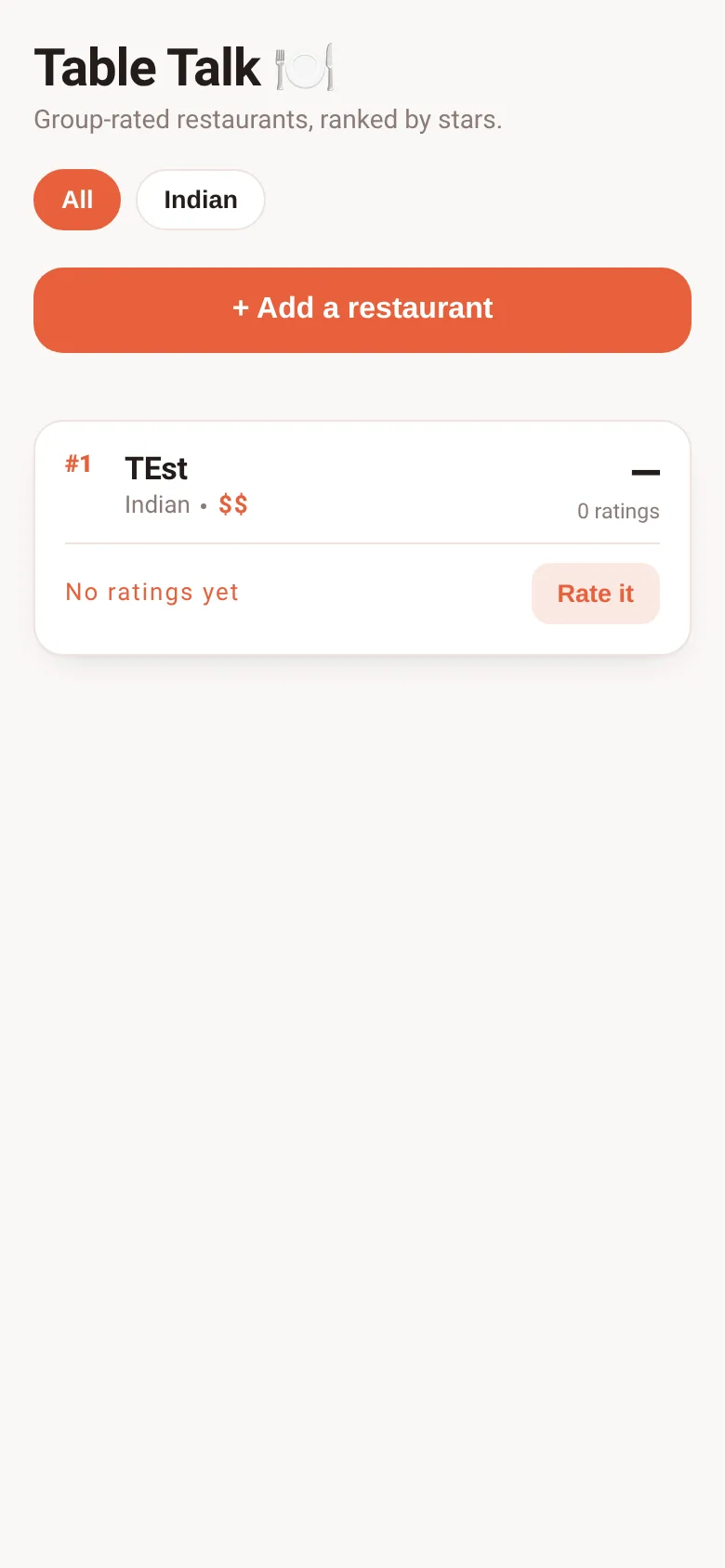
When a group of friends wants to remember which restaurants were great and which weren't, ratings scatter across texts and memory. Table Talk brings all your group's opinions into one live-updating list. Everyone who opens it sees the same restaurants, the same ratings, and the same rankings—so you always agree on where to eat next.
What it does
You add a restaurant by name, cuisine type, and price level ($–$$$$). Anyone can rate it 1–5 stars and leave a short note about what they liked or didn't like. The app shows a live leaderboard ranked by average rating, with the count of ratings below each score. Click any cuisine chip at the top to filter the list; click a restaurant's name to see all notes from your group. The ranking updates instantly as people rate.
Key features
- Live group ratings Everyone in the group sees the same restaurants and ratings; the list updates in real time as people add places and rate them.
- Filter by cuisine Click cuisine chips at the top to see only Mexican, Italian, Thai, Japanese, or any of eleven other types in your list.
- Star ranking and notes Restaurants are sorted by average stars and count; expand any entry to read notes from your group about why they rated it that way.
- Price level display Each restaurant shows its price tier ($, $$, $$$, or $$$$) next to the cuisine, so you know the cost before you go.
- Delete your own entries If you added a restaurant, a Delete button lets you remove it; only you can delete what you created.
How to use it
- Tap + Add a restaurant and enter its name, cuisine, and price level.
- Click a restaurant card to see its current rating, then tap Rate to give it 1–5 stars and write an optional note.
- Click a cuisine chip at the top to show only restaurants of that type.
- Click See notes to read what your group said about a restaurant.
Who it’s for
Groups of friends, coworkers, or family members who want to share and rank restaurant recommendations together without passing notes back and forth.
What’s new in this version
The app now lets you filter by cuisine and see how many ratings each place has, so you can quickly find your group's top-rated spot in any food type.
The app’s share card (1200×630)
Questions and answers
Does the app save my ratings if I close it?
Yes. All restaurants and ratings are saved and shared live with everyone in your group; when you reopen the app, everything is there.
Can I delete a restaurant I added?
Yes. A Delete button appears on cards you created; tap it to remove the restaurant and all its ratings.
Is there a limit to how many restaurants we can add?
The app can hold up to 100 restaurants and 100 ratings; if it gets full, try clearing very old entries.
Can I use this on my phone?
Yes. The app works on any device with a web browser and adapts to small screens.
More food & drink apps
- Community Beat · साझा बीट बनाएँ: स्टेप दबाएँ, डीजे प्रीसेट चुनें, और सब मिलकर संगीत तैयार करें। वीडियो में एक्सपोर्ट करें।
- Community Beat · Tap drum steps on a shared 16-step beat that everyone editing it hears together. Load DJ presets, mute and solo tracks, export video or audio.
- Meow Translator · Tap to decode your cat's meows into theatrical translations, then blast them with a dramatic soundboard. Fun for cat lovers and parties.
- Haunted Beat · A shared drum machine where everyone taps the grid together to build beats. Dancing pumpkins groove to the rhythm you create.
- Community Beat · Coloca casillas en pistas de batería y escucha el patrón que todos construyen juntos en tiempo real. Exporta tu sesión como video o audio.
- Icebreakers · Swipe through fun, deep, work, and family icebreaker questions and save your favorites for parties and teams.