Live shared web app · Social & party
Story Chain: write stories together with strangers
Each visitor adds one sentence to a shared story. When a story reaches 30 lines, a new one begins.
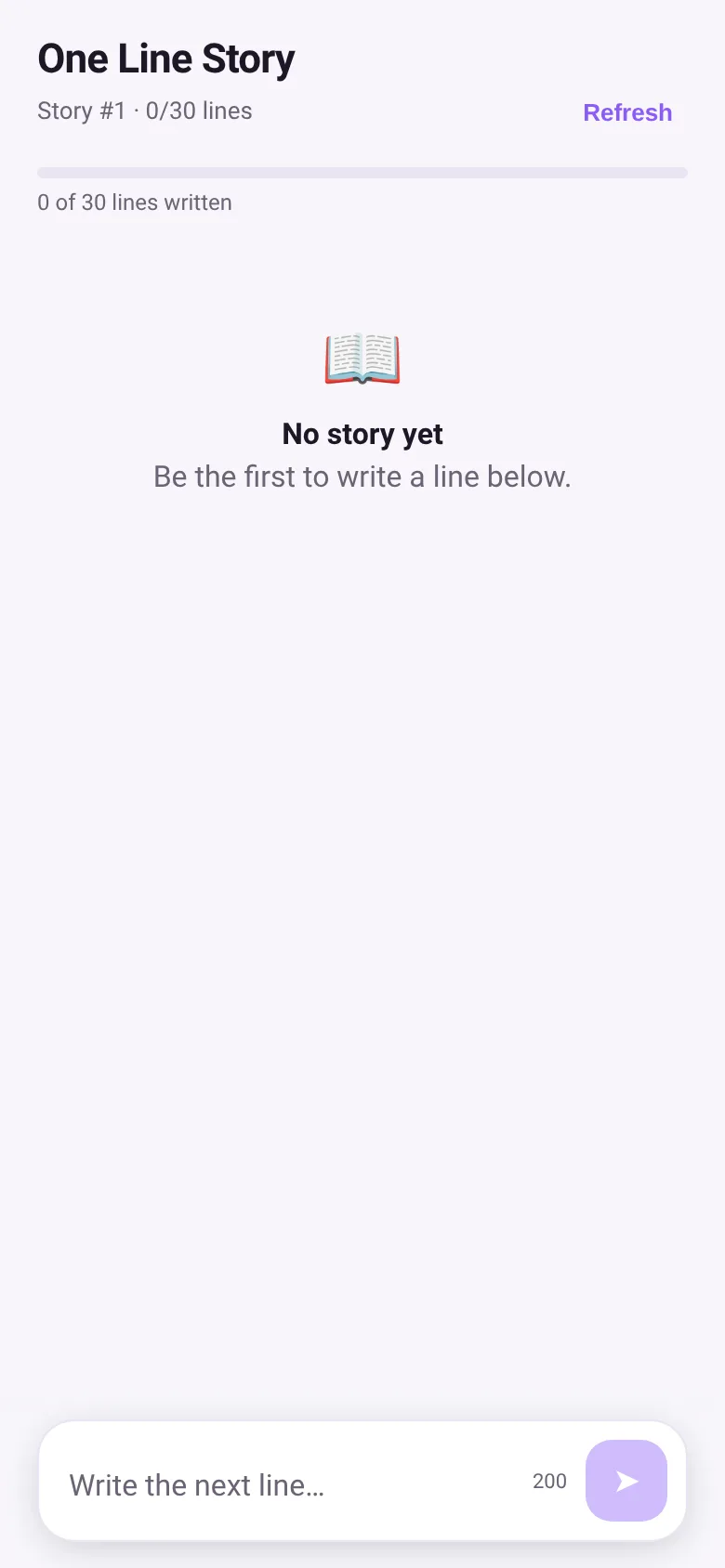
You open a story that dozens of strangers are writing together. The last person added a sentence about a lost key. Now you write the next line. Your sentence appears on the screen in the order it was written, with a timestamp and a note that you wrote it. Everyone sees the story grow one line at a time. When the story hits 30 lines, it closes and a fresh one starts, so there is always a story waiting for your contribution.
What it does
You see a scrolling list of sentences that visitors have added to the current story, numbered and timestamped. At the bottom is a text box where you type your next line, up to 200 characters. A counter shows how many characters you have left. When you press the send button or hit Enter, your line appears in the story and resets the text box. A progress bar at the top shows how many lines the story has and how many it needs to be finished. Once a story reaches 30 lines, it is marked complete and locked; the next visitor who refreshes sees a new empty story.
Key features
- Shared live story Every visitor sees and adds to the same story; lines appear in real time as others type.
- Automatic story cycling When a story reaches 30 lines, it closes and a new blank one begins for the next writer.
- Simple one-line input Write up to 200 characters per sentence; a counter shows your remaining space.
- Progress tracking A bar and label show how many lines the current story has and how many more it needs.
- Author identity Each line shows whether you or a stranger wrote it, and how long ago.
How to use it
- Open the app and wait for the current story to load.
- Read the sentences already written and scroll to see the full story so far.
- Click in the text box at the bottom and type your next sentence.
- Press the send button or hit Enter to add your line.
- Watch your sentence appear in the story and continue reading what others write next.
Who it’s for
Anyone who enjoys collaborative storytelling or creative word games, or who wants a quick social activity with strangers. Works as a party game or a quiet solo moment of shared creativity.
The app’s share card (1200×630)
Questions and answers
Do I need to sign up or log in?
No. You can start writing right away.
Does my line save after I write it?
Yes. Once you send it, your line is saved to the shared story and visible to everyone who opens the app.
What happens when the story finishes?
When a story reaches 30 lines, it is marked complete and locked. A new blank story begins for the next contributor to start.
Can I write more than one line?
Yes. You can add multiple lines to the same story or to different stories as they cycle.
More social & party apps
- Community Beat · साझा बीट बनाएँ: स्टेप दबाएँ, डीजे प्रीसेट चुनें, और सब मिलकर संगीत तैयार करें। वीडियो में एक्सपोर्ट करें।
- Community Beat · Tap drum steps on a shared 16-step beat that everyone editing it hears together. Load DJ presets, mute and solo tracks, export video or audio.
- Meow Translator · Tap to decode your cat's meows into theatrical translations, then blast them with a dramatic soundboard. Fun for cat lovers and parties.
- Haunted Beat · A shared drum machine where everyone taps the grid together to build beats. Dancing pumpkins groove to the rhythm you create.
- Community Beat · Coloca casillas en pistas de batería y escucha el patrón que todos construyen juntos en tiempo real. Exporta tu sesión como video o audio.
- Icebreakers · Swipe through fun, deep, work, and family icebreaker questions and save your favorites for parties and teams.