Web app · Tools & utilities
Compare API versions and spot breaking changes instantly
Upload two API specs, see what changed, generate tests, and share reports with your team.
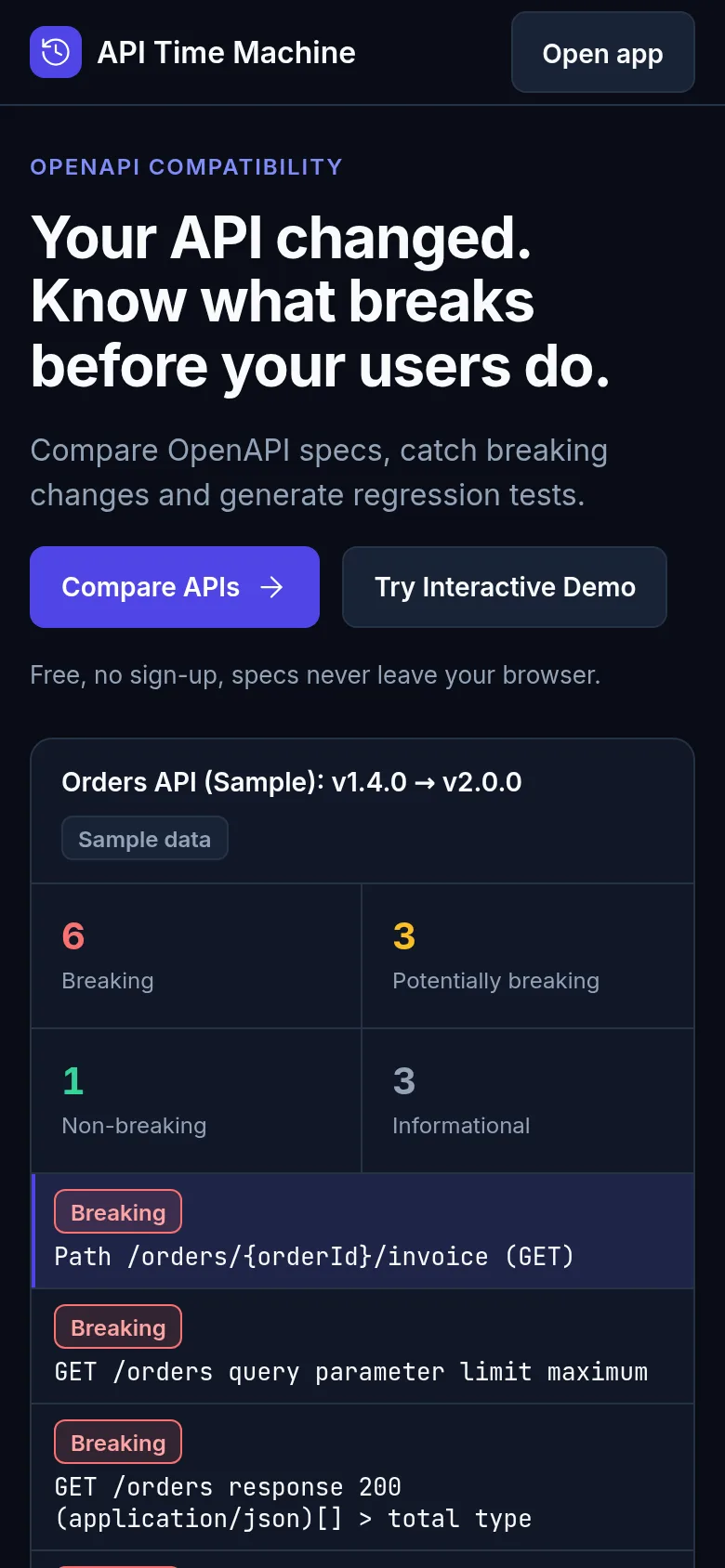
When you release a new API version, you need to know what broke. API Time Machine lets you paste or upload two API specifications and instantly see every change: new endpoints, removed fields, type changes, and more. The app saves your last comparison so next time you only need to add the new version. You get a clear report of breaking changes, can generate tests to catch problems early, and share findings with your team.
What it does
You enter two API spec URLs or paste specs directly. The app analyzes them side by side and shows you a detailed breakdown: what endpoints were added or removed, which fields changed type or became required, and which changes break client code. You can see all changes at once or filter to breaking changes only. The app generates test cases for the changes and produces a shareable report. Your comparison stays saved so you can compare new versions without re-entering the old one.
Key features
- Quick Compare Paste two API specs or enter URLs to see changes instantly.
- Breaking Change Detection Highlights which changes will break existing client code.
- Test Generation Automatically create test cases from the API differences.
- Shareable Reports Generate detailed reports of all changes for your team.
- Saved State Your last comparison is saved so you only enter the new version next time.
- Version History Track all your past comparisons and revisit earlier analyses.
How to use it
- Enter two API specification URLs or paste the specs directly into the compare screen.
- Review the side-by-side comparison highlighting added, removed, and changed endpoints.
- Check the breaking changes section to see which modifications affect your clients.
- Generate tests from the detected changes if you want test coverage for the new version.
- Export or share the report with your team.
Who it’s for
API developers, backend engineers, and API teams who need to track changes across versions and communicate breaking changes to clients and internal teams.
What’s new in this version
The latest update made the app more developer-friendly: comparing two API specs is now as simple as entering two URLs, and the app saves the previous version so next time you only need to enter the new spec. All interface text is now in English throughout.
The app’s share card (1200×630)
Questions and answers
How do I start comparing two API specs?
Go to Quick Compare and either paste your two API specifications directly or enter their URLs. The app analyzes them instantly and shows all differences.
Does the app save my previous API spec?
Yes. After your first comparison, the app saves the previous version, so next time you only need to enter the new spec to compare.
Can I use this on my phone or tablet?
Yes, the app works on any device with a web browser.
Can I share the comparison results with my team?
Yes. The app generates reports you can share. You can also save your comparisons in your projects to revisit them later.
More tools & utilities apps
- Icebreakers · Swipe through fun, deep, work, and family icebreaker questions and save your favorites for parties and teams.
- Pitch Timer · Write cue cards, pick a 30/60/90-second timer, and rehearse your pitch with haptics and per-card timing feedback.
- Sun Arc · See the sun's arc across the sky for any latitude and day, with sunrise, sunset, day length, and golden hour windows.
- Big Text · Flash giant text across a room in auto-fit or scrolling marquee mode, with color themes and a gentle blink for safety.
- Shot List · Plan video scenes with shot cards, durations, and location tags. Check off shots as you film to track progress.
- Tally Counter · Track multiple named counts with big tap targets, haptics feedback, and one-tap undo on reset.