Live shared web app · Food & drink
Coffee Run: coordinate group coffee orders in real time
Each person adds their drink, size, and name. Everyone sees the grouped order by drink type. The runner clears it when delivered.
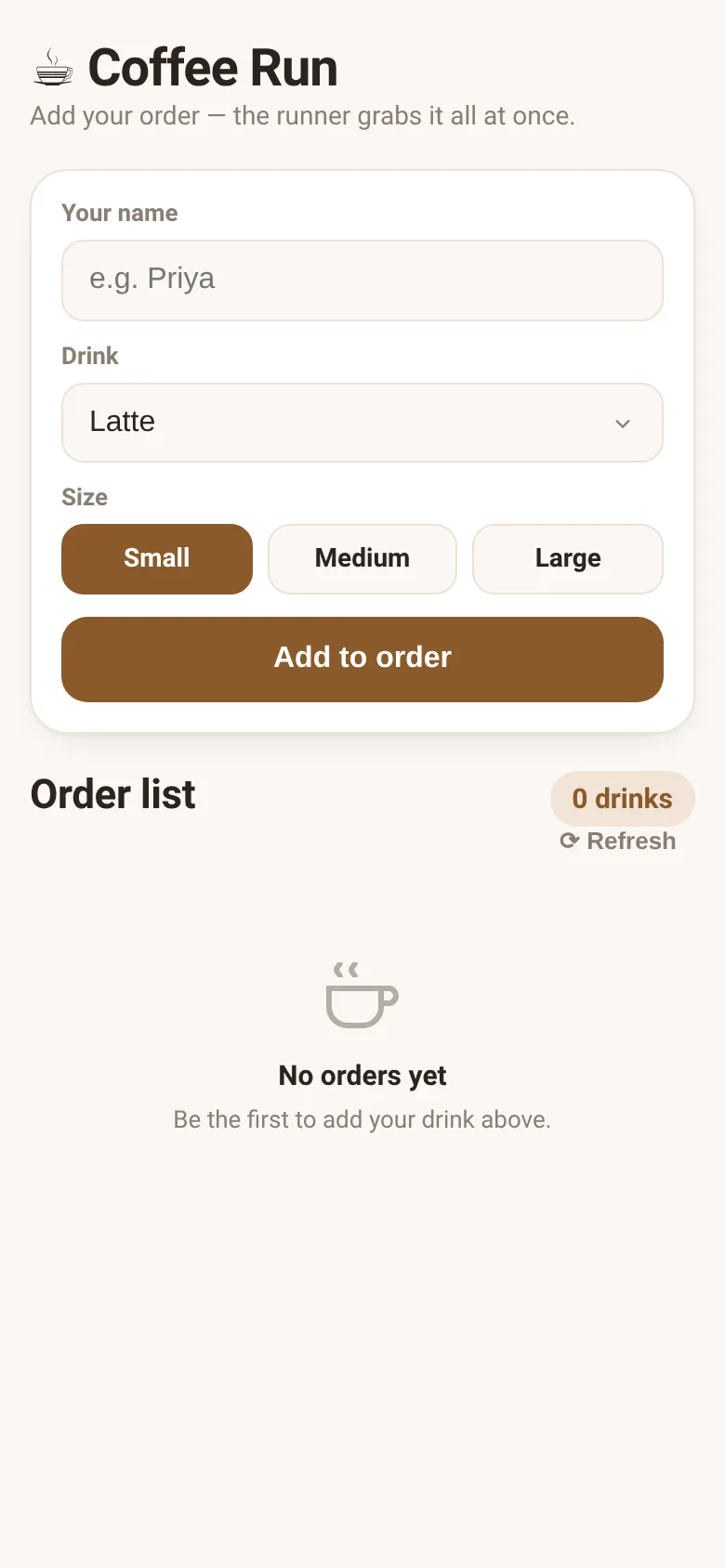
When a group wants coffee from the same place, someone has to gather orders, remember them, and place one big request. Coffee Run solves this by giving everyone a shared order sheet they can add to at once. People type their name and pick their drink and size, and the runner sees everything grouped by drink type with a count, so they can order once for the whole group and check it off when it arrives.
What it does
The page shows a form where you enter your name, choose from 11 drink types (Latte, Cappuccino, Americano, Cold Brew, Matcha Latte, and others), and pick a size (Small, Medium, or Large). When you tap Add to order, your drink joins a live shared list that everyone in the group sees updated. The list groups all orders by drink type, sorted by popularity, showing how many of each drink have been ordered. Each order displays the person's name and size. If you added an order, you can remove only yours. The runner sees a big button to clear all their own orders at once when the coffee arrives; other people's orders stay until they clear theirs.
Key features
- Shared live order list When someone adds a drink, it appears instantly for everyone viewing the page, grouped by drink type.
- Group totals See a count of how many of each drink type have been ordered, sorted by popularity.
- Personal control You can remove only your own orders; the runner clears their orders, others clear theirs when ready.
- Quick form Simple inputs for name, drink choice from a preset menu, and size buttons; your name saves for next time.
- Automatic refresh The order list updates every 15 seconds or on demand with the refresh button to stay in sync.
How to use it
- Enter your name in the first field.
- Select your drink from the dropdown menu.
- Choose your size by clicking Small, Medium, or Large.
- Tap Add to order to join the shared order list.
- When the runner returns, they tap Mark delivered & clear order to remove their orders.
Who it’s for
Office workers, friends, or any group ordering drinks together from one place. The runner uses it to see what to order in one grouped view; everyone else uses it to add their drink without the runner having to ask.
The app’s share card (1200×630)
Questions and answers
Do I have to refresh to see new orders?
No. The page automatically updates every 15 seconds, or you can tap the Refresh button anytime to see orders right now.
Can I change my order after I add it?
You can remove your order using the X button next to it, then add a new one.
Does this work on my phone?
Yes, it is fully mobile-friendly and works in any web browser.
What happens when the coffee arrives?
The runner taps Mark delivered & clear order to remove only their own orders. Everyone else can clear theirs whenever they pick up their drink.
More food & drink apps
- Icebreakers · Swipe through fun, deep, work, and family icebreaker questions and save your favorites for parties and teams.
- Pitch Timer · Write cue cards, pick a 30/60/90-second timer, and rehearse your pitch with haptics and per-card timing feedback.
- Sun Arc · See the sun's arc across the sky for any latitude and day, with sunrise, sunset, day length, and golden hour windows.
- Big Text · Flash giant text across a room in auto-fit or scrolling marquee mode, with color themes and a gentle blink for safety.
- Shot List · Plan video scenes with shot cards, durations, and location tags. Check off shots as you film to track progress.
- Tally Counter · Track multiple named counts with big tap targets, haptics feedback, and one-tap undo on reset.