Mobile app · Games
Connect colored dots to fill the grid without crossing paths
Draw lines from dot to dot, match the colors, fill every cell. Twelve levels from easy to hard.
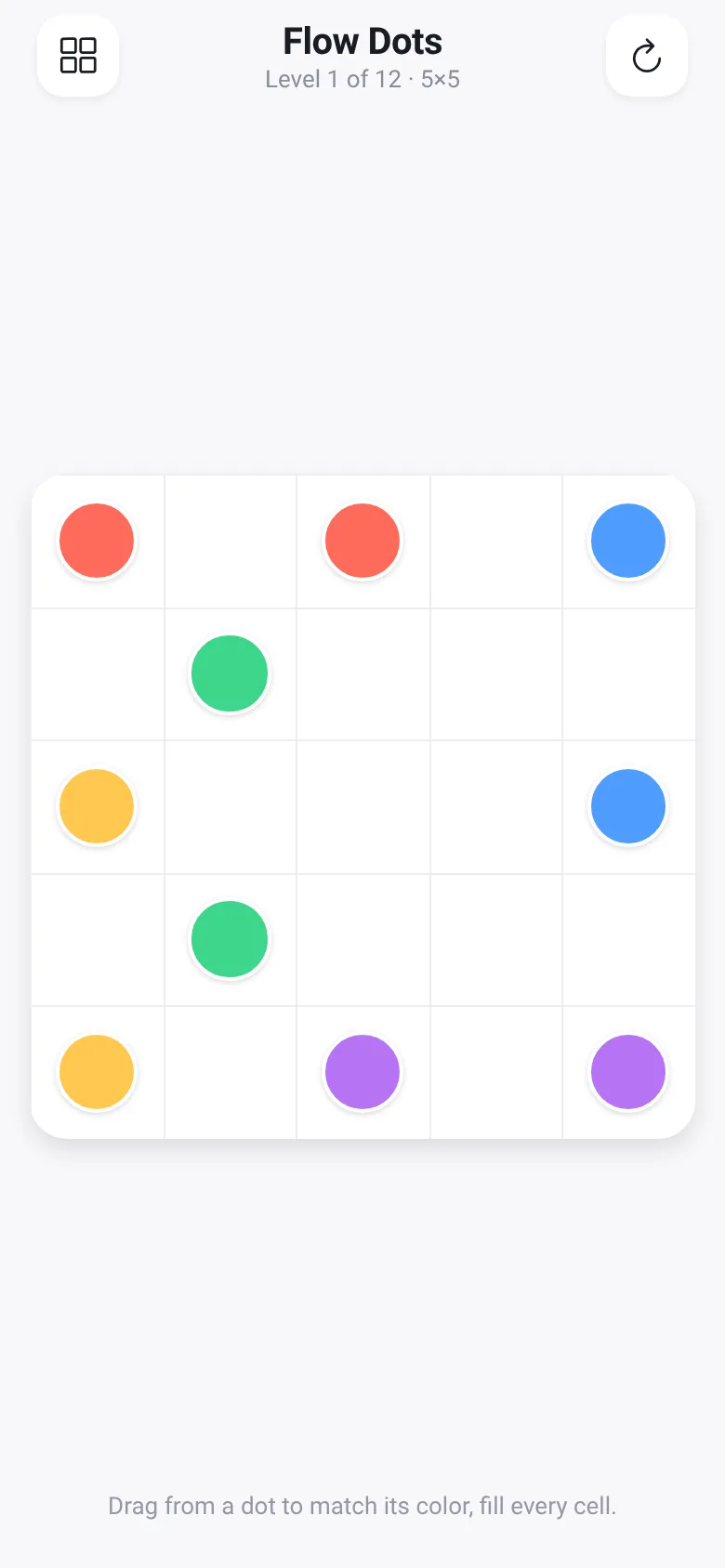
You want a quick puzzle that makes you think without being frustrating. Dot Connect gives you a grid with pairs of colored dots, and you draw paths connecting each pair. The catch: paths cannot cross, and together they must fill every single cell on the board. It starts simple on a 5×5 grid and grows to 7×7 as you progress through 12 levels.
What it does
You tap a colored dot and drag to draw a path to its matching dot. The path follows the grid, one cell at a time, and cannot overlap itself or cross other colors. When you complete a path, the dots at both ends lose their outline. Once all pairs are connected and every cell is filled, you win and move to the next level. You can tap the refresh button to reset the current level, or tap the grid icon to jump to any of the 12 levels.
Key features
- 12 Progressive Levels Start on 5×5 grids and work up to 7×7, each one increasing in puzzle complexity.
- No-Crossing Rule Paths cannot cross themselves or other colors, forcing you to plan ahead and solve the puzzle logically.
- Fill-the-Grid Challenge You must connect every colored pair and cover every cell on the board to win.
- Level Selection Menu Jump between any unlocked or completed level from the grid view, with checkmarks showing which ones you have finished.
- Path Trimming Tap and drag on your own path to backtrack and adjust your moves without starting over.
How to use it
- Tap a colored dot to start drawing a path from it.
- Drag to an adjacent cell to extend the path one step at a time.
- Reach the matching dot of the same color to complete that pair.
- Repeat for all colored pairs until the entire grid is filled with no crossings.
- Tap the checkmark screen to move to the next level, or tap the grid icon to pick a different level.
Who it’s for
Puzzle lovers who enjoy logic games and spatial reasoning on mobile. Anyone looking for a relaxing but challenging game that respects their time.
The app’s share card (1200×630)
Questions and answers
Can I undo a move or restart a level?
Yes. Tap the refresh icon in the header to reset the current level and start over. You can also tap and drag from your own path to trim it back to an earlier point.
Do my progress and completed levels save?
The app tracks which levels you have finished while it is running. Completed levels show a checkmark in the level menu.
Can I play this on my phone?
Yes. Dot Connect runs on any phone with React Native support (iOS and Android).
What happens if two paths touch?
Paths cannot cross or overlap. If you try to draw into a cell occupied by another color, the move is blocked. You must plan your routes so they do not collide.
More games apps
- Arena Fist 3D · Juego de pelea 3D con luchadores detallados. Juega en modo historia, 1 vs 1, 2 jugadores o entrena contra un muñeco.
- Arena Fist 3D · Juego de pelea 3D con modo historia, entrenamiento, 1-2 jugadores y modo Jefes con 150 niveles progresivos.
- Pesca Tranquila · Juego de pesca sin apuros donde lanzás, recogés peces, completás tu álbum de especies y mejorás tu equipo.
- Charades · Pick a category, flip words for 60 seconds, tap to score, and track team totals per round.
- Shape Sorter · A toddler game where kids drag colorful shapes into matching holes, with bouncy animations, haptics, and a celebration when all shapes are sorted.
- Color Flood · Fill the board with one color in limited moves. Pick from three difficulty sizes and try to flood it all before running out of moves.