Mobile app · Social & party
Icebreakers: Swipe Through Conversation Starters by Category
Browse fun, deep, work, and family icebreaker questions by swiping cards, then save your favorites to a personal collection.
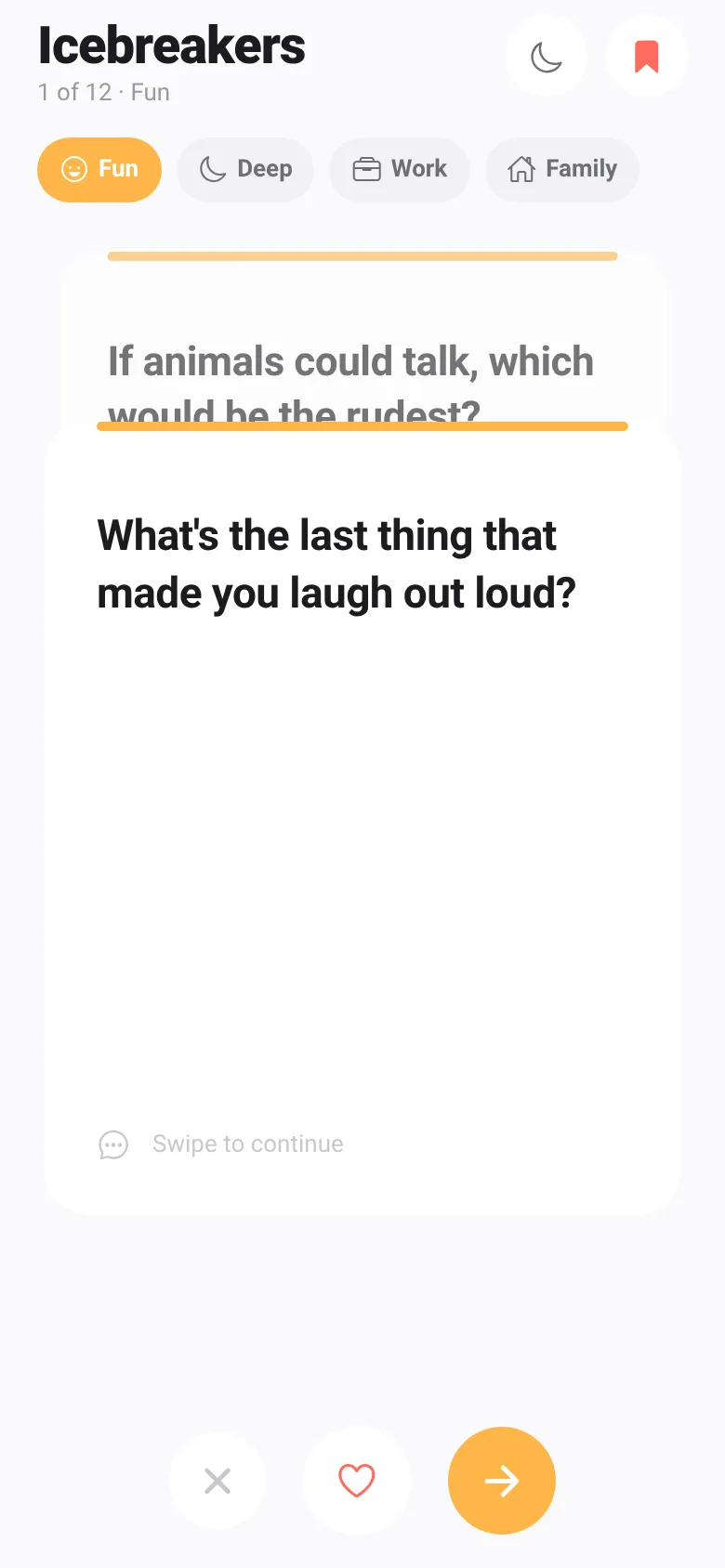
Starting a conversation with new people or breaking awkward silences can be difficult. Icebreakers gives you a deck of conversation-starter questions organized into four categories: Fun, Deep, Work, and Family. Swipe through the cards at your own pace, save questions you like, and switch between categories whenever you want.
What it does
You see one question card at a time. Swipe right to move to the next question, swipe left to skip, or tap the heart icon to save it as a favorite. Each category—Fun, Deep, Work, and Family—has its own shuffled deck of questions. The app tracks your position in each deck, shows how many questions you have left, and displays all your saved favorites in a collection you can review anytime.
Key features
- Four Question Categories Browse Fun, Deep, Work, and Family questions, each with its own deck and color.
- Swipe to Navigate Swipe right to continue, left to skip, or tap the heart to save a question as a favorite.
- Favorites Collection Access all saved questions in one place, organized by the category you saved them from.
- Light and Dark Mode Toggle between light and dark themes with the moon icon in the header.
- Reshuffle Deck Restart a category's questions in a new random order once you reach the end.
How to use it
- Choose a category by tapping one of the four tabs at the top: Fun, Deep, Work, or Family.
- Read the question on the card and swipe right to see the next question or left to skip it.
- Tap the heart icon to save a question you like to your Favorites.
- Tap the bookmark icon in the header to view all your saved questions.
- Tap the moon icon to switch between light and dark mode.
Who it’s for
This app is for anyone hosting a party, team gathering, or family event who wants easy access to conversation starters. It works equally well for small groups wanting to get to know each other better or for ice-breaker activities in professional settings.
What’s new in this version
Dark mode is now available. Toggle between light and dark themes using the moon icon in the header.
How it differs from Icebreakers
This version adds dark mode and organizes questions into distinct category tabs instead of the original fixed categories.
The app’s share card (1200×630)
Questions and answers
How do I save questions?
Tap the heart icon on any question card to save it. Your favorites appear in the Favorites collection, accessed via the bookmark icon in the header.
Does the app save my progress?
Yes. The app remembers which questions you have already seen in each category and where you are in the deck. Your favorites are also saved.
What happens when I finish all the questions in a category?
Once you reach the end, a reshuffle button appears. Tap it to shuffle the deck and start again with the same questions in a new order.
Can I use this on my phone?
Yes, Icebreakers is a mobile app designed for phones and works in both portrait and landscape modes.
Remix family
Remixed from Icebreakers · by CodeAgent Mobile
More social & party apps
- Community Beat · साझा बीट बनाएँ: स्टेप दबाएँ, डीजे प्रीसेट चुनें, और सब मिलकर संगीत तैयार करें। वीडियो में एक्सपोर्ट करें।
- Meow Translator · Tap to decode your cat's meows into theatrical translations, then blast them with a dramatic soundboard. Fun for cat lovers and parties.
- Haunted Beat · A shared drum machine where everyone taps the grid together to build beats. Dancing pumpkins groove to the rhythm you create.
- Community Beat · A shared step sequencer where everyone taps, plays, and exports drum beats together live. Create group rhythms and download video or audio.
- Icebreakers · Swipe through fun, deep, work, and family icebreaker questions and save your favorites for parties and teams.
- Charades · Pick a category, flip words for 60 seconds, tap to score, and track team totals per round.