Web app · Learning
Interview Prep: practice behavioral questions with STAR answers
Build and save STAR answers to 30 common behavioral questions, use a 2-minute timer to practice speaking, and review what you've written.
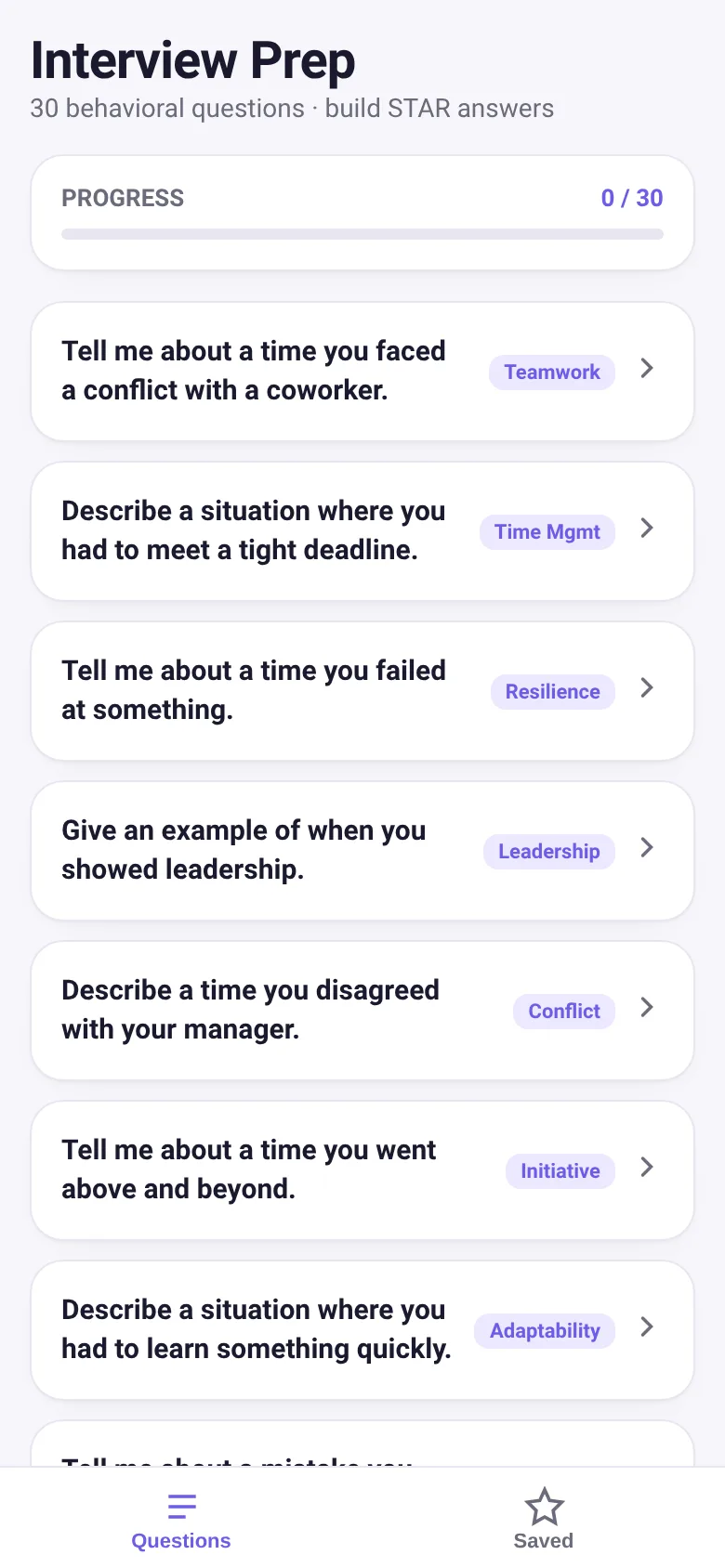
Job interviews often ask you to describe past situations using the STAR method—Situation, Task, Action, Result. Remembering what to say on the spot is hard. This app gives you 30 real behavioral questions interviewers ask, lets you write out each part of your answer, and includes a timer so you can practice speaking for the right amount of time. Your answers stay saved in your browser so you can come back and refine them before your interview.
What it does
Open any of the 30 questions and fill in text boxes for Situation, Task, Action, and Result. As you type, you build a complete answer. Start the 2-minute timer and practice speaking your answer aloud—the timer shows how much time is left and turns red when you are down to 10 seconds. Save the answer and it appears in your Saved Answers tab, where you can edit, delete, or review it. A progress bar at the top shows how many questions you have answered.
Key features
- 30 behavioral questions Common interview questions covering teamwork, leadership, resilience, time management, adaptability, and other skills.
- STAR answer builder Four text boxes guide you to write Situation, Task, Action, and Result for each question.
- 2-minute practice timer Time yourself speaking your answer; the ring display and color change warn you when time is running out.
- Save and review answers Answers are stored in your browser with the date saved; edit or delete them anytime from the Saved Answers tab.
- Progress tracking See how many of the 30 questions you have answered at a glance.
How to use it
- Tap a question to open the detail screen.
- Type or paste text into the Situation, Task, Action, and Result boxes.
- Tap Save Answer to store it.
- Tap Start on the timer and practice speaking your answer aloud for up to 2 minutes.
- Tap the Saved tab to review, edit, or delete any of your saved answers.
Who it’s for
People preparing for job interviews who want to practice behavioral questions and structure their answers using the proven STAR method.
The app’s share card (1200×630)
Questions and answers
Do my answers stay saved if I close the app?
Yes. Your answers are saved in your browser's local storage, so they stay there when you close and reopen the page.
Can I use this on my phone?
Yes, it works on any device with a web browser. The layout adapts to phone screens.
How do I start if I have never used STAR before?
Open any question, and read the placeholder text in each box—it explains what Situation, Task, Action, and Result mean and what to write for each one.
Can I edit an answer I already saved?
Yes. Tap the Saved tab, find your answer, and tap Edit to go back and change it.
More learning apps
- Historial Clínico Pet · Sistema para registrar y gestionar el historial médico completo de perros y gatos: vacunas, visitas, tratamientos, peso y avisos de vencimiento.
- Pitch Timer · Write cue cards, pick a 30/60/90-second timer, and rehearse your pitch with haptics and per-card timing feedback.
- ABC Explorer · Swipe through big letter cards with emoji words, then play a game to find matching letters. For children learning their ABCs.
- Vocab Swipe · Swipe French vocabulary cards to master them. Tap to flip, swipe right to mark as known, left to review later, and watch your progress in real time.
- Pocket Kanban · A minimal kanban board for your phone. Add colored task cards and tap them to move through To do, Doing, and Done with satisfying spring animations.
- Interview Bank · Post and upvote real interview questions by role and type. Mark questions you were asked to build your prep list.