Web app · Food & drink
Plan This Week's Dinners and Get a Grouped Grocery List
Pick from 40 real dishes to fill 7 days, shuffle or swap anytime, and instantly see what to buy organized by store aisle.
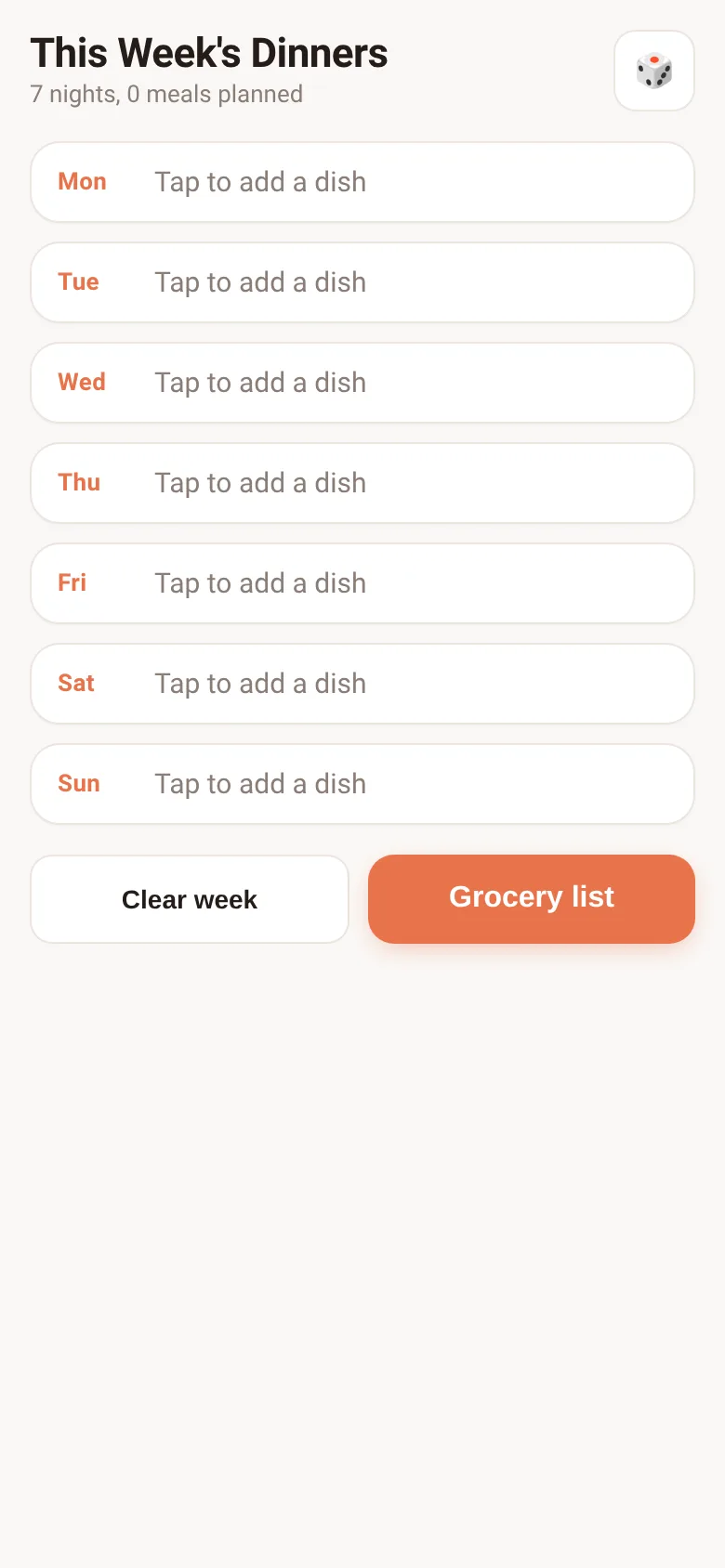
Deciding what to cook each night takes mental energy, and writing a grocery list from scattered recipes wastes time. Meal Planner puts 40 ready-to-cook dinners on a 7-day board where you can tap any night to pick a dish, shuffle all days at once, or swap a single meal. The app automatically merges all ingredients from your chosen dishes into one list, sorted by aisle (Produce, Meat, Seafood, Dairy, Bakery, Pantry) so you shop faster.
What it does
You see seven days of the week displayed as cards. Each card starts empty with a tap-to-add prompt. Tap a day to search and pick from 40 dishes (Italian, Asian, Mexican, Seafood, Vegetarian, Comfort, and more), each with a tag showing cuisine and time. Once you pick a dish, it appears on that day with a name and tag. You can swap or remove any day. Tap the shuffle button to randomize all seven days at once. When your week is set, tap Grocery List to see every ingredient you need, deduplicated and grouped by aisle, with checkboxes to track what you've bought.
Key features
- 40-dish library Search by dish name or cuisine tag (Italian, Asian, Mexican, Seafood, Vegetarian, Comfort, Cajun, Mediterranean, American).
- 7-day meal board Tap any day to pick, swap, or remove a dish; see the full week at a glance.
- Shuffle button Tap once to randomize all seven dinners instantly if you want a surprise week.
- Auto-generated grocery list Combines ingredients from all chosen dishes, removes duplicates, and groups by aisle (Produce, Meat, Seafood, Dairy, Bakery, Pantry).
- Checkboxes on grocery list Check off items as you shop; your progress saves automatically.
- Saves offline Your week and checked items stay in the browser even if you close the tab or go offline.
How to use it
- Tap any day of the week to open the dish picker.
- Search by name or cuisine, or scroll to find a dish that appeals to you.
- Tap a dish to assign it to that day.
- Repeat for other days, or tap the shuffle button to fill all seven days at random.
- When your week is planned, tap Grocery List to see all ingredients grouped by aisle.
- Check off items on the grocery list as you shop; your progress saves automatically.
Who it’s for
Anyone planning weekly dinners who wants to streamline meal choice and grocery shopping. Works for solo cooks, families, and anyone who finds weekly menu decisions tiring or grocery lists disorganized.
The app’s share card (1200×630)
Questions and answers
Does the app save my plan if I close it?
Yes. Your week of dinners and any checked grocery items are saved in your browser's storage and will be there when you return.
Can I change the number of servings?
Not in this version. Ingredient quantities are set per dish. The grocery list shows what one standard serving of each dish needs.
Can I add my own dishes or star favorites?
No, this app has a fixed library of 40 dishes. You can plan with what's available and shuffle or swap as often as you like.
Can I export the grocery list?
You can screenshot or copy the list from the screen, but there is no built-in export to email or print.
More food & drink apps
- Historial Clínico Pet · Sistema para registrar y gestionar el historial médico completo de perros y gatos: vacunas, visitas, tratamientos, peso y avisos de vencimiento.
- Pitch Timer · Write cue cards, pick a 30/60/90-second timer, and rehearse your pitch with haptics and per-card timing feedback.
- Grill Master · Time multiple foods on the grill at once with automatic flip reminders at the halfway point for each item.
- Pocket Kanban · A minimal kanban board for your phone. Add colored task cards and tap them to move through To do, Doing, and Done with satisfying spring animations.
- Restaurant Ratings · Add restaurants with cuisine and price, rate them 1–5 stars with notes, and see the group's ranked leaderboard filtered by cuisine.
- Interview Bank · Post and upvote real interview questions by role and type. Mark questions you were asked to build your prep list.