Web app · Learning
Morse Tutor: Send, tap, and learn Morse code
Type text to hear it beeped as Morse with a flashing lamp, tap rhythms on a practice key, and advance through a letter ladder.
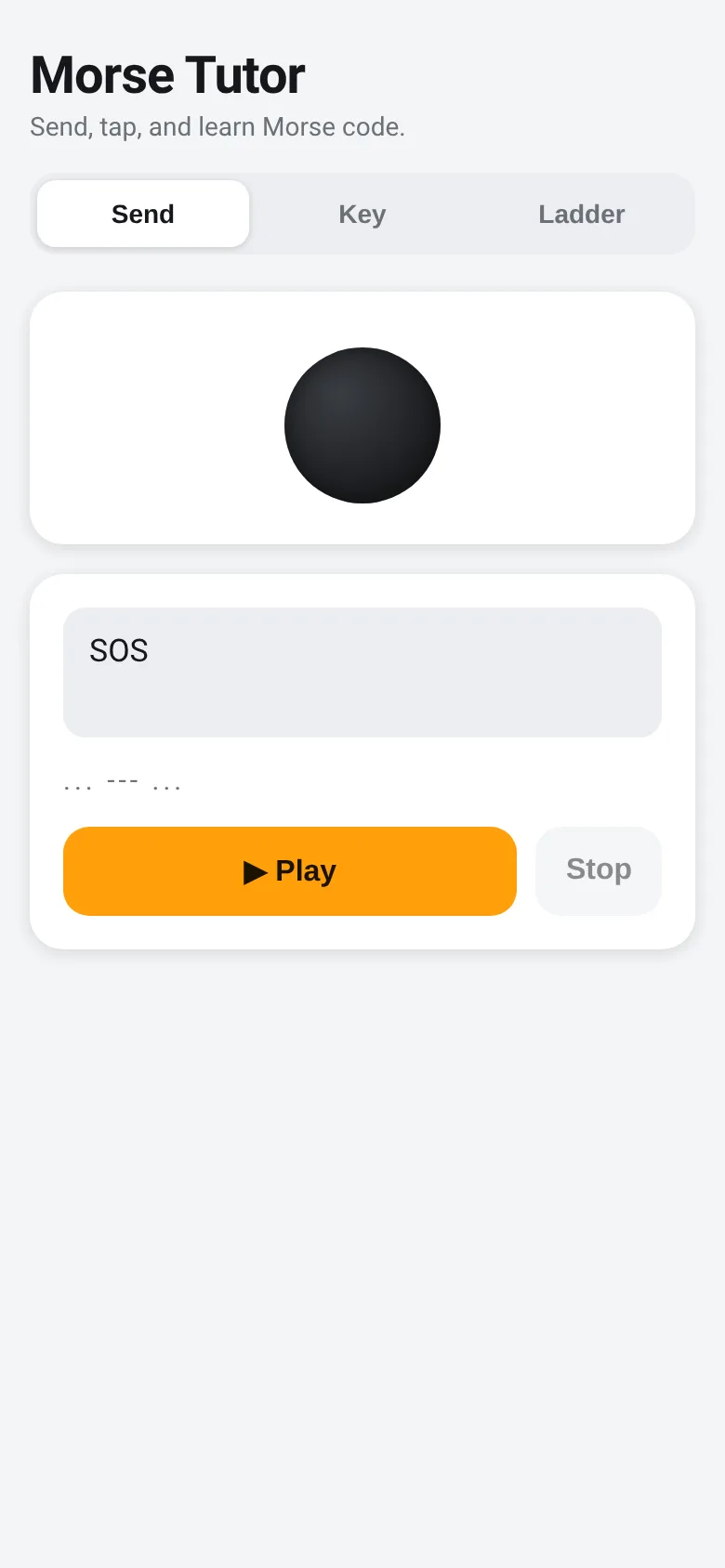
Learning Morse code requires hearing the patterns and learning to send them back. Morse Tutor puts three tools in one compact app: a sender that plays any text as beeps and flashes, a tap pad that decodes your dot-and-dash taps in real time, and a guided ladder that teaches you letters one by one, starting with the most common. Work at your own pace across all three modes.
What it does
On the Send tab, type words or numbers and tap Play to hear them beep at 600 Hz while a lamp flashes in sync. The Morse pattern displays as dots and dashes. On the Key tab, tap or hold the pad to make short taps (dots) and longer holds (dashes); the app decodes your patterns live and shows both the raw pattern and the letters you have spelled out. On the Ladder tab, the app shows you one letter at a time—starting with E and moving through 40 letters and digits in frequency order—plays it for you, and waits for you to tap its code on the key. A checkmark means you got it right; the app saves your progress so you resume from where you left off.
Key features
- Send tab Type or paste any text, see its Morse code, and tap Play to hear it beep with a synchronized flashing lamp.
- Key practice pad Tap or hold to send dots and dashes; the app shows your raw pattern and decodes letters as you pause between symbols.
- Ladder learning mode Work through 40 letters and digits in order of frequency; hear each one, tap it back, and advance only when you match it correctly.
- Progress saved The Ladder remembers which letter you reached last and picks up where you left off on your next visit.
- Immediate feedback See live decoding on the Key tab; the Ladder shows a checkmark for correct taps and resets if you stray from the pattern.
How to use it
- Open the Send tab, type a word like HELLO, and tap Play to hear it beep and see the lamp flash.
- Switch to the Key tab and practice tapping short (dot) and long (dash) presses; watch the decoded text appear below.
- Move to the Ladder tab and tap Play to hear the first letter, then tap its Morse code on the key pad until you match it.
- Tap Next to move to the next letter; your progress saves automatically so you can return and continue.
Who it’s for
Anyone learning Morse code for ham radio, emergency communications, or personal interest. Learners who want to hear patterns and practice sending at their own pace.
What’s new in this version
Initial release with Send, Key, and Ladder modes for learning and practicing Morse code.
The app’s share card (1200×630)
Questions and answers
How do I start learning?
Go to the Ladder tab. The app shows you one letter at a time. Tap Play to hear it, then tap the code on the key pad below. When you match it, tap Next to move to the next letter.
Does the app save my progress?
Yes. The Ladder saves which letter you reached. When you return, it resumes from that point. The Key tab does not persist; it clears when you reload.
Do I need a special device?
No. The app runs in any modern web browser on desktop or phone. Tap or click the practice pad; you will hear beeps through your device's speaker.
Can I practice with my own words?
Yes. Use the Send tab: type any text (up to 120 characters), and tap Play to hear it beep and see the Morse pattern and flashing lamp. Use the Key tab to practice tapping without a specific target.
More learning apps
- Icebreakers · Swipe through fun, deep, work, and family icebreaker questions and save your favorites for parties and teams.
- Pitch Timer · Write cue cards, pick a 30/60/90-second timer, and rehearse your pitch with haptics and per-card timing feedback.
- Sun Arc · See the sun's arc across the sky for any latitude and day, with sunrise, sunset, day length, and golden hour windows.
- Big Text · Flash giant text across a room in auto-fit or scrolling marquee mode, with color themes and a gentle blink for safety.
- Shot List · Plan video scenes with shot cards, durations, and location tags. Check off shots as you film to track progress.
- Tally Counter · Track multiple named counts with big tap targets, haptics feedback, and one-tap undo on reset.