Web app · Learning
Orrery: Real-speed solar system model
Watch all eight planets orbit the Sun at their true relative speeds, warp time forward or backward, and tap any world for its properties.
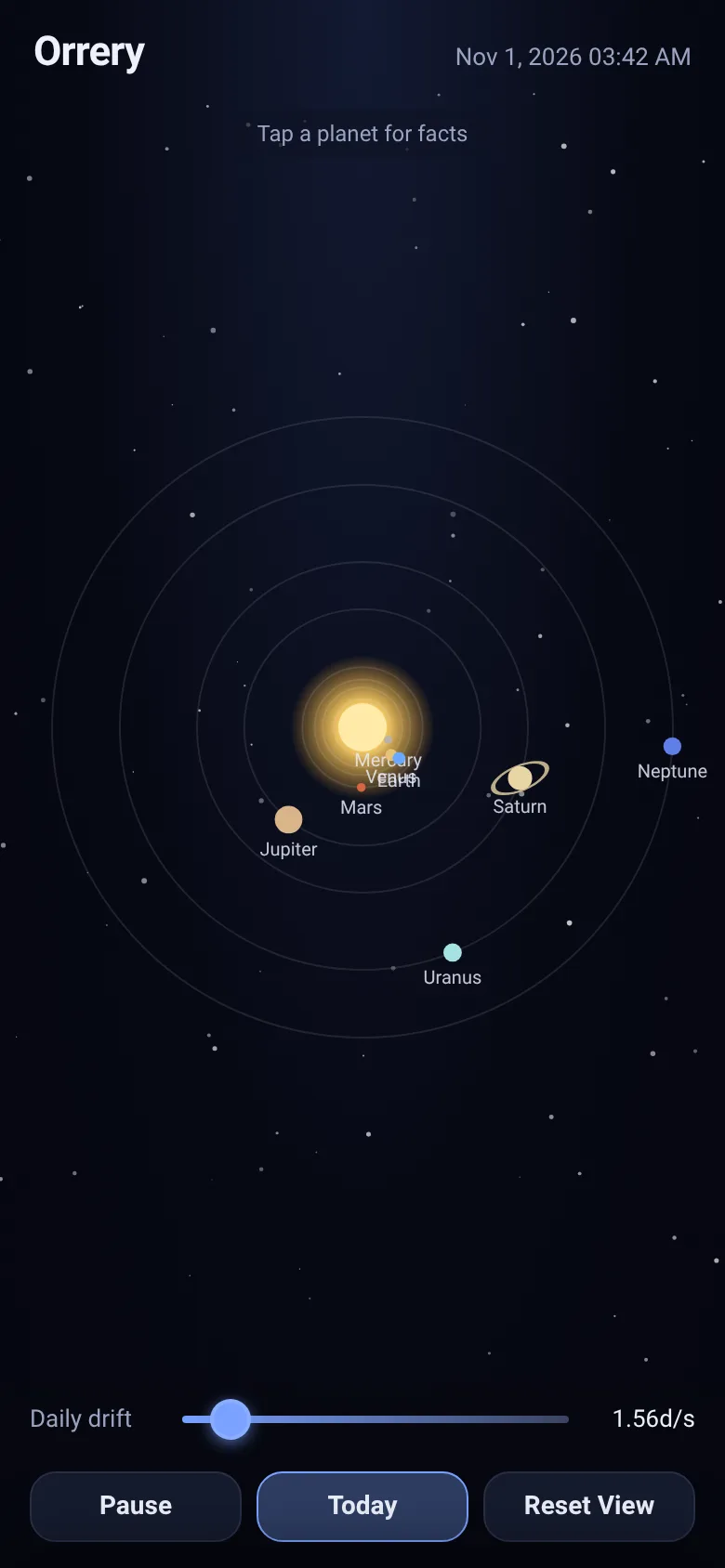
Want to see how the solar system actually moves? This orrery animates each planet in its real orbit at true relative speeds—Mercury zooms around in weeks while Neptune crawls through decades. Start at today's positions, then speed up time to watch years pass in seconds. Everything runs in your browser with no loading delays.
What it does
You see a live diagram of the solar system with the Sun at the center and eight planets spinning in their orbits. A slider lets you control the flow of time from still to 400 days per second. The display shows today's date and keeps the inner planets visible by using a logarithmic scale—Mercury stays readable while Neptune orbits far out. Tap any planet to see a sheet with its diameter, day length, year length, number of moons, average temperature, and distance from the Sun. Drag to pan, scroll to zoom, and use the buttons to pause, jump back to today, or reset your view.
Key features
- Real orbital speeds Each planet orbits at the true speed relative to its neighbors, so you see Mercury complete an orbit in 88 days while Saturn takes 30 years.
- Time control slider Speed up time from 0 to 400 simulated days per real second to see months or years unfold in moments.
- Planet facts on tap Tap any world to read its diameter, day length, orbital period, moon count, temperature, and distance from the Sun.
- Today's positions The orrery starts showing the approximate positions of all planets as they are right now.
- Pan and zoom Drag to move the view around the solar system and scroll or pinch to zoom in on any region.
- Saturn's rings Saturn is drawn with a faint tilted ring to add visual realism.
How to use it
- Open the app and watch the planets orbit at one simulated day per real second.
- Move the slider up to speed up time and see months or years pass quickly.
- Tap any planet to open a sheet showing its key facts.
- Drag across the canvas to pan, or scroll with your mouse or trackpad to zoom.
- Press Today to jump back to the current planet positions, or Pause to freeze the animation.
Who it’s for
Students, educators, and anyone curious about how the solar system moves. Works on desktop and mobile browsers.
The app’s share card (1200×630)
Questions and answers
Does it save my zoom and pan position?
No, the view resets each time you load the page. But you can press Reset View at any time to return to the full solar system.
Are the planet positions accurate?
The orrery starts at an approximation of today's positions using mean longitude and mean motion. The exact positions drift slightly from reality because the calculation is simplified to keep the code compact.
Can I use this on my phone?
Yes, it works on any phone or tablet with a modern web browser. Drag to pan, pinch to zoom, and tap planets to see facts.
What happens if I speed up time all the way?
At maximum speed, 400 days pass every real second, so you see Saturn complete a full orbit in about 75 seconds instead of 30 years.
More learning apps
- Icebreakers · Swipe through fun, deep, work, and family icebreaker questions and save your favorites for parties and teams.
- Pitch Timer · Write cue cards, pick a 30/60/90-second timer, and rehearse your pitch with haptics and per-card timing feedback.
- Sun Arc · See the sun's arc across the sky for any latitude and day, with sunrise, sunset, day length, and golden hour windows.
- Big Text · Flash giant text across a room in auto-fit or scrolling marquee mode, with color themes and a gentle blink for safety.
- Shot List · Plan video scenes with shot cards, durations, and location tags. Check off shots as you film to track progress.
- Tally Counter · Track multiple named counts with big tap targets, haptics feedback, and one-tap undo on reset.