Web app · Tools & utilities
Calculate how much paint you need for any room
Measure your walls, add doors and windows, choose your coats, and see instantly how many cans to buy.
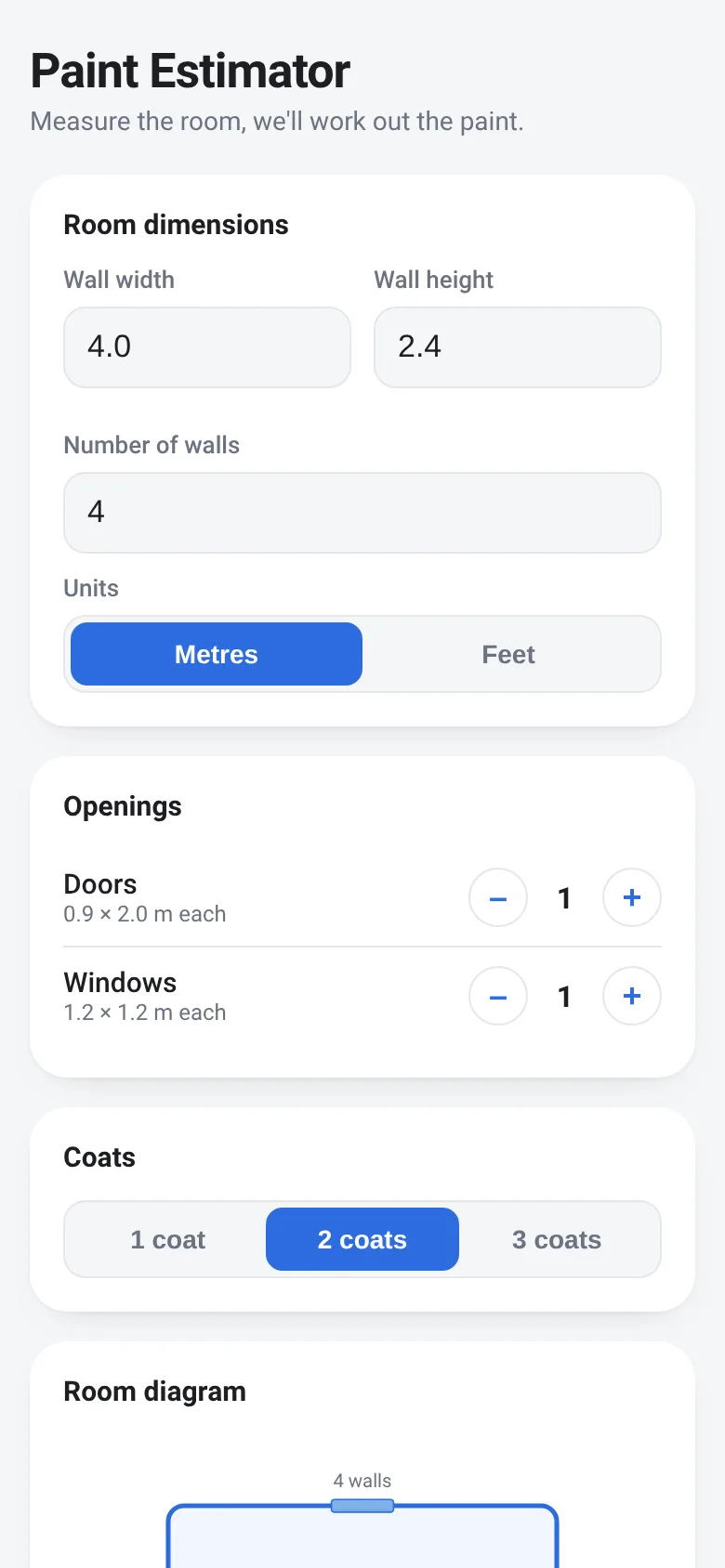
Painting a room means guessing how much paint to buy. Buy too little and you make another trip; buy too much and you waste money. Paint Estimator takes your room dimensions, the number of doors and windows, and how many coats you want, then calculates the exact litres or gallons needed and rounds up to show you how many standard cans to purchase. A diagram updates as you type to show your wall layout.
What it does
You enter the width and height of one wall, how many walls the room has, and pick between metres or feet. Buttons let you add or remove doors and windows; the app assumes standard sizes. You select 1, 2 or 3 coats. The app draws a simple diagram of the room, calculates the paintable area (subtracting doors and windows), multiplies by coats, divides by standard coverage (10 m² per litre), and tells you the total volume needed and how many 4-litre cans to buy. All values update as you change inputs.
Key features
- Live room diagram Visual representation of your wall layout updates in real time as you enter dimensions.
- Multiple walls and coats Set the number of walls from 1 to 8 and choose 1, 2 or 3 coats of paint.
- Doors and windows counter Add or remove standard-sized openings; the app automatically subtracts them from paintable area.
- Metric and imperial units Switch between metres and feet; dimensions convert and results show litres or gallons.
- Can count with visual See how many standard 4-litre cans you need to buy, shown as a row of can icons.
How to use it
- Enter the width and height of one wall in metres or feet.
- Set the number of walls your room has.
- Use the plus and minus buttons to set the number of doors and windows.
- Select how many coats of paint you want to apply.
- Read the total litres (or gallons) needed and the number of cans to buy.
Who it’s for
Homeowners and renters planning to paint a room who want a quick, accurate estimate of paint needed before shopping.
The app’s share card (1200×630)
Questions and answers
How do I start?
Measure one wall of your room (width and height), enter both numbers, then tell the app how many walls the room has. Pick your units (metres or feet) at the top.
Can I change the door and window sizes?
No, the app uses standard sizes (door 0.9 m × 2.0 m, window 1.2 m × 1.2 m). You can only add or remove them using the plus and minus buttons.
Does my progress save?
No, the app does not save your entries. Refresh the page and you start fresh with default values.
What coverage does it assume?
The app assumes 10 m² of wall area per litre of paint per coat (about 400 sq ft per gallon). It rounds up the can count, so you always have enough.
More tools & utilities apps
- Pesca Tranquila · Juego de pesca sin apuros donde lanzás, recogés peces, completás tu álbum de especies y mejorás tu equipo.
- Icebreakers · Swipe through fun, deep, work, and family icebreaker questions and save your favorites for parties and teams.
- Pitch Timer · Write cue cards, pick a 30/60/90-second timer, and rehearse your pitch with haptics and per-card timing feedback.
- Sun Arc · See the sun's arc across the sky for any latitude and day, with sunrise, sunset, day length, and golden hour windows.
- Big Text · Flash giant text across a room in auto-fit or scrolling marquee mode, with color themes and a gentle blink for safety.
- Shot List · Plan video scenes with shot cards, durations, and location tags. Check off shots as you film to track progress.