Web app · Tools & utilities
Percent Pal: everyday percentage calculator with explanations
Enter numbers and get instant percentage answers explained in plain language.
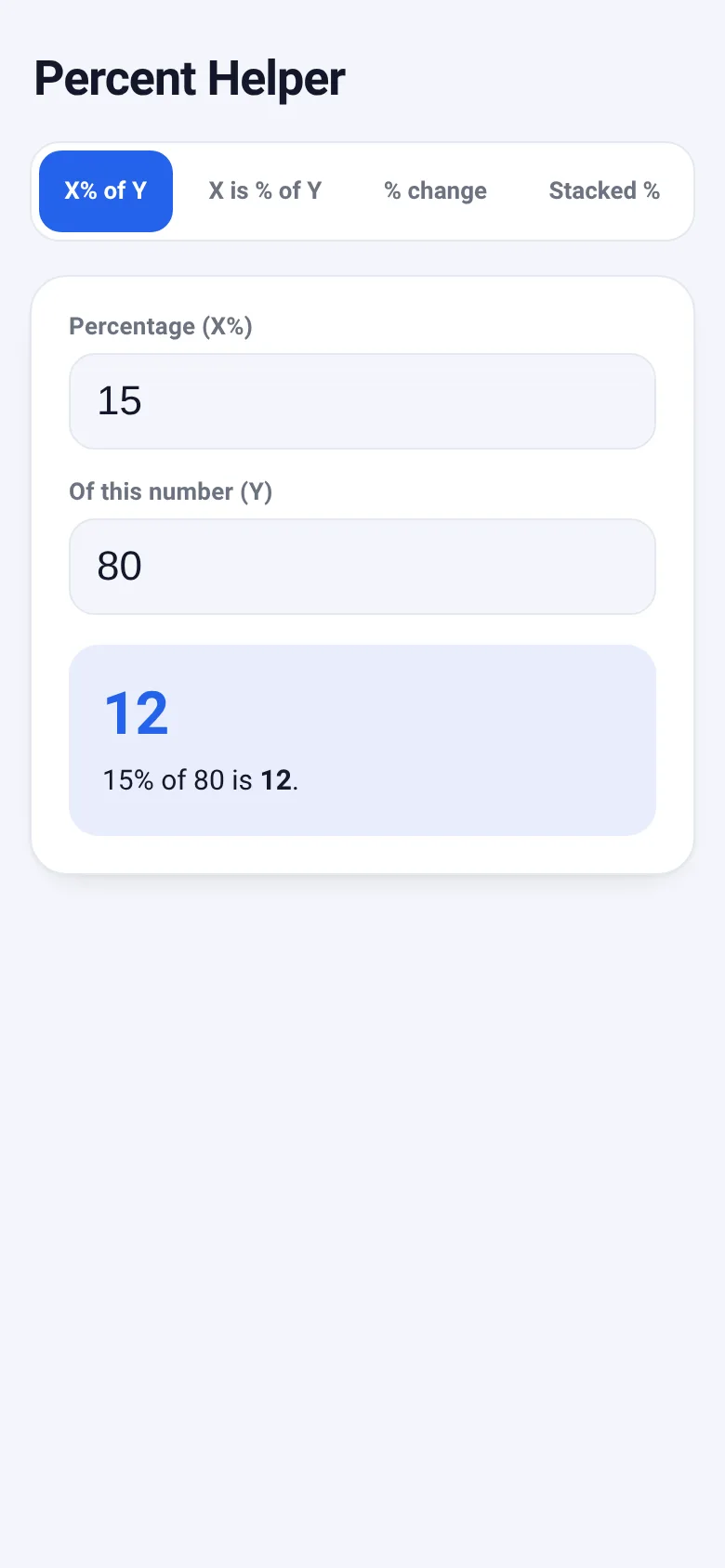
Percentage questions come up constantly: how much is a discount, what share of a total is something, how much has a value changed. Percent Pal solves these without jargon. You pick what you want to know, enter the numbers, and see the result with a clear sentence explaining it.
What it does
The app has four modes. In 'X% of Y' you find what amount a percentage represents. In 'X is % of Y' you find what percentage one number is of another. In '% change' you see how much a value increased or decreased as a percentage. In 'Stacked %' you apply multiple discounts in sequence and see the final price and total savings. Every answer appears as both a large result and a sentence that explains what it means.
Key features
- X% of Y mode Enter a percentage and a number to find what amount the percentage represents.
- X is % of Y mode Enter two numbers to find what percentage the first is of the second.
- Percentage change mode Enter a starting value and an ending value to see the percentage increase or decrease.
- Stacked discounts mode Apply multiple discounts in order to a starting amount and see the final result and total savings.
- Plain explanations Every result includes a sentence that explains what the number means in context.
- Saved inputs The app remembers your last numbers in each mode so you can pick up where you left off.
How to use it
- Choose the type of percentage question from the tabs at the top.
- Enter the numbers relevant to that question in the input fields.
- Read the result and explanation that appears instantly below.
Who it’s for
Anyone who encounters percentages in daily life: shopping for discounts, calculating tips, comparing prices, checking salary changes, or understanding financial numbers.
The app’s share card (1200×630)
Questions and answers
How do I calculate a tip?
Use the 'X% of Y' mode: enter the tip percentage (like 18) and the bill amount, and it shows you what to add.
Does the app save my numbers?
Yes. The app remembers the last numbers you entered in each mode, even if you close and reopen it.
Can I use this on my phone?
Yes, it works on any device with a web browser and adjusts to any screen size.
How do stacked discounts work?
Each discount applies to the price after the previous one. If an item costs 200 and you apply 20% off then 10% off, the 10% applies to the already-discounted price, not the original.
More tools & utilities apps
- Icebreakers · Swipe through fun, deep, work, and family icebreaker questions and save your favorites for parties and teams.
- Pitch Timer · Write cue cards, pick a 30/60/90-second timer, and rehearse your pitch with haptics and per-card timing feedback.
- Sun Arc · See the sun's arc across the sky for any latitude and day, with sunrise, sunset, day length, and golden hour windows.
- Big Text · Flash giant text across a room in auto-fit or scrolling marquee mode, with color themes and a gentle blink for safety.
- Shot List · Plan video scenes with shot cards, durations, and location tags. Check off shots as you film to track progress.
- Tally Counter · Track multiple named counts with big tap targets, haptics feedback, and one-tap undo on reset.