Web app · Learning
Periodic Table with Browse and Quiz Modes
Tap any element to see its atomic mass, electron configuration, and a fun fact. Switch to Quiz mode to find elements by name.
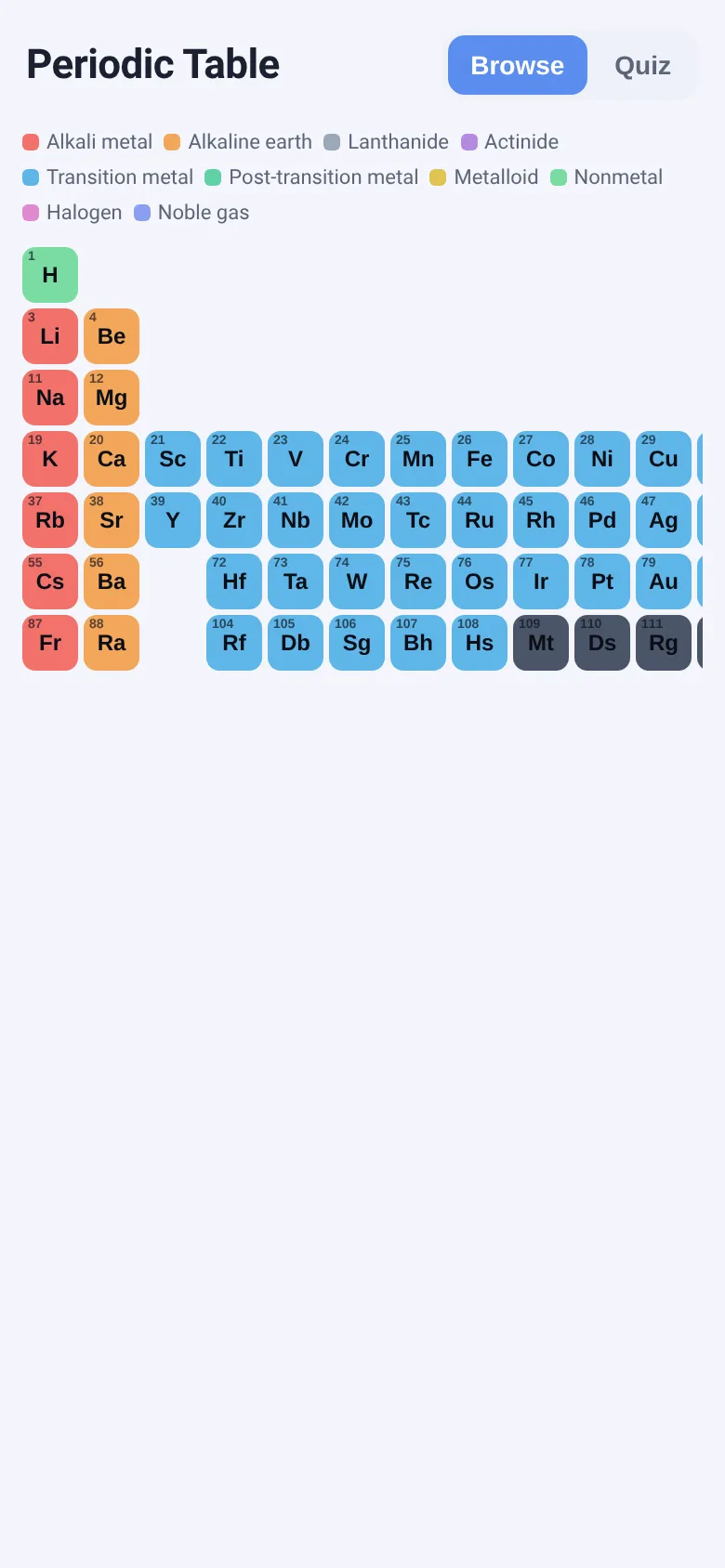
Chemistry students and curious learners need quick access to element facts. This app shows all 118 elements in a phone-friendly grid, color-coded by family (alkali metals, halogens, noble gases, and more). Tap any element for a card with its atomic mass, group and period, electron configuration, and a memorable fact. A Quiz mode challenges you to find elements by name from a curated set of 30 well-known ones, tracking your score.
What it does
The app displays a scrollable grid of all 118 elements arranged by group (columns 1-18) and period (rows 1-7), each cell colored by element family. Tap a cell to open a card showing the element's number, symbol, name, atomic mass, classification, electron configuration (for the 30 richest entries), and a fun fact. Switch to Quiz mode to see the name of an element and tap the correct cell; your score updates after each answer, and you can move to the next question.
Key features
- Color-coded grid by element family Each of 11 element families has its own color: alkali metals, alkaline earth metals, lanthanides, actinides, transition metals, post-transition metals, metalloids, nonmetals, halogens, noble gases, and synthetic.
- Element detail card Tap any element to reveal atomic mass, group and period, electron configuration (for 30 elements), and a one-sentence fun fact.
- Quiz mode on 30 famous elements See an element name and tap the correct cell; the app tracks correct answers and locked cells turn green or red for feedback.
- Compact, fits phones The grid reflows to fit small screens, and the entire app runs under 30 KB with no external dependencies.
How to use it
- Tap Browse to see the full periodic table grid colored by element family.
- Tap any element cell to open a card with atomic mass, electron configuration, and a fun fact.
- Tap Quiz to switch modes and practice finding elements by name.
- When the app asks for an element by name, tap the correct cell and see your score update.
- Tap Next element to move to the next quiz question.
Who it’s for
High school and college chemistry students, science teachers, and anyone learning or reviewing element facts and properties.
The app’s share card (1200×630)
Questions and answers
How do I start?
Open the app and you will see the periodic table. Tap any element to learn about it, or tap the Quiz tab to test yourself.
Do the 30 elements with fun facts include all of them?
No, the app shows electron configuration and a fun fact only for the 30 most widely taught elements. Other elements show only atomic mass and group/period.
Does the quiz track my progress?
Yes, the Quiz mode displays a running score (correct answers out of total attempts) at the top, reset when you leave and return to Quiz.
Will it work on my phone?
Yes, the grid and cards are designed to fit phones in portrait and landscape. Scroll to see all elements and tap the overlay to close a card.
More learning apps
- Icebreakers · Swipe through fun, deep, work, and family icebreaker questions and save your favorites for parties and teams.
- Pitch Timer · Write cue cards, pick a 30/60/90-second timer, and rehearse your pitch with haptics and per-card timing feedback.
- Sun Arc · See the sun's arc across the sky for any latitude and day, with sunrise, sunset, day length, and golden hour windows.
- Big Text · Flash giant text across a room in auto-fit or scrolling marquee mode, with color themes and a gentle blink for safety.
- Shot List · Plan video scenes with shot cards, durations, and location tags. Check off shots as you film to track progress.
- Tally Counter · Track multiple named counts with big tap targets, haptics feedback, and one-tap undo on reset.