Live shared web app · Music & audio
Queue Up: Suggest, vote, and play songs together
A shared playlist where everyone can suggest songs, vote them up the queue, and mark tracks played as they go.
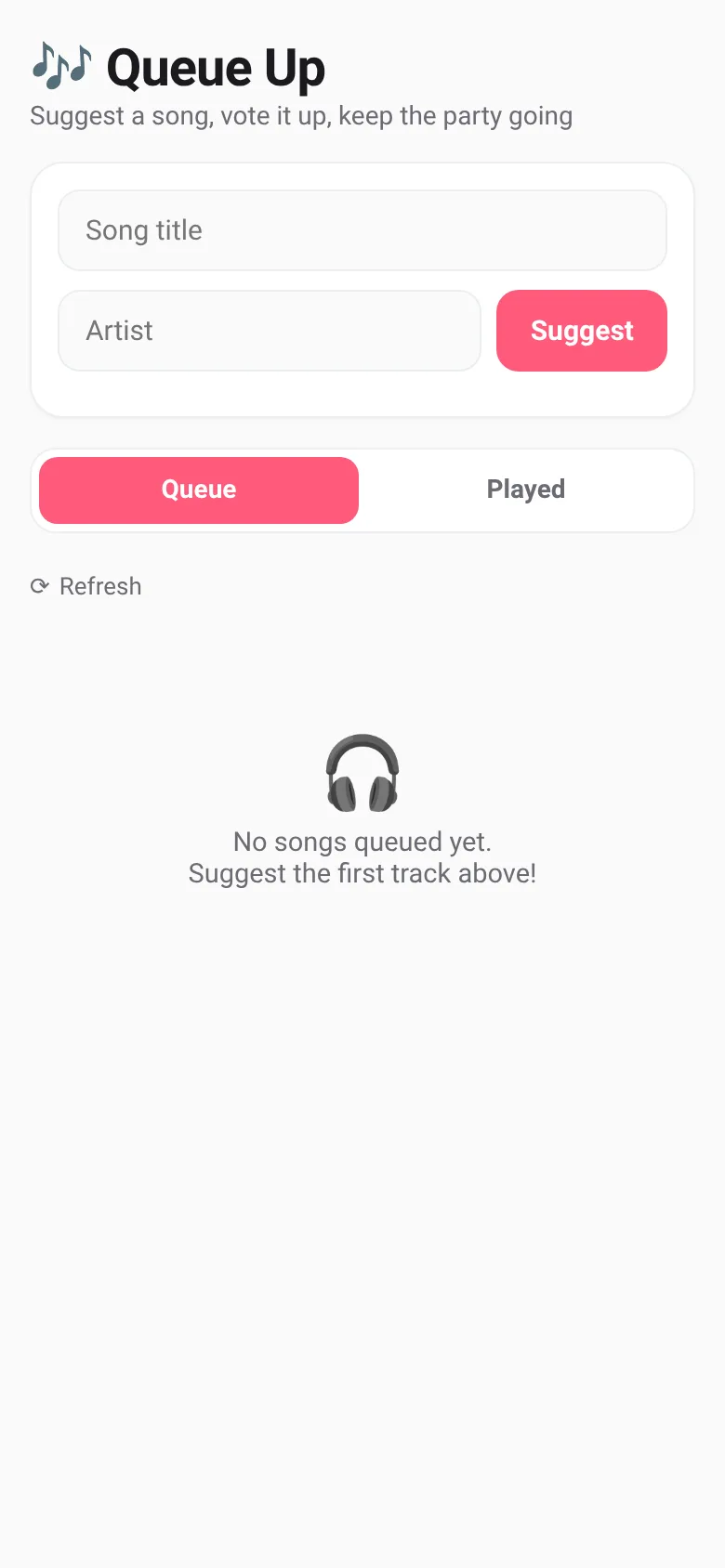
At a party, everyone has songs they want to hear, but no one knows which should play next. Queue Up lets everyone suggest tracks and vote in real time. The most popular songs float to the top, and anyone can mark a song as played to move it to history. Everyone's phone shows the same live queue, so the DJ and guests always know what's coming.
What it does
Open the app and type a song title and artist name, then tap Suggest to add it to the shared queue. See all suggested songs sorted by vote count—the most voted songs appear first. Tap VOTE to upvote any song you want to hear. Tap the checkmark to mark the now-playing song as played; it moves to the Played tab. Switch between Queue and Played tabs to see what's next or what already played. Everyone who opens the app sees the same live queue, updated as votes and plays happen.
Key features
- Live shared queue All guests see the same list of songs, updated instantly as votes and plays happen across all devices.
- Vote to rank songs Tap VOTE on any queued song to upvote it; the queue re-sorts by vote count so the most-wanted songs rise to the top.
- Mark songs as played Tap the checkmark on the now-playing song to move it to the Played history and clear the queue.
- Two-tab view Switch between Queue (what's next, sorted by votes) and Played (what already went, newest first) to track the night.
How to use it
- Enter a song title and artist name in the form at the top.
- Tap Suggest to add it to the shared queue.
- Tap VOTE on any song you want to hear to vote it up the list.
- When a song is playing, tap the checkmark to mark it played and move to the next one.
- Switch tabs to see the Queue or the Played history.
- Tap the refresh button anytime to reload the latest queue.
Who it’s for
Groups at parties, gatherings, or events who want everyone to have a say in what music plays next. Anyone with a phone can suggest and vote on songs in real time.
The app’s share card (1200×630)
Questions and answers
Do I need to sign up or log in?
No. The app works immediately when you open it. Each device gets a unique ID so the app knows you made your votes.
Do everyone's changes sync live?
Yes. When anyone votes, suggests a song, or marks a track played, everyone else's screen updates in real time without needing to refresh.
Can I use this on my phone?
Yes. Queue Up is a web app that works on any phone, tablet, or computer with a browser. Just open the link.
How do people see the same queue?
Share the app URL with your guests. Everyone who opens it joins the same live queue. There's no room code or login—just open and start voting.
More music & audio apps
- Community Beat · साझा बीट बनाएँ: स्टेप दबाएँ, डीजे प्रीसेट चुनें, और सब मिलकर संगीत तैयार करें। वीडियो में एक्सपोर्ट करें।
- Community Beat · Tap drum steps on a shared 16-step beat that everyone editing it hears together. Load DJ presets, mute and solo tracks, export video or audio.
- Meow Translator · Tap to decode your cat's meows into theatrical translations, then blast them with a dramatic soundboard. Fun for cat lovers and parties.
- Haunted Beat · A shared drum machine where everyone taps the grid together to build beats. Dancing pumpkins groove to the rhythm you create.
- Community Beat · Coloca casillas en pistas de batería y escucha el patrón que todos construyen juntos en tiempo real. Exporta tu sesión como video o audio.
- Chord Charts · Pick a root note and chord type to see a fretboard diagram with finger positions. Build common song progressions step by step.