Live shared web app · Food & drink
Household List: a shopping list everyone can edit together
Add items and quantities, check off what you buy, and see instantly what others have added or bought.
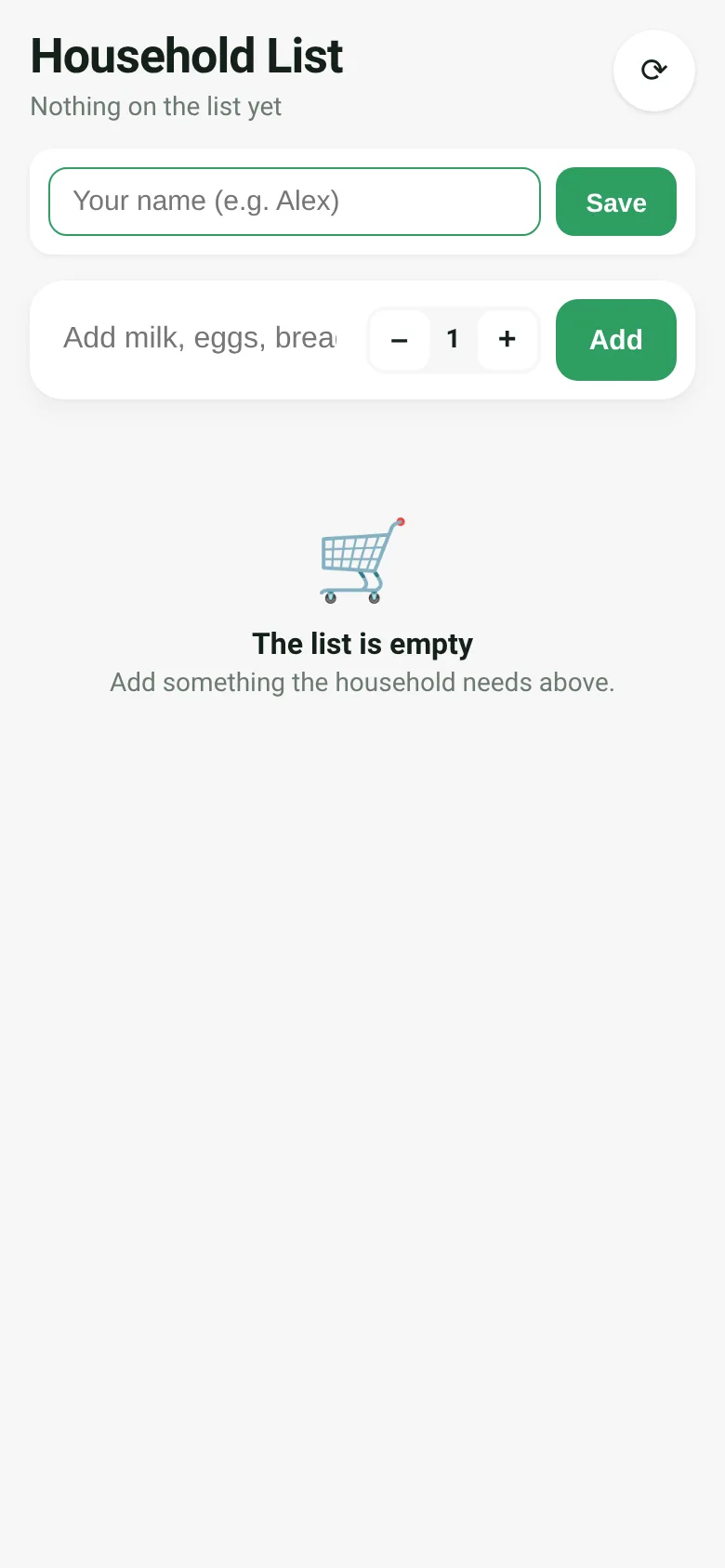
When you shop for a household, you need everyone to know what's needed and what's already been picked up. Household List is a shared list that everyone sees in real time. Type an item and quantity, add it, and watch your housemates see it appear on their screens. Check items off as you buy them, and anyone can see who bought what and when. The bought items move to a separate section, and you can clear them all at once when you're done shopping.
What it does
The app shows two sections: items to get, sorted newest first, and items already bought. Each item displays its quantity, who added it, and when. When you check off an item, it moves to bought and shows who checked it and when. You can set your name once so others know it's you. A quantity control lets you add multiples of the same item at once. A refresh button fetches the latest state, and the app automatically syncs every 20 seconds. Delete buttons appear only on items you added.
Key features
- Live shared list Every person who opens the list sees the same items and updates instantly as others add or check things off.
- Quantity control Use plus and minus buttons to set how many of an item you need before adding it.
- Bought section Checked items move to a Bought section showing who checked them and when; clear them all at once.
- Personal name Set your name once so others see who added or bought each item.
- Edit only your own You can delete items you added; delete buttons appear only on your entries.
How to use it
- Enter your name when you first open the app.
- Type an item name, adjust quantity if needed, and tap Add.
- Tap an item row to check it off as bought.
- Refresh your screen or wait for automatic updates to see what others added.
- Tap Clear bought to archive all checked items.
Who it’s for
Households, roommates, or family members who need a simple way to coordinate grocery shopping and see what each person has bought.
The app’s share card (1200×630)
Questions and answers
Does the list save my progress?
Yes. The list is stored and shared live. All items persist across sessions, and you see them automatically the next time you visit.
How do I use this on my phone?
Open it in any web browser on your phone or computer. The app works on screens of any size.
Can I share this list with others?
Everyone who opens this same web page sees and edits the same list. Share the link with your household.
What if I want to delete an item I added?
A delete button appears next to items you added. Tap the trash icon to remove it. You cannot delete items others added.
More food & drink apps
- Icebreakers · Swipe through fun, deep, work, and family icebreaker questions and save your favorites for parties and teams.
- Pitch Timer · Write cue cards, pick a 30/60/90-second timer, and rehearse your pitch with haptics and per-card timing feedback.
- Sun Arc · See the sun's arc across the sky for any latitude and day, with sunrise, sunset, day length, and golden hour windows.
- Big Text · Flash giant text across a room in auto-fit or scrolling marquee mode, with color themes and a gentle blink for safety.
- Shot List · Plan video scenes with shot cards, durations, and location tags. Check off shots as you film to track progress.
- Tally Counter · Track multiple named counts with big tap targets, haptics feedback, and one-tap undo on reset.