Live shared web app · Learning
Study Pulse: track group study sessions in real time
Log study sessions and watch your group's progress unfold—see total hours, a live leaderboard, and which days everyone studies hardest.
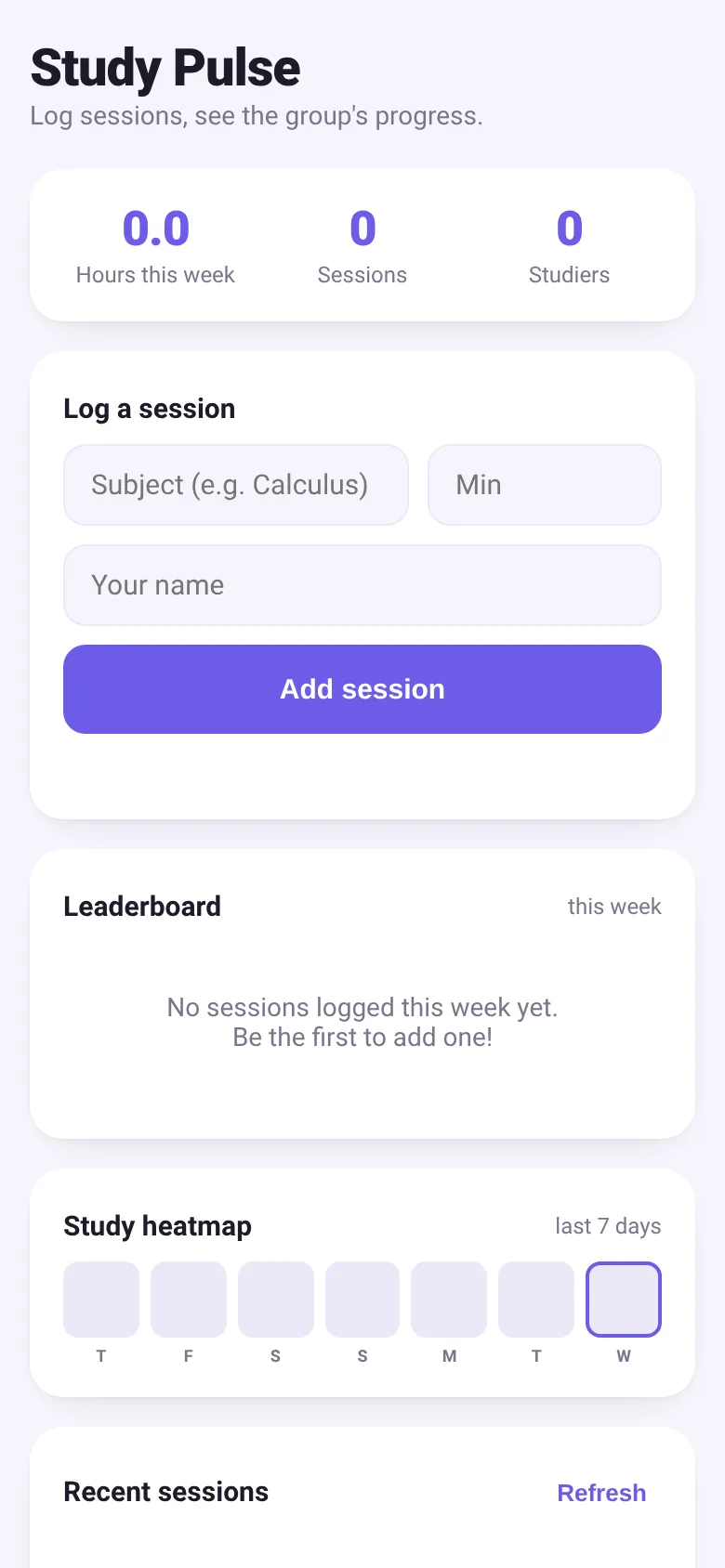
Studying alone can feel isolating, and it is hard to know if you are keeping pace with your peers. Study Pulse solves this by letting a group log study sessions together in one place. Every time someone adds a session with their name, subject, and minutes studied, everyone sees it instantly. The group gets immediate feedback: total hours this week, how many people are studying, a ranked leaderboard by minutes, and a heatmap showing which days had the most study activity.
What it does
When you open Study Pulse, you see three running totals: hours studied this week, number of sessions, and how many people are studying. Below that is a form where you enter your name, the subject you studied, and how many minutes you spent. Hit Add, and your session appears in the feed immediately and updates the leaderboard and heatmap for everyone. The leaderboard ranks people by minutes studied this week, the heatmap shows activity for the last 7 days, and the feed lists all recent sessions so you can see what others are working on.
Key features
- Live session logging Enter your name, subject, and minutes; your session saves instantly and appears for everyone.
- Weekly leaderboard Ranked list of top studiers this week by total minutes, with a badge showing your rank.
- Study heatmap Visual display of the last 7 days showing which days had the most group study activity.
- Group totals Real-time count of hours, sessions, and unique studiers for the current week.
- Session feed Recent sessions from all group members showing subject, time logged, and elapsed time.
- Delete your entries Remove any of your own logged sessions from the shared feed.
How to use it
- Enter your name in the Name field so others know who you are.
- Type the subject you studied in the Subject field.
- Enter how many minutes you spent studying.
- Click Add session to log it and update the group's view.
- Watch the leaderboard and heatmap update as others log sessions.
- Click Refresh to pull in the latest sessions from the group if needed.
Who it’s for
Study groups, classmates, or coworkers who want to track and share their study time together and stay motivated by seeing each other's progress.
The app’s share card (1200×630)
Questions and answers
Does the app save my name?
Yes. Your name is saved locally in your browser, so you do not have to type it every time. Study sessions are saved on a shared server and visible to everyone in the group.
Can I delete a session I logged?
Yes. Each session you add gets a delete button in the feed. Only you can delete your own sessions.
Does this work on my phone?
Yes. Study Pulse is a web app designed to work on phones, tablets, and computers.
Is my data private?
Sessions are shared with everyone who opens the link to the app. Do not log anything you do not want others in your group to see.
More learning apps
- Historial Clínico Pet · Sistema para registrar y gestionar el historial médico completo de perros y gatos: vacunas, visitas, tratamientos, peso y avisos de vencimiento.
- Pitch Timer · Write cue cards, pick a 30/60/90-second timer, and rehearse your pitch with haptics and per-card timing feedback.
- ABC Explorer · Swipe through big letter cards with emoji words, then play a game to find matching letters. For children learning their ABCs.
- Vocab Swipe · Swipe French vocabulary cards to master them. Tap to flip, swipe right to mark as known, left to review later, and watch your progress in real time.
- Pocket Kanban · A minimal kanban board for your phone. Add colored task cards and tap them to move through To do, Doing, and Done with satisfying spring animations.
- Interview Bank · Post and upvote real interview questions by role and type. Mark questions you were asked to build your prep list.