Web app · Tools & utilities
Teleprompter: read your script hands-free with auto-scroll
Paste your script, set the speed and text size, then start a countdown and let it scroll while you speak.
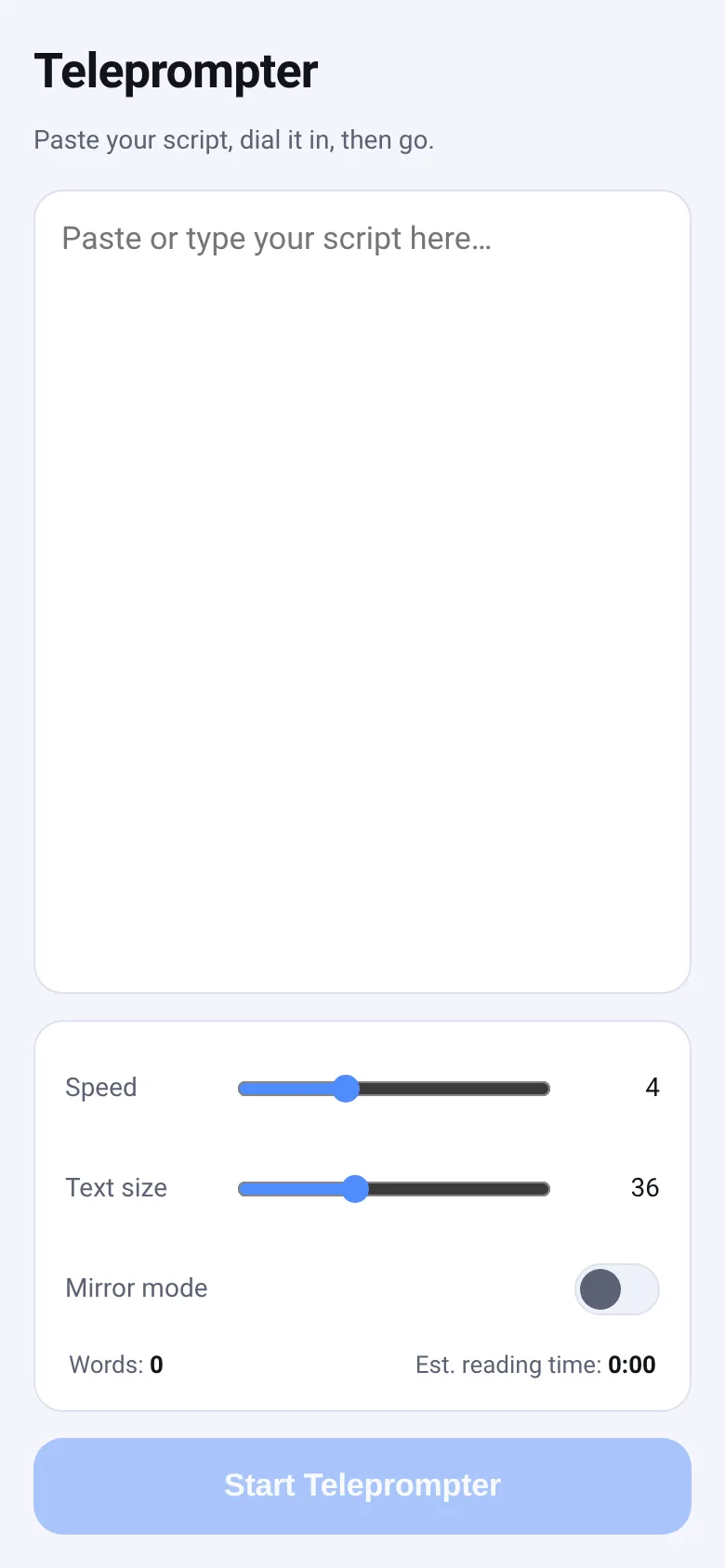
Presenters, speakers, and content creators need to read scripts without looking down or losing their place. Teleprompter lets you paste any text, adjust how fast it scrolls and how large the words appear, flip it to mirror mode if you are reading from a reflective surface, and start a 3-2-1 countdown before going live. The app shows your word count and estimates how long it will take to read at a typical pace.
What it does
You paste or type your script into a text box and see word count and reading time appear below. When you tap Start Teleprompter, a countdown begins (3-2-1), then your text scrolls up the screen at a speed you set. Tap the screen to pause and resume. A button in the top right lets you adjust the scroll speed on the fly without stopping. Tap the X to stop and go back to editing. The app remembers your script, speed, text size, and mirror setting between sessions.
Key features
- Auto-scroll with adjustable speed Set scroll speed from 1 to 10, or change it mid-scroll with the live speed slider.
- Text size control Choose from 20 to 64 pixels so the script is easy to read from your monitor or teleprompter.
- Mirror mode Flip the text horizontally so you can read it from a reflective surface or glass screen.
- 3-2-1 countdown Start with a visible countdown before scrolling begins, giving you time to take position.
- Tap to pause Click anywhere on the scrolling text to pause and resume without stopping the app.
- Reading time estimate See word count and estimated reading time based on 140 words per minute.
How to use it
- Paste or type your script into the text box.
- Adjust the speed and text size sliders to your preference.
- Toggle mirror mode if you need the text flipped.
- Tap Start Teleprompter and watch the 3-2-1 countdown.
- Tap the screen to pause or resume scrolling during playback.
- Tap the X button in the top left to stop and return to editing.
Who it’s for
Teleprompter is for presenters, public speakers, video content creators, news anchors, and anyone who needs to read a script hands-free while maintaining eye contact or looking at a camera.
The app’s share card (1200×630)
Questions and answers
Does the app save my script?
Yes. Your script, scroll speed, text size, and mirror setting are saved automatically to your browser. They come back the next time you open the app.
Can I use this on my phone or tablet?
Yes. Teleprompter is a web app that works on any device with a modern browser, including phones, tablets, and computers.
How do I pause the scroll?
Tap anywhere on the scrolling text to pause. A badge at the top says you are paused. Tap again to resume.
Can I change the speed while it is scrolling?
Yes. Tap the gear icon in the top right to show a speed slider and adjust it without stopping the scroll.
More tools & utilities apps
- Community Beat · साझा बीट बनाएँ: स्टेप दबाएँ, डीजे प्रीसेट चुनें, और सब मिलकर संगीत तैयार करें। वीडियो में एक्सपोर्ट करें।
- Community Beat · Tap drum steps on a shared 16-step beat that everyone editing it hears together. Load DJ presets, mute and solo tracks, export video or audio.
- Haunted Beat · A shared drum machine where everyone taps the grid together to build beats. Dancing pumpkins groove to the rhythm you create.
- Community Beat · Coloca casillas en pistas de batería y escucha el patrón que todos construyen juntos en tiempo real. Exporta tu sesión como video o audio.
- Chord Charts · Pick a root note and chord type to see a fretboard diagram with finger positions. Build common song progressions step by step.
- Icebreakers · Swipe through fun, deep, work, and family icebreaker questions and save your favorites for parties and teams.