Web app · Learning
Unit Notebook: Track your study units with notes and progress
Keep track of numbered units like Ud63.3, add notes, and mark progress as you study.
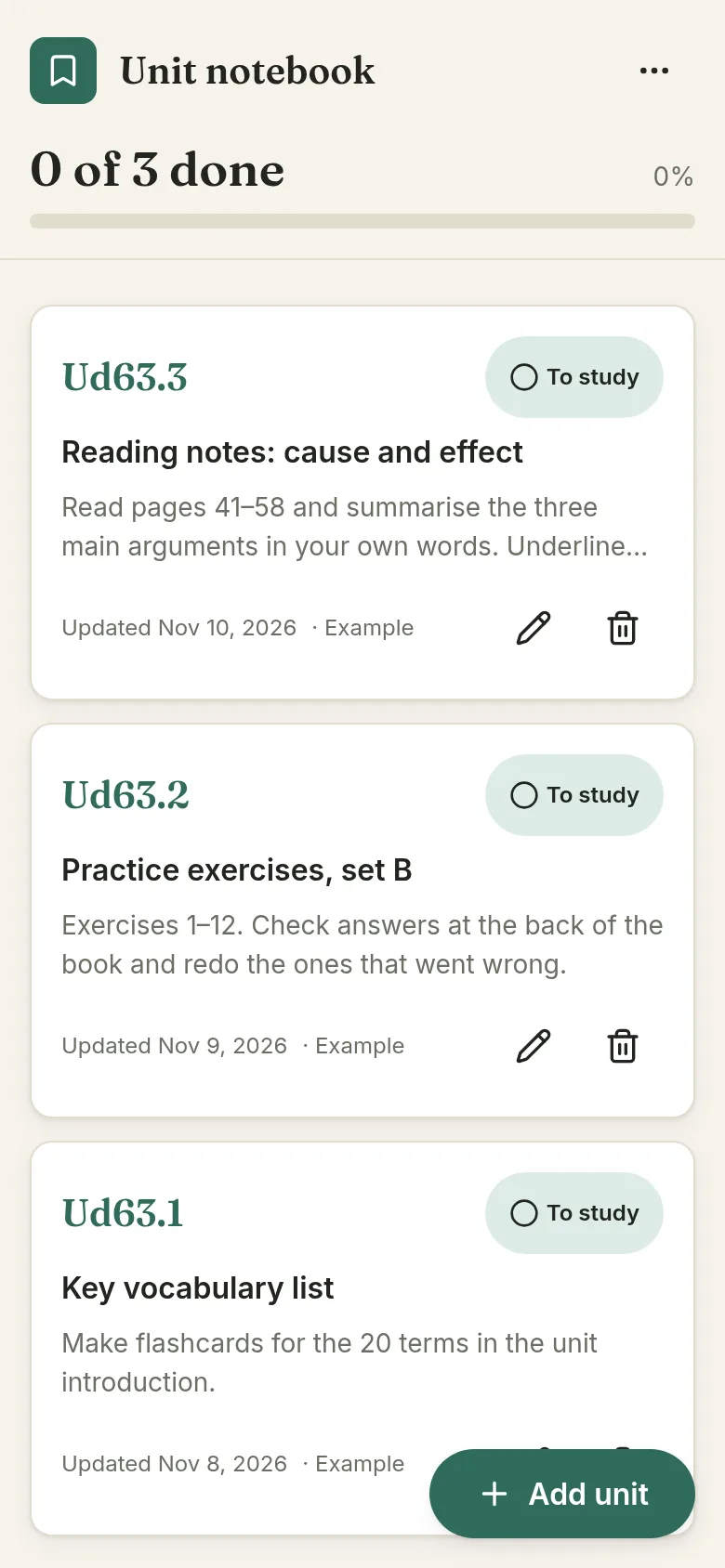
When you're working through a numbered curriculum or course material, it's easy to lose track of where you are and what you've learned. Unit Notebook lets you create entries for each unit you study, add detailed notes, and mark your progress as you move through them. Everything saves automatically to your browser, so your notes are always there when you come back.
What it does
Open the app and add units by their code (like Ud63.3) and a title. For each unit, write and save notes. Mark each unit as todo, doing, or done to track your progress. The main screen shows your units in a list, and a side panel displays your overall progress and which unit to study next. Sample units appear when you first open the app so you can see how it works.
Key features
- Add and organize units Enter a unit code and title, write notes, and save them to your growing notebook.
- Track progress with status Mark each unit as todo, doing, or done to see how much you have completed.
- Progress overview The side panel shows your completion percentage, counts by status, and which unit to study next.
- Browser storage All units and notes save automatically in your browser, no sign-up needed.
- Undo deletions If you delete a unit by mistake, undo it immediately from the notification.
How to use it
- Open the app and review the sample units to understand the format.
- Click Add unit and enter a unit code like Ud63.3, a title, and any notes.
- Click the status button on each unit to cycle through todo, doing, and done.
- Check the side panel to see your progress and which unit to study next.
- Clear sample units from the More menu when you are ready to use the app for your own units.
Who it’s for
Students and learners working through numbered course materials, textbooks, or structured curricula who want to keep organized notes and track their progress.
What’s new in this version
The app was created to handle numbered study units like Ud63.3, with a focus on tracking progress and keeping notes in one place.
The app’s share card (1200×630)
Questions and answers
Where are my units saved?
All units and notes are saved in your browser's local storage. They stay there until you clear your browser data or delete them in the app.
Can I edit a unit after I create it?
Yes, click on any unit in the list to open it and edit the code, title, or notes.
What do the status buttons do?
Each unit can be marked as todo (not started), doing (in progress), or done (completed). Click the status icon to cycle through them, or use the button in the side panel for the next unit.
Can I use this on my phone?
Yes, the app works on any device with a web browser and saves to your phone's browser storage.
More learning apps
- Historial Clínico Pet · Sistema para registrar y gestionar el historial médico completo de perros y gatos: vacunas, visitas, tratamientos, peso y avisos de vencimiento.
- Pitch Timer · Write cue cards, pick a 30/60/90-second timer, and rehearse your pitch with haptics and per-card timing feedback.
- ABC Explorer · Swipe through big letter cards with emoji words, then play a game to find matching letters. For children learning their ABCs.
- Vocab Swipe · Swipe French vocabulary cards to master them. Tap to flip, swipe right to mark as known, left to review later, and watch your progress in real time.
- Pocket Kanban · A minimal kanban board for your phone. Add colored task cards and tap them to move through To do, Doing, and Done with satisfying spring animations.
- Interview Bank · Post and upvote real interview questions by role and type. Mark questions you were asked to build your prep list.