Web app · Money
See what your appliances really cost
Track daily, monthly, and yearly electricity costs for each appliance, ranked by expense, with tips to save.
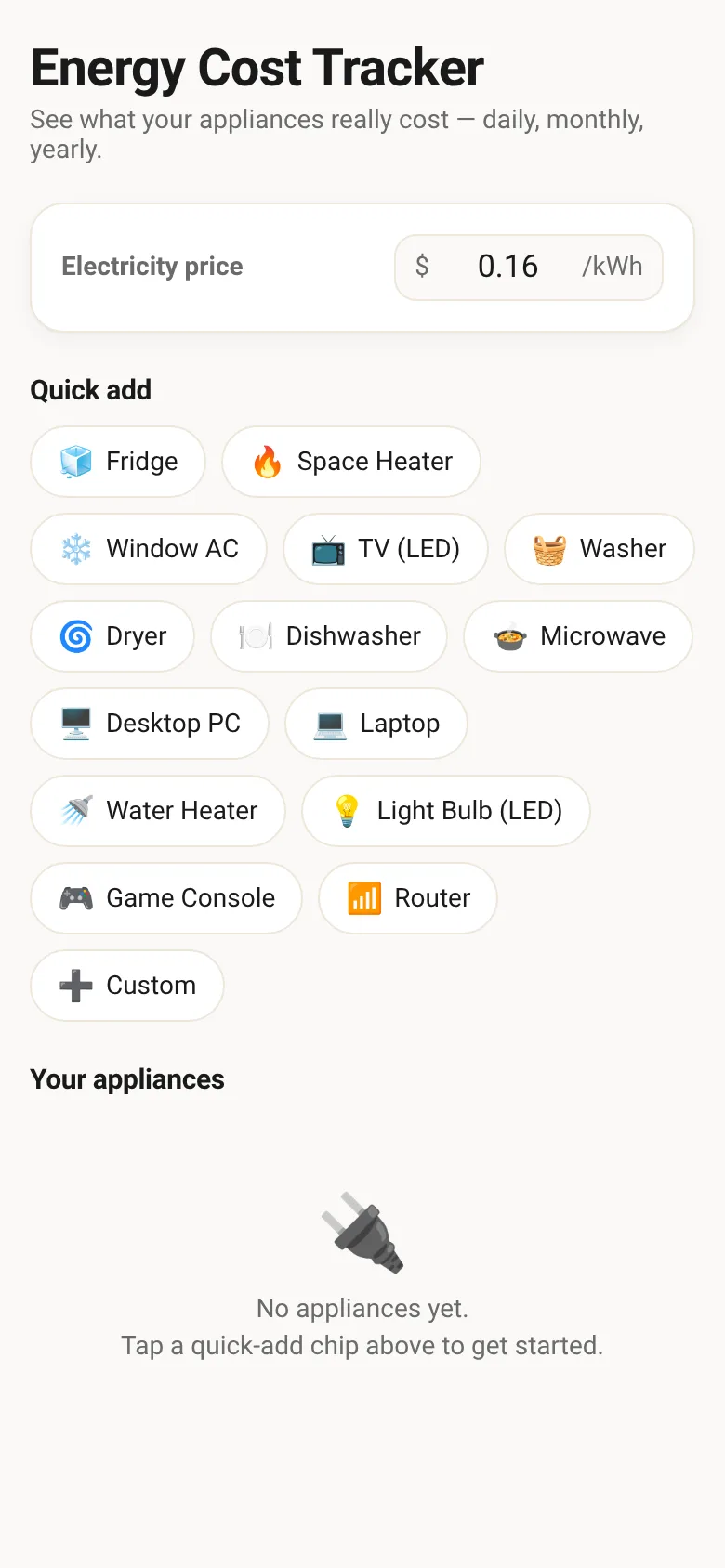
Most people don't know which appliances drain their budget. Watt Meter lets you add the devices you use, set your electricity rate, and instantly see their cost broken down by day, month, and year. Appliances are ranked by what they actually cost you, so you spot the biggest expenses first.
What it does
Add appliances by picking from preset options (fridge, heater, TV, washer, dryer, and others) or entering custom wattage and daily hours. Set your electricity price per kilowatt-hour. The app calculates and ranks each appliance by daily cost, shows monthly and yearly totals, and suggests savings tips tailored to your highest-cost devices—like adjusting your thermostat, using full laundry loads, or replacing incandescent bulbs.
Key features
- Quick-add chips for common appliances Tap a preset appliance like Fridge, Space Heater, or AC to instantly fill in typical wattage and hours.
- Custom appliance entry Enter any appliance name, wattage, and hours per day to calculate its cost.
- Ranked cost view See all appliances sorted by daily cost, with daily, monthly, and yearly breakdowns for each.
- Personalized savings tips Get advice tailored to your top-cost appliance and usage patterns, like thermostat settings or laundry habits.
- Adjustable electricity rate Set your price per kilowatt-hour to match your utility bill, and see costs recalculate instantly.
- Persistent storage Your appliances and electricity rate are saved locally, so your list stays when you return.
How to use it
- Enter your electricity price per kilowatt-hour from your utility bill.
- Tap a quick-add chip (Fridge, Space Heater, etc.) or tap Custom to add any appliance.
- Enter the appliance name, wattage, and average hours used per day, then tap Add to list.
- Review your appliances ranked by daily cost—the top ones show yearly expense and are highlighted in the bar chart.
- Read the savings tips below the list for specific ways to cut costs on your largest expenses.
- Delete any appliance by tapping the trash icon, or add more to refine your total estimate.
Who it’s for
Homeowners and renters curious about which appliances cost the most to run, who want to identify savings opportunities without complicated energy meters or utility data analysis.
What’s new in this version
Initial release with appliance cost calculator, preset quick-add options, ranked daily/monthly/yearly cost view, and context-aware savings tips.
The app’s share card (1200×630)
Questions and answers
How do I know my electricity price?
Check your utility bill for the rate per kilowatt-hour (kWh)—usually shown in cents, like 16¢/kWh. Enter it as a decimal (0.16) in the Electricity price field.
Does the app save my appliances when I close it?
Yes. Your appliances and electricity rate are saved to your browser, so they remain the next time you open the app.
Can I use this on my phone?
Yes, this app works on any device with a web browser—phone, tablet, or computer.
How accurate are the estimates?
Costs are based on the wattage and hours you enter. For preset appliances, typical values are used; actual consumption varies by model and usage. Use your estimate to identify trends, not as a guaranteed bill prediction.
More money apps
- Icebreakers · Swipe through fun, deep, work, and family icebreaker questions and save your favorites for parties and teams.
- Pitch Timer · Write cue cards, pick a 30/60/90-second timer, and rehearse your pitch with haptics and per-card timing feedback.
- Sun Arc · See the sun's arc across the sky for any latitude and day, with sunrise, sunset, day length, and golden hour windows.
- Big Text · Flash giant text across a room in auto-fit or scrolling marquee mode, with color themes and a gentle blink for safety.
- Shot List · Plan video scenes with shot cards, durations, and location tags. Check off shots as you film to track progress.
- Tally Counter · Track multiple named counts with big tap targets, haptics feedback, and one-tap undo on reset.