Web app · Health & fitness
Worry Box: turn worries into steps or schedule them for later
Write a worry, then decide if you can act on it now or let it wait safely until your chosen daily worry time.
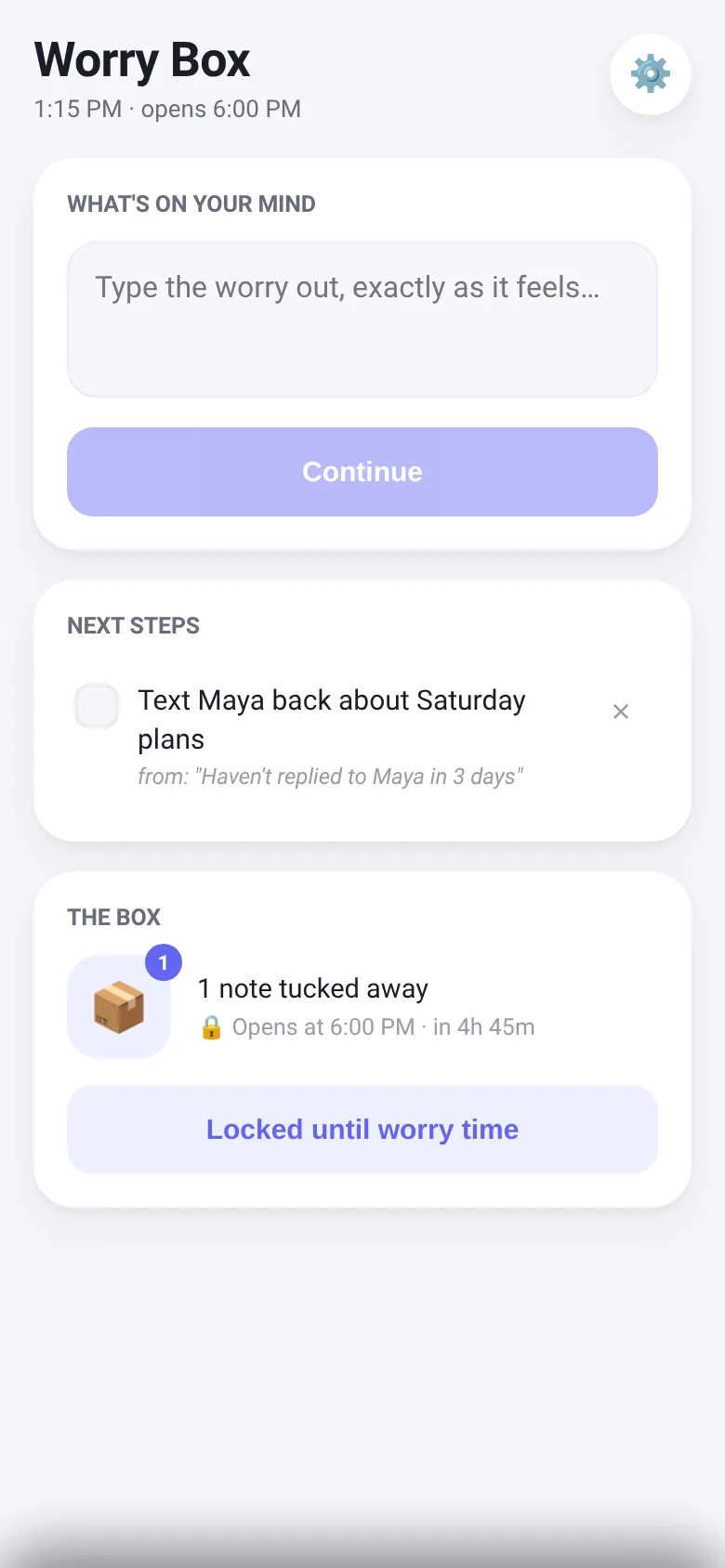
Worries often feel urgent even when you cannot act on them right now. Worry Box lets you get them out of your head by deciding immediately: if there is something small you can actually do about it, capture that one next step. If not, the worry folds into an animated note that drops into a box, locked until your daily worry time arrives. This separates the relief of expressing a worry from the rumination of dwelling on it.
What it does
You type a worry into the composer. The app asks whether you can do something about it right now. If yes, you name one tiny next step, which goes into your steps list. If no, the worry animates into a note that falls into the box. The box stays locked until your chosen worry time (default 6 PM); at that time you can open it to review the notes, and for each one decide to still worry about it, bring it back to the composer, or release it for good. Your current time and next steps appear on the main screen.
Key features
- Worry to step or box flow Type a worry, then choose whether to turn it into a small actionable step or fold it into the box until worry time.
- Daily worry time lock Set a time each day when the box unlocks; it stays locked until then, showing a countdown to when you can open it.
- Next steps list Check off or delete each small step as you go; the app tracks the worry each step came from.
- Worry notes in the box During worry time, open notes to reread them, bring one back to decide on again, or release it for good.
- Local storage All worries, steps, and your worry time preference save in your browser so they persist between visits.
- Animated folding When you let a worry go, it animates into a note and falls into the box, with a visual bump when it lands.
How to use it
- Type a worry into the composer box and tap Continue.
- Decide whether you can do something about it right now: tap 'Yes, there's a step' or 'No, let it go'.
- If yes, write the smallest next step you can take and tap Add step; if no, watch it fold into the box.
- Check off steps as you do them, or tap the trash icon to remove one.
- At your daily worry time, tap Open box to review, re-examine, or release each worry note.
Who it’s for
People who carry worries throughout the day and want to express them without spiraling, separate action-worthy concerns from things outside their control, and review non-urgent worries only at a set time.
The app’s share card (1200×630)
Questions and answers
Will my worries and steps be saved if I close the app?
Yes. Everything—your steps, worry notes in the box, and your daily worry time—saves locally in your browser.
What happens if I try to open the box before worry time?
The box stays locked and shows how long until worry time. You can see how many notes are waiting but cannot open them until the scheduled time arrives.
Can I change my daily worry time?
Yes. Tap the settings icon (gear) in the top right to pick a new time; it takes effect immediately.
What can I do with a worry note during worry time?
You can reread it and bring it back to the composer to decide on a step, or release it entirely. If it still troubles you, you can fold it back into the box for another day.
More health & fitness apps
- Icebreakers · Swipe through fun, deep, work, and family icebreaker questions and save your favorites for parties and teams.
- Pitch Timer · Write cue cards, pick a 30/60/90-second timer, and rehearse your pitch with haptics and per-card timing feedback.
- Sun Arc · See the sun's arc across the sky for any latitude and day, with sunrise, sunset, day length, and golden hour windows.
- Big Text · Flash giant text across a room in auto-fit or scrolling marquee mode, with color themes and a gentle blink for safety.
- Shot List · Plan video scenes with shot cards, durations, and location tags. Check off shots as you film to track progress.
- Tally Counter · Track multiple named counts with big tap targets, haptics feedback, and one-tap undo on reset.