Web app · Productivity
Writing Stats
Paste text for instant counts, reading time, readability score, repeated words, sentence rhythm, and style flags.
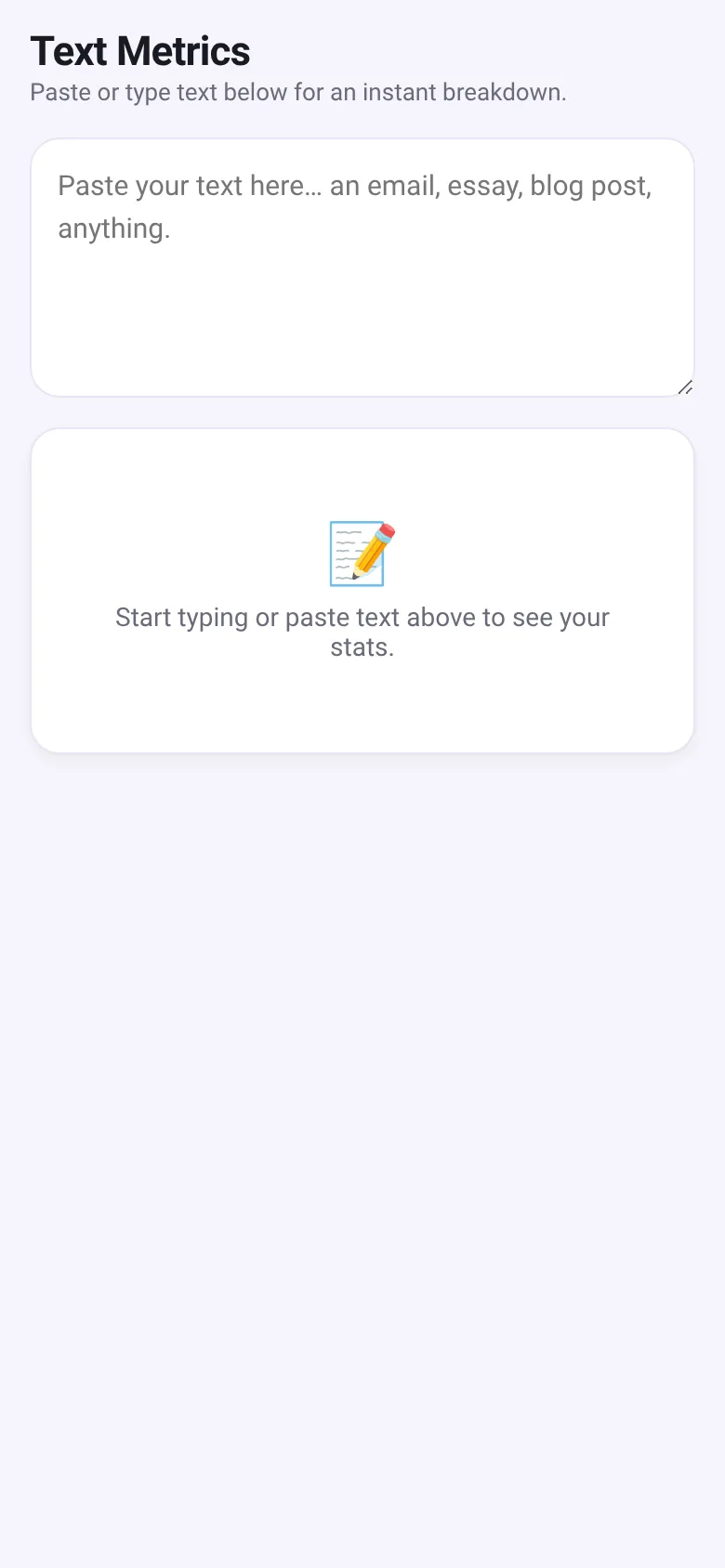
Writers and editors often wonder whether their text is easy to read, whether they are repeating words too much, or whether their sentences flow at different speeds. Writing Stats answers these questions instantly. Paste any email, essay, blog post, or other text into the box, and the app breaks down your writing with metrics that help you write clearer, more varied prose.
What it does
You paste or type text into a single textarea. The app instantly shows word and character counts, reading time (at 225 words per minute) and speaking time (at 130 words per minute), a Flesch Reading Ease score (0–100) with a grade-level label, a visual bar chart of sentence lengths to show rhythm, a list of the most repeated words (excluding common stopwords), and highlights of adverbs ending in -ly and passive voice constructions (be-verb plus past participle) to flag potential style issues.
Key features
- Basic counts Shows word count, character count, character count without spaces, and sentence count.
- Reading and speaking time Estimates how long it takes to read (at 225 words per minute) and speak (at 130 words per minute) your text.
- Readability score Flesch Reading Ease score (0–100) with a grade-level label from Very easy (5th grade) to Very difficult (graduate level).
- Sentence rhythm bars Visual bar chart showing word count per sentence, so you can see whether your sentences are varied in length or repetitive.
- Repeated words Displays the most frequently repeated words (three letters or longer, excluding common stopwords) with their counts.
- Style highlights Highlights adverbs ending in -ly and passive voice phrases (be-verb plus past participle) to help you identify and reduce these patterns.
How to use it
- Paste or type your text into the textarea.
- Read the metrics that appear instantly in the results below.
- Review the readability score and grade level to understand how accessible your writing is.
- Look at the sentence rhythm chart to spot patterns in sentence length.
- Check the top repeated words to find overused terms.
- Use the style highlights to reduce adverbs and passive voice if desired.
Who it’s for
Writers, editors, students, and professionals who want to quickly check whether their text is clear, varied, and well-paced. Anyone writing emails, essays, articles, or blog posts will find the instant feedback helpful.
What’s new in this version
The app saves your draft text in the browser, so it persists when you return.
The app’s share card (1200×630)
Questions and answers
Does the app save my work?
Yes. Your text is saved in your browser's local storage, so your draft will be there when you come back.
What does the readability score mean?
The Flesch Reading Ease score ranges from 0 to 100. Higher scores (70+) mean the text is easy and conversational. Lower scores (below 50) mean it is dense and complex, like academic writing.
Why are some words highlighted in the text below?
The app highlights adverbs ending in -ly (in one color) and passive voice phrases (be-verb plus past participle, in another color) to help you spot these patterns. You can then decide whether to simplify or vary your style.
Does it work on my phone?
Yes, the app is responsive and works on any device with a web browser.
More productivity apps
- Historial Clínico Pet · Sistema para registrar y gestionar el historial médico completo de perros y gatos: vacunas, visitas, tratamientos, peso y avisos de vencimiento.
- Icebreakers · Swipe through fun, deep, work, and family icebreaker questions and save your favorites for parties and teams.
- Pitch Timer · Write cue cards, pick a 30/60/90-second timer, and rehearse your pitch with haptics and per-card timing feedback.
- Sun Arc · See the sun's arc across the sky for any latitude and day, with sunrise, sunset, day length, and golden hour windows.
- Big Text · Flash giant text across a room in auto-fit or scrolling marquee mode, with color themes and a gentle blink for safety.
- Shot List · Plan video scenes with shot cards, durations, and location tags. Check off shots as you film to track progress.