Mobile app · Tools & utilities
Scan your apps and see which ones request dangerous permissions
CyberShield Pro lists every app on your phone, flags dangerous permissions they request, and gives your device a security score.
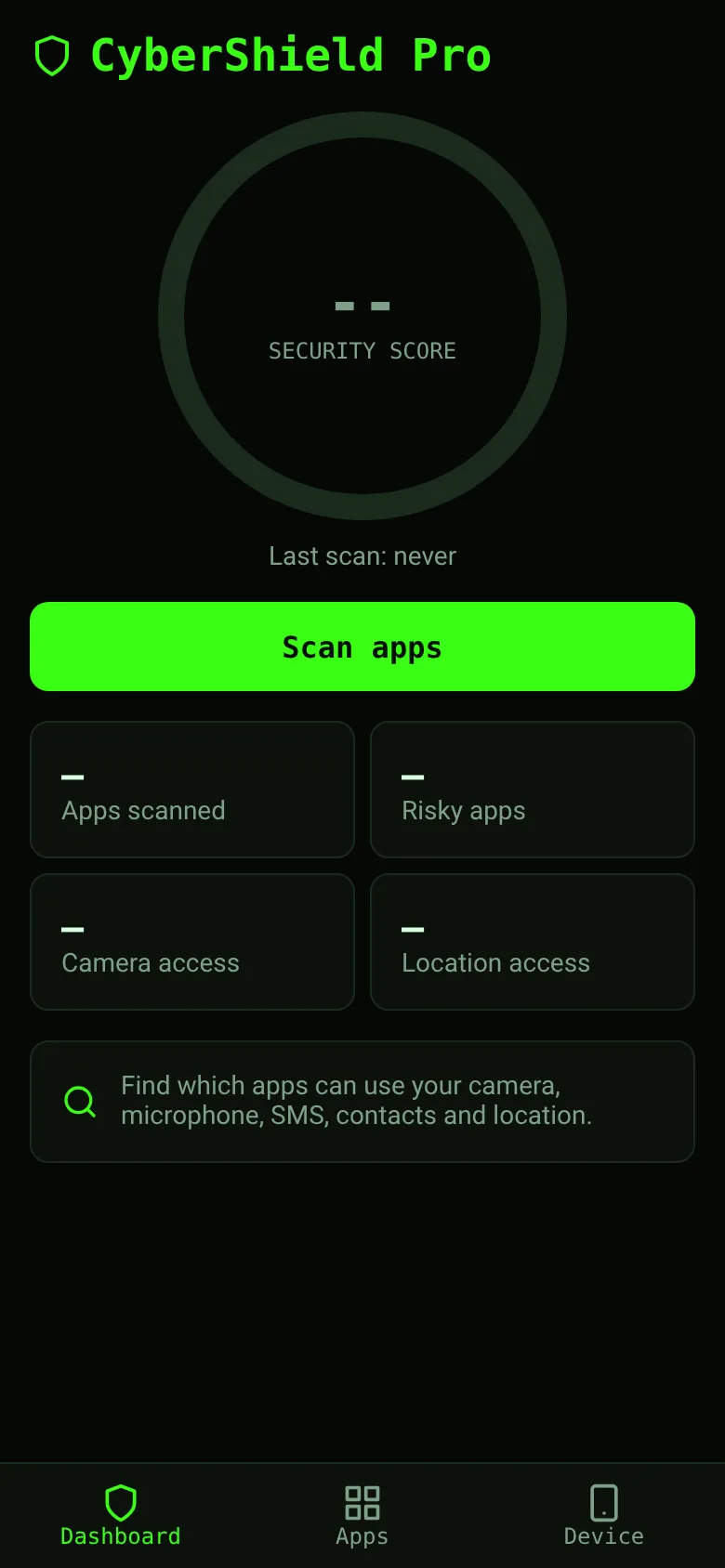
Every app installed on your phone can ask for access to sensitive features like your camera, location, or contacts. Most of the time you don't know what you granted. CyberShield Pro scans all your apps and shows you exactly which ones request dangerous permissions, whether you granted them, and how risky each app is overall. You get a security score for your whole phone so you can see at a glance if you need to uninstall or disable anything.
What it does
Open the app and tap Scan Apps. It reads your phone's installed apps and their permissions, then shows you a list sorted by risk. Tap any app to see its full details: install date, version, all dangerous permissions it requests, and which ones you already granted. The Dashboard shows your overall security score with a visual ring that fills based on how many risky apps you have. You can filter by risky or safe apps, search by name or package, and hide system apps to focus on what matters.
Key features
- Security score See your phone's overall security rating as a number out of 100, with color-coded risk levels.
- App scanner Lists all installed apps with their name, package name, install date, and version.
- Permission checker Shows dangerous permissions each app requests and whether you have already granted them.
- Search and filter Find apps by name or package, and filter by risky, safe, or all apps.
- Device info View your phone's operating system version and other device details.
How to use it
- Open CyberShield Pro and go to the Apps tab.
- Tap Scan Apps to read all your installed apps and their permissions.
- Review the list sorted by risk, or search for a specific app.
- Tap any app to see its full details, dangerous permissions, and which ones you granted.
- Check your security score on the Dashboard to see your overall risk level.
Who it’s for
Anyone who wants to understand what permissions their installed apps request and whether they pose a security risk. It's useful for people who care about privacy and want to keep their phone secure without technical expertise.
The app’s share card (1200×630)
Questions and answers
Does CyberShield Pro delete or uninstall apps?
No, it only scans and shows you information. You decide whether to uninstall any app based on what you learn.
Does it work offline?
Yes. The scan reads apps already on your phone, so it works without an internet connection.
Can I see which permissions I already granted?
Yes. In the app detail screen, permissions you granted are marked as Granted in red, and permissions only requested show as Requested in gray.
Does my scan history save?
Your most recent scan stays in the app. Tap Scan Apps again to refresh the list and get an updated security score.
More tools & utilities apps
- Icebreakers · Swipe through fun, deep, work, and family icebreaker questions and save your favorites for parties and teams.
- Pitch Timer · Write cue cards, pick a 30/60/90-second timer, and rehearse your pitch with haptics and per-card timing feedback.
- Sun Arc · See the sun's arc across the sky for any latitude and day, with sunrise, sunset, day length, and golden hour windows.
- Big Text · Flash giant text across a room in auto-fit or scrolling marquee mode, with color themes and a gentle blink for safety.
- Shot List · Plan video scenes with shot cards, durations, and location tags. Check off shots as you film to track progress.
- Tally Counter · Track multiple named counts with big tap targets, haptics feedback, and one-tap undo on reset.