Web app · Money
Debt Snowball: Compare your payoff strategies
Enter each debt's balance, interest rate and minimum payment, then see how fast you can get debt-free using snowball or avalanche method.
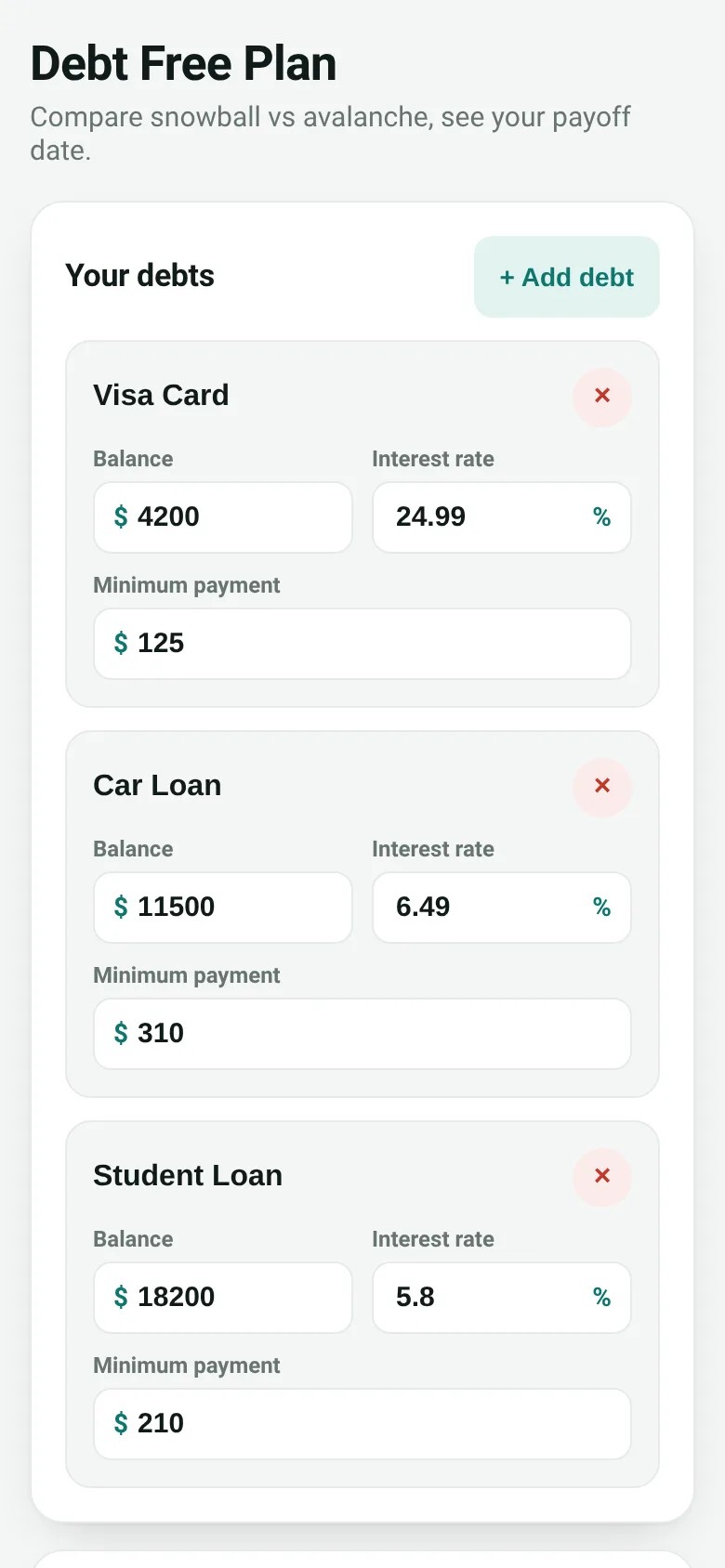
Paying off multiple debts feels overwhelming when you do not know which to attack first. Debt Snowball lets you enter all your debts in one place, set an extra monthly payment amount, and instantly see two payoff plans side by side: snowball (smallest balance first, for quick wins) and avalanche (highest interest rate first, to save money). You get your debt-free date, total interest paid, and a timeline showing when each debt clears.
What it does
You add each debt with its current balance, interest rate and minimum payment. You choose how much extra you can pay each month above minimums. The app simulates both the snowball and avalanche strategies month by month, calculating when you will be debt-free and how much interest you will pay under each approach. A comparison table shows both strategies side by side so you can see which saves time, which saves money, or if they are roughly equal for your situation.
Key features
- Add and edit multiple debts Name each debt, enter its balance, annual interest rate and minimum payment. Delete debts you no longer track.
- Snowball vs avalanche comparison See your payoff date and total interest for both strategies in a clear table. The app highlights which strategy wins on time and on interest.
- Month-by-month simulation The app accrues interest each month and applies payments according to your chosen strategy, showing when each debt is paid off.
- Extra payment control Adjust your extra monthly payment amount and instantly see how it changes your payoff date and interest cost.
- Data saved locally Your debts and preferences are stored in your browser so your plan persists when you come back.
How to use it
- Add your first debt by clicking the button, then fill in its name, balance, interest rate and minimum payment.
- Add all other debts the same way.
- Enter the extra amount you can pay toward debts each month.
- Choose snowball or avalanche strategy using the buttons.
- Read your payoff date, total interest and timeline in the results section.
Who it’s for
Anyone carrying multiple debts who wants to compare payoff strategies and see a concrete payoff date. It works for credit cards, loans, student debt or any interest-bearing balances.
The app’s share card (1200×630)
Questions and answers
Does this app save my debts?
Yes. Your debts, interest rates, minimum payments and extra payment amount are saved in your browser's local storage. They will be there when you return.
What if my minimum payments are so high that extra money cannot reduce any debt?
If the app detects that interest is growing faster than you can pay it down, it will tell you to increase your extra monthly payment amount.
Which strategy should I use?
Avalanche saves the most money in interest. Snowball gets you a quick win by clearing smaller debts first, which many people find motivating. The comparison table shows the difference for your debts.
Can I use this on my phone?
Yes. The app is built for any browser and adjusts to your screen size.
More money apps
- Budget Envelopes · Track spending across monthly budget envelopes like groceries and transport. Add expenses with a quick keypad and watch animated fill levels show how much you
- Group Expenses · Add shared expenses with friends and see the fewest transfers needed to settle up. Balances update live for everyone.
- Offer Compare · Compare job offers side by side by salary, bonus, equity, benefits, commute and remote work. See weighted scores and radar charts.
- Watt Meter · Add your appliances and see how much electricity they cost daily, monthly, and yearly. Get ranked costs and savings tips.
- Meeting Cost · Set attendees and hourly rate, start the timer, and watch a live odometer tally what the meeting is costing in real time.
- Subscription Audit · List your subscriptions with prices and usage. See monthly and yearly totals, spending by category, and how much you'd save by cancelling the ones you pick.