Live shared web app · Money
Group Expenses
Add what each person paid for and who it was for. See live balances and the minimum transfers to square up.
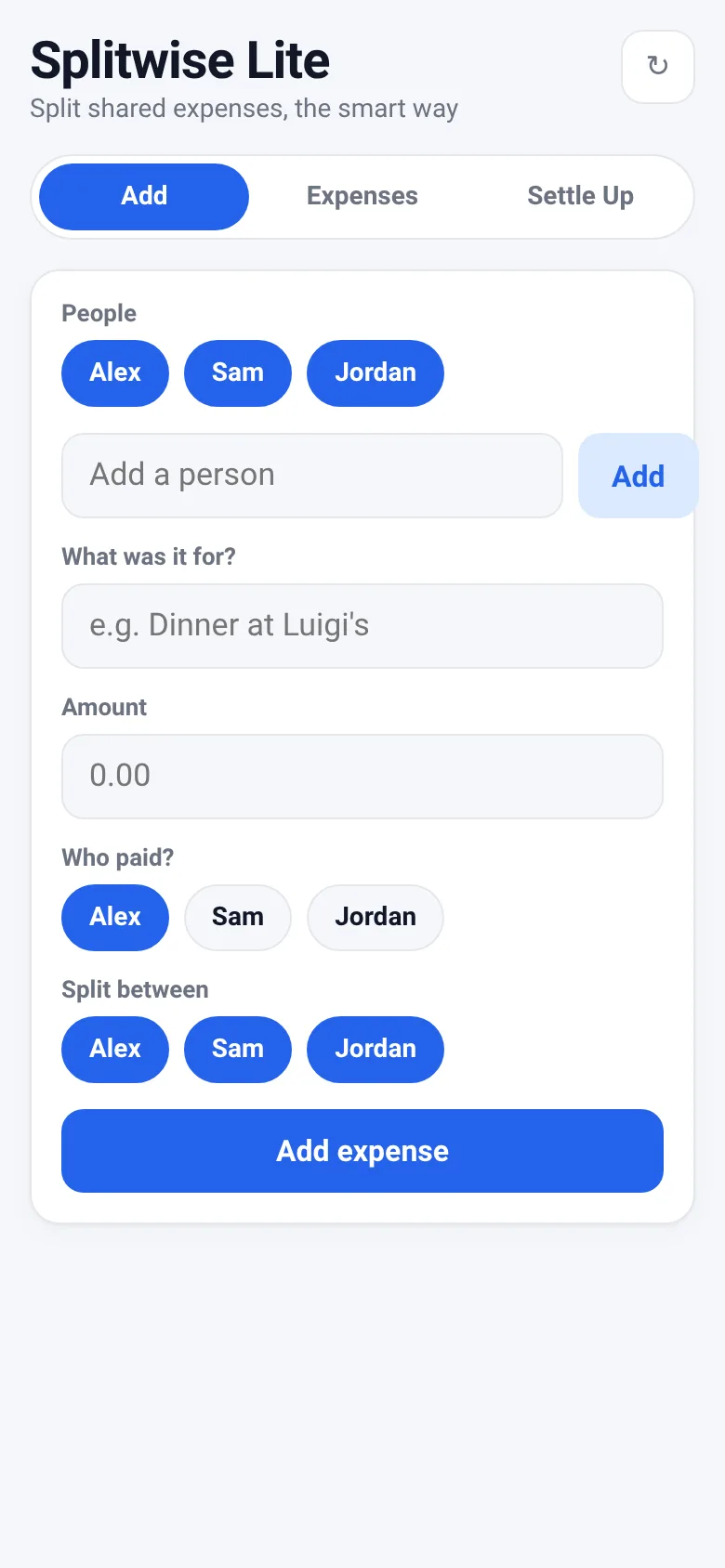
When friends share costs—splitting rent, ordering food, paying for a trip—figuring out who owes whom gets messy. Group Expenses lets you add each expense with who paid and who benefited. Everyone who opens the link sees the same live data, and the app calculates the fewest transfers needed to settle up fairly.
What it does
You add people to your group, then log each expense: what it was for, how much, who paid, and who it was split between. The app tracks each person's balance and shows you exactly who needs to pay whom to square everything up. All changes appear instantly for anyone viewing the shared link.
Key features
- Live shared data Everyone with the link sees the same expenses and balances in real time.
- Add expenses with splits Record each cost, who paid, and which people to split it among.
- Balance tracking See each person's balance: who owes money, who is owed, and who is settled.
- Minimal settle-up plan View the fewest transfers needed to balance everyone out.
- Manage people Add or remove people from the group directly in the add screen.
How to use it
- Add the people in your group by typing their names.
- Enter an expense: what it was for, the amount, who paid, and who split it.
- Watch live as balances update for everyone viewing the shared link.
- Go to Settle Up to see who owes whom and the minimum transfers needed.
Who it’s for
Friends, roommates, and groups splitting shared costs like meals, rent, travel, or event expenses. Works on any device with a web browser.
The app’s share card (1200×630)
Questions and answers
Do I need to create an account?
No. Open the app and start adding expenses. Everyone you share the link with sees the same data.
If I delete an expense, do others see it disappear?
Yes. When you delete an expense, the change appears live for everyone viewing the link. Only you can delete your own expenses.
Does it work on my phone?
Yes. The app works on phones, tablets, and computers.
What happens if someone leaves the group?
You can remove them from the People list. Their past expenses stay in the history, and their balance remains accurate until everyone settles up.
More money apps
- Budget Envelopes · Track spending across monthly budget envelopes like groceries and transport. Add expenses with a quick keypad and watch animated fill levels show how much you
- Offer Compare · Compare job offers side by side by salary, bonus, equity, benefits, commute and remote work. See weighted scores and radar charts.
- Watt Meter · Add your appliances and see how much electricity they cost daily, monthly, and yearly. Get ranked costs and savings tips.
- Meeting Cost · Set attendees and hourly rate, start the timer, and watch a live odometer tally what the meeting is costing in real time.
- Subscription Audit · List your subscriptions with prices and usage. See monthly and yearly totals, spending by category, and how much you'd save by cancelling the ones you pick.
- Debt Snowball · Enter your debts and extra payment to compare snowball vs avalanche payoff dates and total interest paid.